
Autor: NTA Time: 2026-08-03 00:15:19 Click:
A practical, reusable field schema for digital vehicle inspection reports covering identity, timestamps, capture provenance, findings, severity, location, images, reviewer notes, recommendation,…
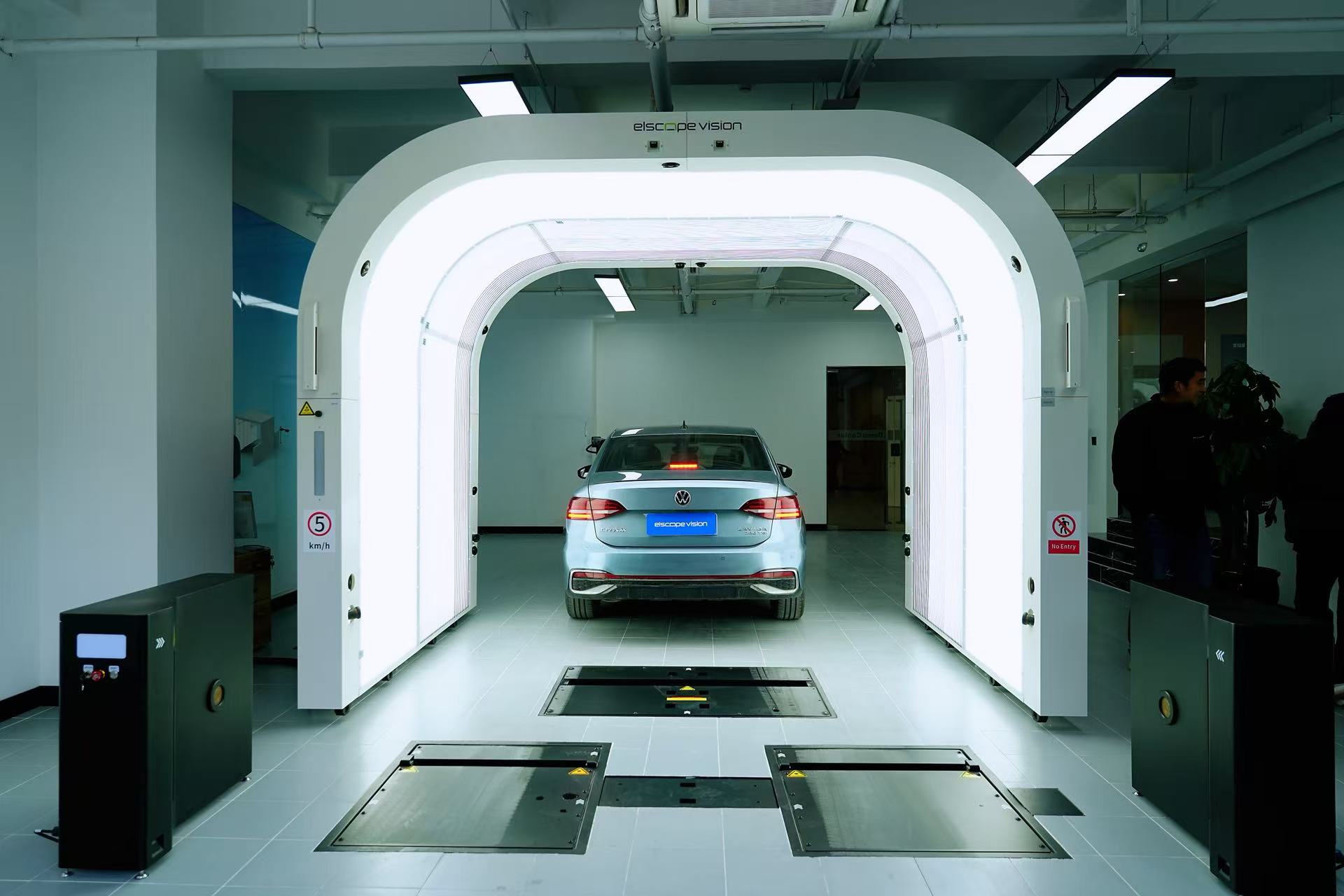
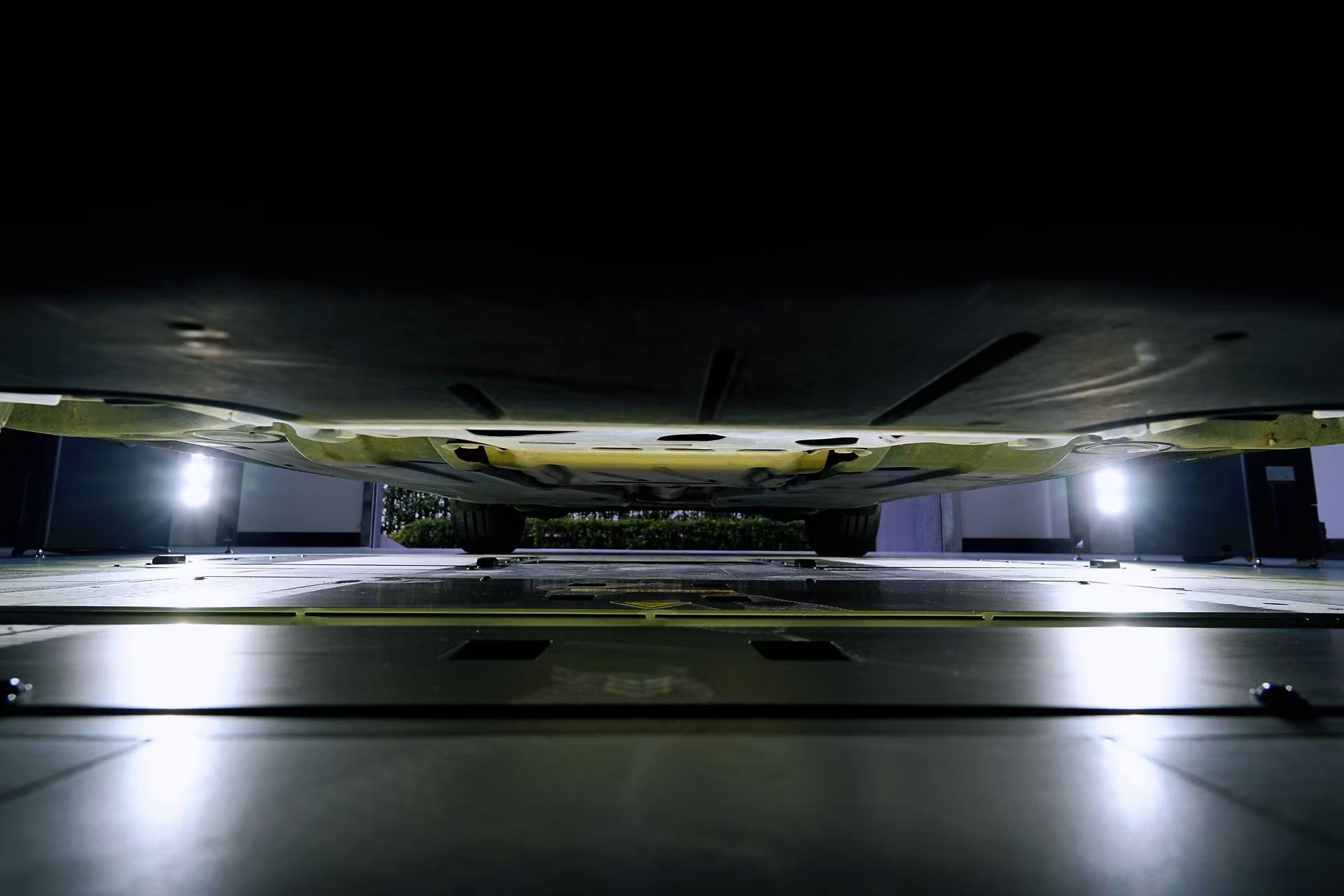
Most inspection records still carry whatever the person holding the tablet decided to write down. That holds up until a customer disputes a scratch, an adjuster asks when the damage was first recorded, or a fleet needs the same evidence from three sites in the same shape. The fix isn't a longer form, it's a fixed field set. This article lays out that field set, a checklist to run before the template goes live, and how automated capture fills it on a working lane. A digital vehicle inspection report template is usable when every record carries the same fields, in the same order, with defined value types instead of free prose. Ten blocks cover almost every operation: identity, timestamps, capture provenance, findings, severity, location, images, reviewer notes, recommendation, and export or governance. Four rules keep that template honest in daily use: • Every field has a declared value type, so two sites can't grade severity on two different scales. • Provenance travels with the finding, including device, software version, and how many images backed it. • Every finding points to a place on the vehicle and to at least one image. • The whole record leaves the system through an API in a format the receiving software already reads. Elscope Vision builds its reporting around that shape. The Dragate arch scanner produces a body report marking total defects, locations, and severity on each surface in graded color, and the 4-in-1 path joins body, tire, and underbody results into one condition record. The sections below give the field table, the pre-launch checklist, and where automated capture removes the typing. Manual notes work at low volume and stop working the moment a record has to travel. • Dealership lanes lose trust when the write-up depends on who walked the car and how much they typed. • Auctions lose bidder confidence when two sites describe the same wear in different words. • Fleet and logistics teams lose claims at handoff when damage is logged after the fact with no timestamped image trail. • PTI stations and OEM quality roles lose traceability when a finding can't be tied back to the device that captured it. The table below is the underlying schema. A customer-facing report can hide most of it, but the record beneath should hold every row. Two rows carry more weight than the rest. Capture provenance turns a photo into evidence, and the override fields keep a human correction visible instead of silently rewriting the original finding. Work through these in order before the first live report. 1. Validate the VIN field for length and character set, and keep it as the primary key across every downstream system. 2. Fix one time zone convention and store the offset, so a report generated at a port reads correctly at head office. 3. Lock the severity scale to one definition and publish the thresholds behind each grade. 4. Require at least one image reference per finding, and reject any finding that arrives with none. 5. Keep the AI finding and the reviewer decision in two separate fields instead of overwriting one value. 6. Decide who may edit a generated report, and log every edit with reviewer ID and timestamp. 7. Test the API payload against the receiving DMS, auction platform, or claims system before rollout, then set retention and access rules per role. Good hardware fills the schema it feeds. Elscope Vision treats body, tire, and underbody capture as one modular stack behind a single record. Body findings and provenance. The Dragate arch scanner scans in 10 seconds per vehicle, supports up to 1,500 vehicles per day, and captures 2,000 to 3,000 images per car through 17 cameras. Its report marks defect totals, locations, and severity on each surface, filling the findings, severity, location, and image blocks without manual entry. Underbody findings. The TOTA underbody scanner delivers 4K imaging with distortion rectification and identifies cracks, rust, scratches, and oil leaks, giving chassis rows the same structure as body rows. Tire data. The LUBAN PRO tire tread scanner measures every groove in one pass at 0.1 mm precision and flags abnormal wear and replacement need, so tire recommendations arrive as numbers. One record, not four. In the 4-in-1 configuration, a full vehicle condition report is available within tens of seconds, the cycle time that matters more on a busy lane than any single component spec. Export and governance. Elscope Vision supports API docking for dealership management, fleet, and custom platforms, and the server can be deployed to your local base when data has to stay in-house. Records can be retrieved and traced remotely, which is what makes the retention and access fields enforceable. What are the minimum fields for a digital vehicle inspection report? Identity, timestamp, finding, severity, location, and at least one image per finding. Everything else improves the record, but a report missing any of those six can't be defended later. How accurate is automated defect detection? Accuracy depends on the inspection scenario and the system configuration. What AI reliably changes is consistency, since the same evaluation criteria are applied to every vehicle and variation between individual inspectors drops. Can the report be pushed into an existing DMS or claims system? Yes. Elscope Vision provides APIs that support integration with dealership management systems, CRM platforms, fleet-management software, and other operational tools. Who should be allowed to change a finding after the report is generated? A named reviewer only, and the change belongs in the reviewer block rather than the original finding. Keeping both values lets a dispute be reconstructed months later. A template earns its keep when one record survives intake, resale, transport handoff, and a claim without being rewritten in between. Start from the schema, then choose capture that fills it. If you're mapping this template onto your own lanes, send us your current report format and volume, and our team will walk you through the field mapping and a live demonstration. Contact us to schedule it.Start Here
Where free-text inspection notes break down
The field set a digital inspection report should carry
Field block Fields to include Value type or format Vehicle and job identity VIN, plate, make, model, year, odometer, report ID, site and lane ID 17-character VIN, unique alphanumeric report ID, integer odometer Timestamps Scan start, report generated, review completed, report delivered ISO 8601 date and time with time zone offset Capture provenance Device model, software version, camera count, images captured per vehicle Text plus integers, for example 17 cameras and 2,000 to 3,000 images Findings Defect type, panel or component, dimension, count Enumeration (dent, scratch, crack, rust, oil leak, abnormal wear) plus numeric size Severity Grade, color band, threshold applied Ordinal scale such as 1 to 3, with the threshold value stored alongside Location Panel name, coordinates on the body map, underbody zone, wheel position Panel enumeration plus x and y on a standard vehicle diagram Images Original image reference, annotated overlay, capture angle, count per finding URI plus integer count Reviewer notes Reviewer ID, comment, override flag, override reason Named user ID, bounded text, enumerated reason code Recommendation Action, priority, follow-up owner, estimate reference Action enumeration (monitor, repair, replace, escalate) plus date Export and governance Export format, API push status, retention period, access role JSON, PDF or CSV, boolean push status, integer retention days, role enumeration Checklist to run before the template goes live
How Elscope Vision populates the fields automatically
Frequently asked questions
Keep one field set from intake to claim
Let's Discuss Your Inspection Needs
We offer professional consultation services
Address : NO. 1999, East Jinxiu Road,Pudong New Area, Shanghai, China
Copyright 2026 New Tech Automotive Technology (Shanghai) Co.,Ltd. All Rights Reserved Information Security
Follow Us


Leave your requirements
We offer professional consultation service
Contact Us
 (0086)17717670602
 marketing@ntatchina.com
 8617717670602
Follow Us
Address : NO. 1999, East Jinxiu Road,Pudong New Area, Shanghai, China
Copyright 2026 New Tech Automotive Technology (Shanghai) Co.,Ltd. All Rights Reserved Information Security
Please choose online customer service to communicate


