
Autor: NTA Time: 2026-11-04 17:00:54 Click:
Elscope Vision's tread and sidewall scanner pair covers tread depth, DOT age, brand and size, and sidewall damage in one dealership lane drive-through.
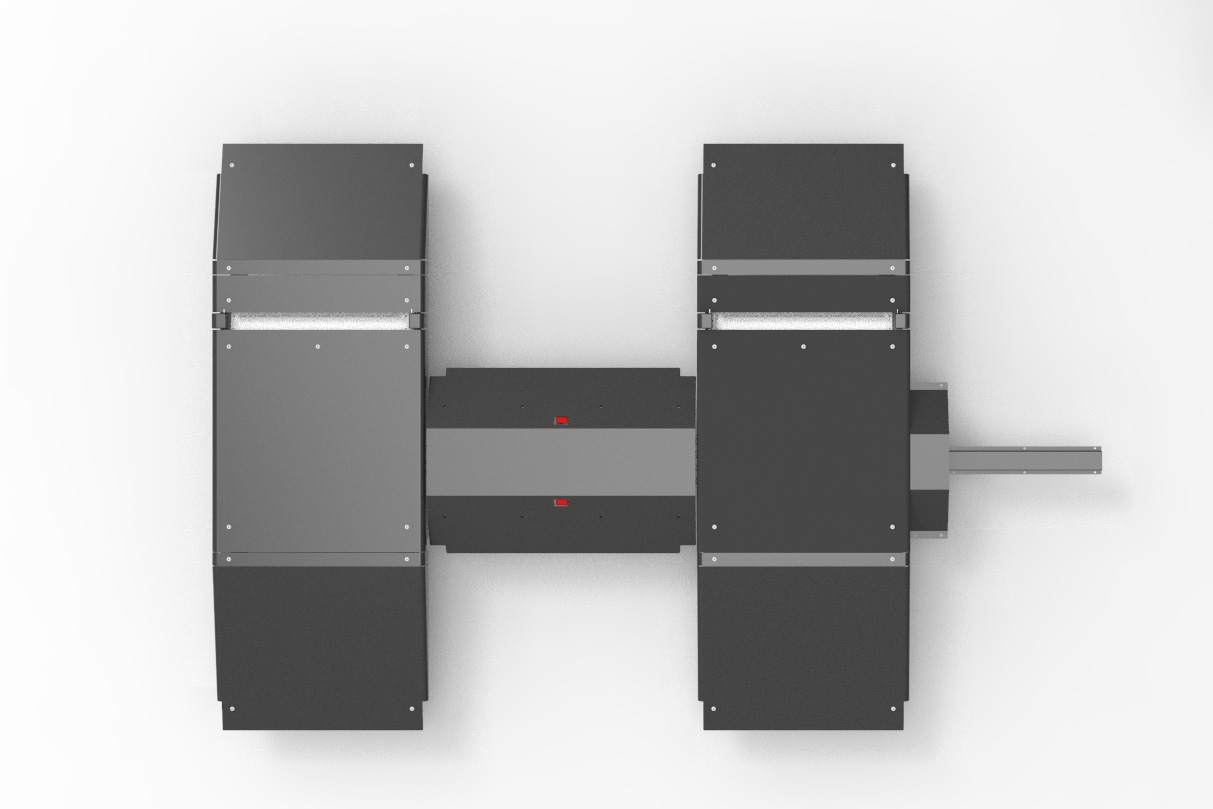
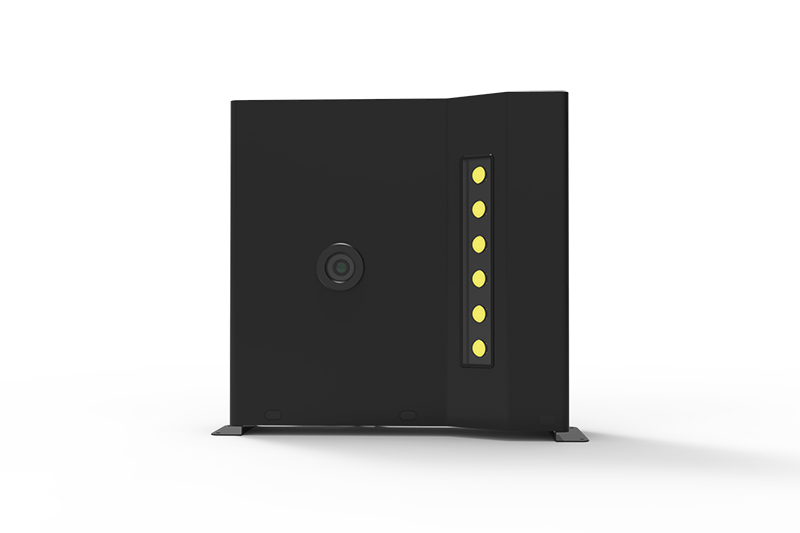
A dealership specifying a drive-through tire lane can start from four outputs: groove depth, tire age, brand and size, and visible sidewall damage, all captured while the car rolls in. Depth is read from the tread, while tire identity and sidewall damage sit on the side of the tire. Elscope Vision answers that list with two capture points working in one drive-through. The two units are installed in the same lane: the LUBAN PRO tire tread depth scanner and the tire sidewall scanner. On the tire and wheel inspection solution, one drive through the scanners covers tire information, tread depth, uneven wear, and wheel damage, and the system keeps all of it as detailed reports. The pair suits dealerships where arriving vehicles follow a fixed path past the write-up desk, so every car crosses the tread plates and passes the sidewall scanner on its way in. Both modules are also part of the Passenger Vehicle 4-in-1 Solution for car dealerships, which adds exterior and underbody scanning to the same lane. A useful reference point is the scope UVeye sets out for its own tire system. On its How it works page, UVeye describes AI that analyzes tread depth, wear patterns, DOT data, and sidewall bulges, and names its tire scanner Artemis. Turning that scope into a requirement list for a dealership lane gives five items: 1. Tread depth measured across the grooves of every tire. 2. Tire age, read from the DOT date code on the sidewall. 3. Brand, model, and size, so the advisor knows which tire is fitted. 4. Visible sidewall damage such as bulges, along with wheel damage. 5. Uneven wear, which points the technician toward an alignment check. Illustrative mapping compiled from Elscope Vision's product pages Beyond its identity fields and defect findings, the sidewall scanner also adds AI-generated suggestions for tire replacement or alignment, so both units contribute to the service recommendation. Groove depth is read across the face of the tread, so the LUBAN PRO scanner uses plates that the car drives over, measuring each tire's grooves simultaneously in a single pass without stopping. Lettering, date codes, and bulges are on the side of the tire, so the sidewall scanner uses cabinets beside the lane that image that face as the wheels go by, covering all tires in the same drive-through. Because the report carries the DOT date code for each tire, the advisor can apply the store's tire age policy straight from the screen, and the technician confirms the tire's condition on the car. Illustrative reception workflow based on the tire and wheel inspection solution 1. The vehicle drives through the scanners at the service entrance, and the tread plates measure every groove of each tire in one pass. 2. On the same drive-through, the sidewall scanner uses OCR and AI vision to read brand, model, size, and DOT date code, and AI models check the sidewall and wheel for defects. 3. The system holds both results as detailed reports with groove readings, tire information, defect findings, and 4K tire images. 4. The advisor reviews the report, and where it shows a replacement alert or alignment suggestion, adds a tire check for the technician to the repair order. Lane planning starts from the arrival path. A store that wants every car scanned plans the units along the route incoming cars already take, and decides with Elscope Vision where the report should appear for the advisor who greets the customer. Inside the 4-in-1 lane of Elscope Vision's car dealership solution, the tire pair works with the arch and underbody scanners to inspect every vehicle in 10 seconds with objective digital reports. The solution supports API integration and on-premises deployment, so tire results can reach the DMS or service software the store selects, with the receiving fields and interface defined in an integration project. A fixed tire lane suits stores where arrivals come through one service entrance and the store wants every car measured, including cars booked for unrelated work. It also suits stores that want tire age and identity on record for the cars passing the lane, since the sidewall scanner reads the DOT date code during the same drive-through, without staff keying it in. For tire checks done at the car, away from a fixed lane, smartphone tools are another route; Anyline's tire inspection page describes identifying tires, checking their age, and measuring tread depth with a phone. Three details in the purchase request give the lane design a firm starting point: 1. List the outputs by role. Note which report fields the advisor uses at write-up, which the technician checks in the bay, and which the parts counter needs for stock, so the hand-off of tire results can be planned around those three readers. 2. Describe your vehicle mix. Elscope Vision builds its drive-over tread scanner in a passenger car version and a commercial vehicle version for multi-axle trucks, so a store that also services trucks can note that mix early and plan each lane for the vehicles it will see. 3. Name the receiving system. Writing down which DMS or service software should hold the tire results lets the API scope be agreed alongside the hardware layout. The groove readings for each tire, the 4K sidewall images, and any replacement alert or alignment suggestion give the customer something concrete to look at. When the sidewall scan flags a bulge or rim defect, the advisor can walk the customer through that finding next to the 4K image of their own tire. The AI models behind the sidewall scan are built to recognize defects on both the sidewall and the wheel, so rim damage appears in the same report as the tire information. That puts wheel findings in front of the advisor at the same moment as tire age and size. Talk to Elscope Vision about a tire lane and bring a sketch of your service entrance with its approach length, plus your typical daily arrivals. With those two inputs, the discussion can turn straight to where the tread plates and sidewall cabinet could sit and which system your advisors would read the results in.Two Capture Points, One Drive Through the Service Entrance
The Requirements Behind a UVeye Comparison
Requirement Elscope Vision module that captures it What the report shows Tread depth LUBAN PRO tire tread depth scanner Readings for every groove of each tire, measured in a single pass, with tire replacement alerts Tire age Tire sidewall scanner DOT date code and tire age, read by OCR and AI vision Brand, model, and size Tire sidewall scanner Brand, model, and size fields for each tire Sidewall and wheel damage Tire sidewall scanner AI defect findings such as bulges, with wheel defects and 4K tire images Uneven wear LUBAN PRO tire tread depth scanner Wear and eccentric-wear alarms, plus a four-wheel alignment suggestion How Elscope Vision Splits Depth and Identity Between Two Units
How the Pair Works in a Reception Lane
Where a Fixed Tire Lane Fits
Bonus tips: Writing the Tire Lane Into a Purchase Request
FAQ
What can the advisor show the customer from the tire report?
Does the sidewall scanner also check wheels?
Plan a Tire Lane Around Your Service Entrance
Let's Discuss Your Inspection Needs
We offer professional consultation services
Address : NO. 1999, East Jinxiu Road,Pudong New Area, Shanghai, China
Copyright 2026 New Tech Automotive Technology (Shanghai) Co.,Ltd. All Rights Reserved Information Security
Follow Us


Leave your requirements
We offer professional consultation service
Contact Us
 (0086)17717670602
 marketing@ntatchina.com
 8617717670602
Follow Us
Address : NO. 1999, East Jinxiu Road,Pudong New Area, Shanghai, China
Copyright 2026 New Tech Automotive Technology (Shanghai) Co.,Ltd. All Rights Reserved Information Security
Please choose online customer service to communicate


