
Autor: NTA Time: 2026-09-15 16:28:14 Click:
Use Elscope’s 4-in-1 report at express-service reception to connect current condition findings with advisor review, customer discussion, and workshop instructions.
An express-service visit begins with a booked job, but the advisor may also need to discuss the vehicle's current condition. The useful moment for that conversation is while the customer is at reception and the workshop scope is still being agreed. Inspection findings need to reach the advisor in time to be used there. That requirement should shape the arrival lane, report access, and handoff to the workshop. Capturing the condition is the beginning of the process. The service department earns the operational value when the right employee can review the findings and explain the next step. Elscope Vision's Passenger Vehicle 4-in-1 Solution for dealerships fits this workflow by combining exterior body, tire tread, tire sidewall, and underbody inspection into a digital report. It gives the advisor several kinds of current evidence to bring into the reception conversation, from a located body mark to a tire measurement requiring review. Design capture around the normal arrival route, then assign responsibility for opening the report before additional work is discussed. The advisor should have the customer's booking, reported concerns, and relevant inspection findings together. That allows the conversation to stay grounded in the visit the customer has actually made. Test this sequence during deployment. Follow a vehicle from arrival through parking to the advisor desk, and check when the report becomes accessible. Include vehicles requiring a further check or a corrected record association. This establishes how the whole reception process works under the site's chosen configuration; a scanner's capture specification alone cannot answer those workflow questions. The Dragate Arch Scanner provides the exterior-body component. Its AI analysis identifies visible dents and scratches, and its report locates detected findings with count and severity information. An advisor discussing an arrival mark can open the relevant body area and review it with the customer. The record also gives the workshop a reference for the vehicle's documented arrival condition. Tire inspection serves a more service-focused discussion. The tread scanner supplies groove-depth measurements, wear-related findings, and maintenance suggestions. The advisor can refer the relevant measurements and tire position for technical review, then use that assessment to explain an appropriate inspection or service proposal. The sidewall scanner adds imagery and AI-based detection of visible sidewall defects. This gives the team another visible area to examine when assessing tire condition. Underbody imagery can similarly direct attention to an underside concern and help the technician locate the area behind the advisor's request. The distinction between these uses is straightforward: document arrival condition, identify relevant service questions, and obtain the technical assessment and customer authorization needed for additional work. Explain that division once in the service process, then make the report useful within it. For the advisor, the benefit of combined coverage is being able to move through these questions from one condition report. The customer can see the relevant evidence, and the employee handling the next step can retrieve the same observation. During an oil-change visit, a report might include an exterior scratch, a tire finding, and an underside image worth investigating. Presenting every item with equal emphasis would leave the customer unsure what the dealership is asking them to do. Start with the booked service and any concern the customer has raised. Record the body mark as part of arrival condition where that is its relevant purpose. If the tire information warrants review, identify the tire position and explain the proposed check. For an underside observation, show the area and state what the technician would investigate. The discussion should end with an understandable scope. A customer who agrees to a tire assessment has authorized that assessment; the subsequent recommendation can be discussed once the technician has reviewed the finding. If the customer declines an additional check, keep the decision in the service record so the workshop and the next advisor can see it. This approach gives service opportunities a clear basis. The advisor can connect a present observation to a relevant check and explain why it is being raised during this visit. It also leaves the customer with a concrete choice instead of a long list of unexplained report flags. A useful workshop instruction identifies what prompted the request. “Check tires” leaves the technician to find the concern again. An instruction linked to the relevant tire position, measurement, and advisor note provides a specific starting point. For underside review, include the image that led to the discussion. Keep these elements together in the agreed service workflow: • The booked job and customer-reported concern. • The relevant inspection reference, position, or image. • The additional assessment or work authorized by the customer. • The technician's findings and the resulting service decision. This makes the handoff intelligible even when another technician takes the job. The advisor can also return to the same record when explaining the assessment or preparing a follow-up estimate. Elscope supports API integration and local server deployment. Use these options to plan report access at the advisor desk and in the workshop. Confirm the receiving fields, vehicle and visit association, staff permissions, and the way supporting images will be opened in the chosen service environment. Include the process for resolving a missing or mismatched record in that implementation. Official video: Tire Inspection System — Build Stronger Customer Trust When evaluating a reception installation, ask the advisor to demonstrate a visit from booking to workshop handoff. Can they retrieve the current report, identify the item worth discussing, explain the proposed check, and pass the supporting evidence to the technician? Those are useful acceptance criteria for an express-service operation. They connect the inspection to customer communication and to the work the service department is equipped to perform. Elscope Vision's Passenger Vehicle 4-in-1 Solution is well suited to this role because its body, tire, and underbody observations cover several parts of the reception review. Plan an Elscope dealership deployment around the advisor's use of that information, and the arrival scan becomes a practical source of documented condition and relevant service opportunities.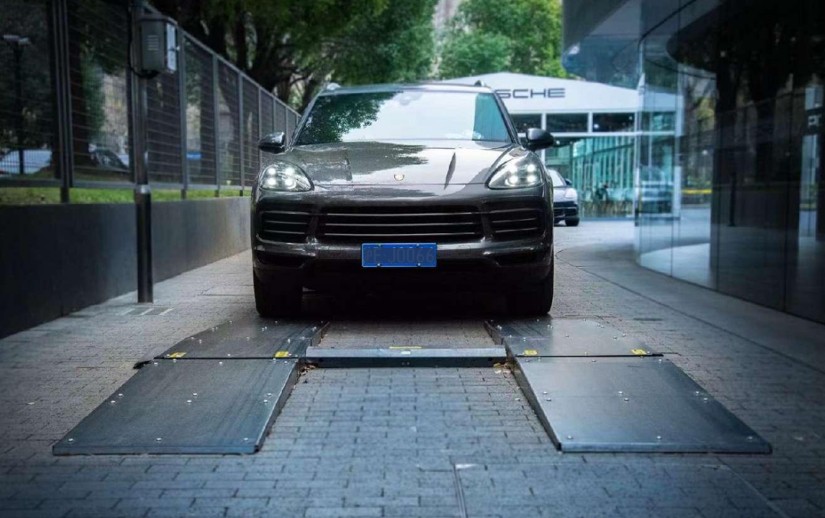
Put the 4-in-1 Report at the Center of Advisor Review
Give Each Finding a Useful Place in the Conversation
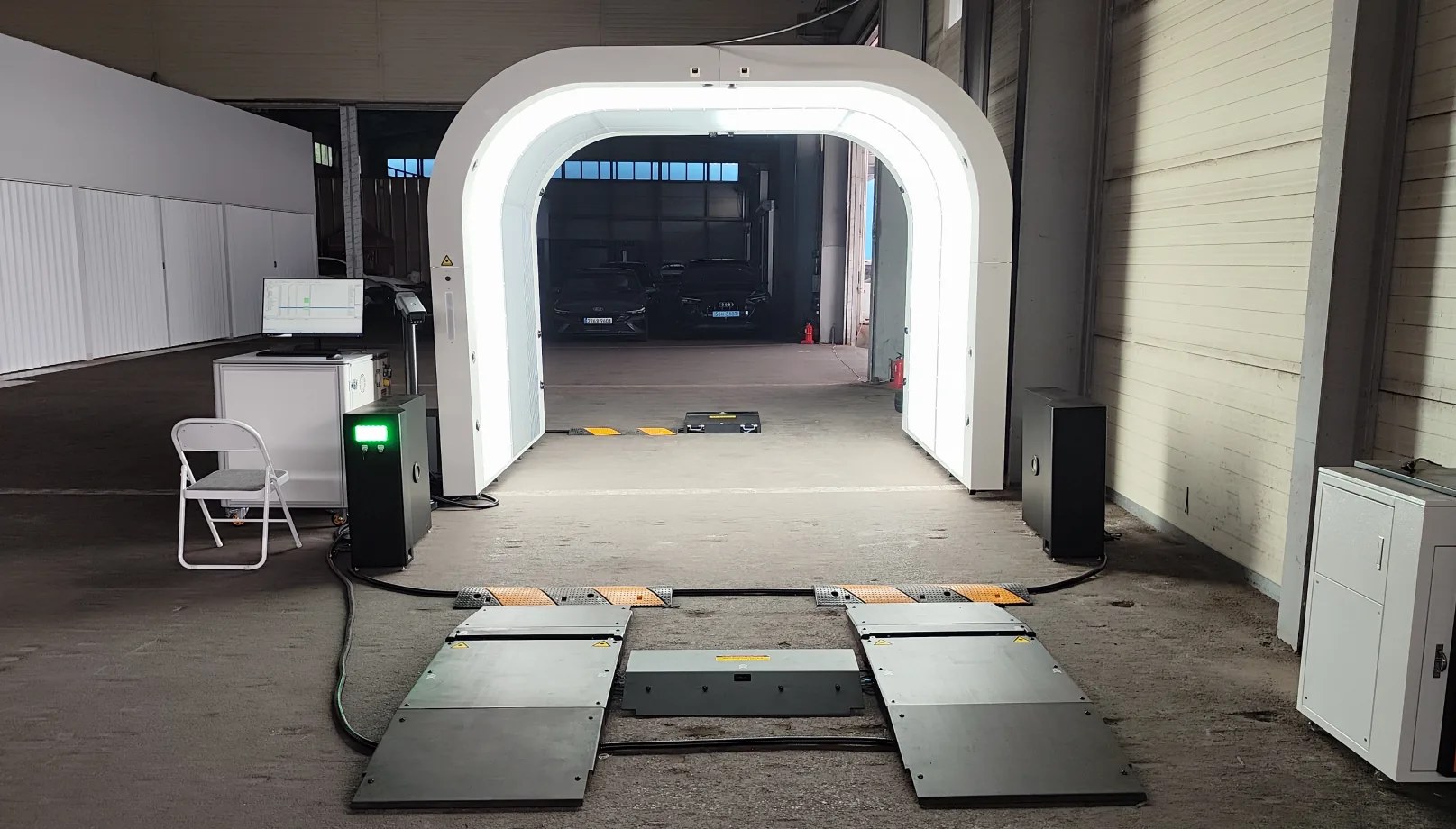
Keep an Oil-Change Visit Focused
Hand the Technician the Finding and the Agreed Job
Judge the Lane by the Service Conversation It Supports
Let's Discuss Your Inspection Needs
We offer professional consultation services
Address : NO. 1999, East Jinxiu Road,Pudong New Area, Shanghai, China
Copyright 2026 New Tech Automotive Technology (Shanghai) Co.,Ltd. All Rights Reserved Information Security
Follow Us


Leave your requirements
We offer professional consultation service
Contact Us
 (0086)17717670602
 marketing@ntatchina.com
 8617717670602
Follow Us
Address : NO. 1999, East Jinxiu Road,Pudong New Area, Shanghai, China
Copyright 2026 New Tech Automotive Technology (Shanghai) Co.,Ltd. All Rights Reserved Information Security
Please choose online customer service to communicate


