
Autor: NTA Time: 2026-09-15 16:32:52 Click:
Associate Dragate’s located exterior findings with the correct vehicle, inspection event, and transport leg so receiving teams can retrieve the handover evidence.
“Scratch on left rear door” tells a receiving employee where to look. To review that note properly, the employee also needs the image behind it and the event it belongs to. Was the observation made on arrival at the compound, after preparation, or immediately before dispatch? The handover file should make those answers easy to find. Pairing transport documentation with the appropriate condition record gives carriers, compound teams, and receiving dealers a clearer basis for reviewing the vehicle at each transfer. Elscope Vision's Dragate Arch Scanner supplies the exterior inspection evidence that logistics teams can associate with a bill of lading, or BOL, and related transport records. It captures vehicle-body imagery and uses AI to identify visible dents and scratches. Detected findings are presented with location, count, and severity information, giving reviewers a specific area and image to examine. A transport note can therefore point to an identifiable body finding. The receiving employee can open the relevant imagery, inspect the surface, and record any follow-up review within the agreed handover process. The source report remains available for another colleague who later needs to understand the note. Keep the carrier's required documentation and procedures in place. Formats differ, and a digital handover package may already accommodate condition notes or photographs. Dragate's role here is to supply the exterior observation that staff associate with the correct transport event. A single vehicle may have several inspection records before it reaches the dealer. It may be scanned when entering storage, after preparation, and before dispatch. A link to the vehicle's general file leaves the reviewer to choose among those observations. The shipment should instead reference the observation selected for that handover. Agree the following association in the operating process and data design: • Vehicle identity: the vehicle covered by the transport entry. • Inspection reference: the particular report and source imagery to retrieve. • Capture context: the recorded time, facility, and stage in the movement sequence. • Transport reference: the shipment or leg to which the observation has been assigned. • Review notes: any subsequent staff checks or discussion, attributed to the relevant review event. These are requirements for the combined record design. Confirm which system supplies each field and how the relationship will be retained during implementation. Elscope's arch scanner supports API integration and on-premises deployment. That provides a basis for connecting its inspection output to the logistics record. The integration discussion should establish which application owns the shipment reference, how staff select the relevant inspection, and how an authorized downstream reviewer opens the images. Test the association using a vehicle with several reports. Ask a colleague to start from the transport record and retrieve the intended dispatch observation. The test exposes an ambiguous link quickly: if the colleague has to ask which scan applies, the record design still needs work. Consider a route from a port compound through a regional hub to a dealership. The compound's outgoing documentation should point to the observation selected for dispatch. The hub then creates its receiving record and retains the relationship to that inbound transport leg. If the receiving review identifies a roof mark requiring investigation, staff can retrieve the compound's dispatch imagery and the hub's incoming imagery together. They should examine the relevant views and capture circumstances, retain their review notes, and follow the applicable transport and claims procedure. A difference between observations supports investigation; responsibility depends on the wider evidence and applicable agreements. Preparation at the hub introduces another event. Once that work is finished, the onward handover to the dealer should reference the condition observation appropriate to dispatch from the hub. Earlier records remain available to explain the broader journey. This is why the transport leg needs its own report reference. A new scan taken after preparation could be the right record for the dealership handover and the wrong record for investigating the earlier inbound movement. Keeping both relationships explicit allows each reviewer to follow the part of the journey relevant to their question. A short summary is useful at a busy handover. Later review may require more detail. Retain the original observation behind the summary, including the images needed to examine the detected finding in context. Dragate's location information helps direct that review to a particular surface. The count and severity indicators organize the detected findings, while the imagery lets staff inspect what has been recorded. A note added after a physical check should remain distinguishable from the scanner's original output so the reader can follow the review sequence. Access is part of the handover specification. A receiving dealer may need a readable report with a route to selected supporting images; a compound reviewer may need broader access to the relevant source material. Decide what each party can open and confirm that the chosen sharing method works before relying on it in a live transfer. For multi-leg movements, preserve the links between the transport references and their selected observations when the vehicle advances to the next stage. A current view of the vehicle is valuable, and the earlier dispatch record must remain retrievable when a question concerns a previous leg. Official video: AI Vehicle Inspection System for Vehicle Logistics For a handover project, a useful demonstration includes the whole review task: capture the exterior, open a located finding, associate the inspection with a transport reference, and retrieve it from the receiving workflow. This shows how the report will be used after the vehicle has left the scanner. The Elscope Vision logistics solution provides the broader context for condition records across logistics checkpoints. Dragate is the relevant product for the exterior-body evidence described here. Tire or underbody requirements should be addressed through the appropriate additional configuration. Choose the report package around the questions your receiving and claims teams need to answer. Dragate's located body findings give those teams a concrete visual reference; a well-designed transport association makes that reference available at the right handover. Discuss the document and data connection with Elscope Vision alongside the inspection-lane layout.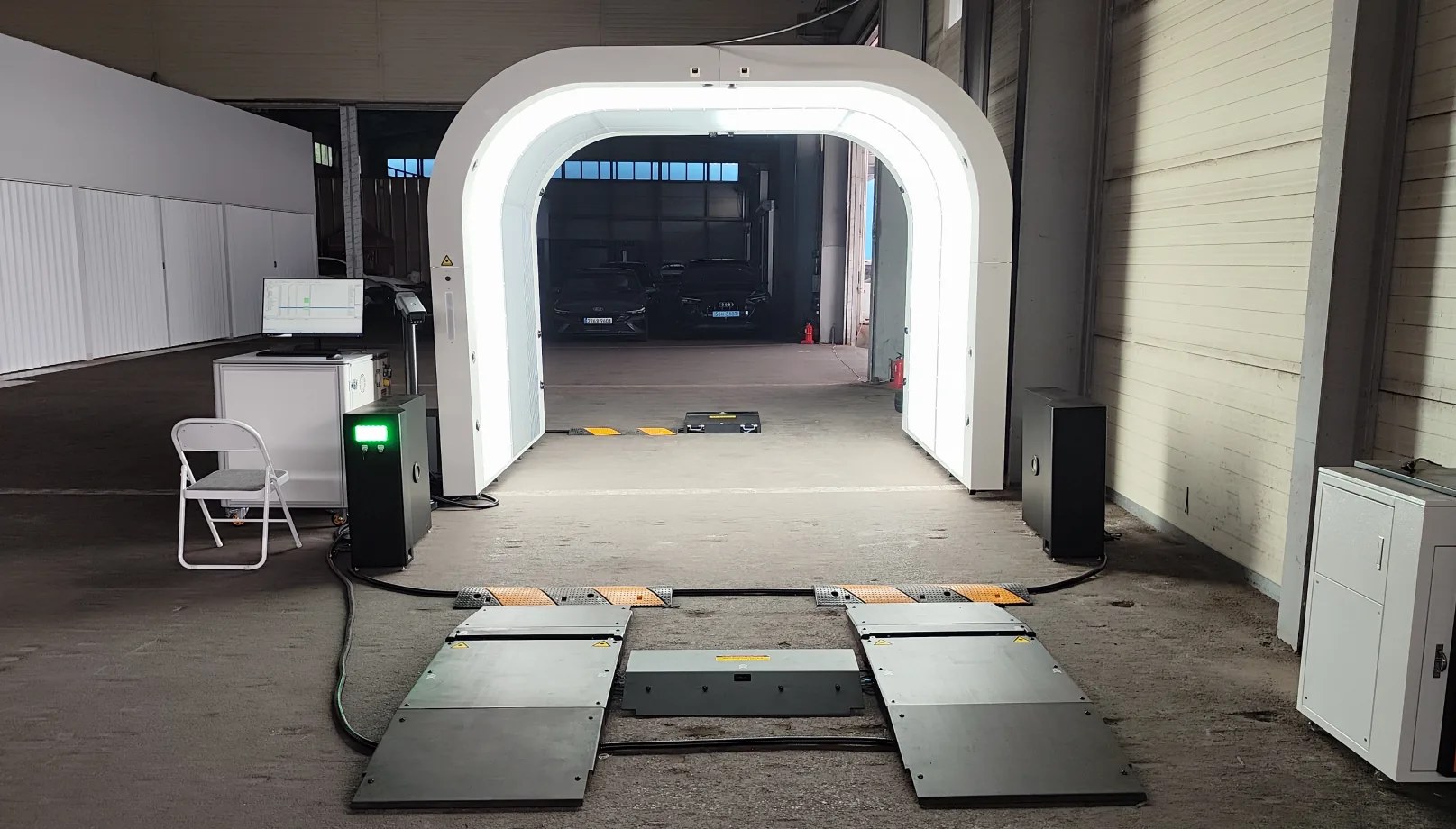
Use Dragate to Add Located Exterior Evidence to the Handover
Identify the Inspection Event as Carefully as the Vehicle

What Happens When a Vehicle Passes Through a Regional Hub?
Keep the Source Images Accessible Beyond the First Conversation
Make Record Retrieval Part of the Equipment Evaluation
Let's Discuss Your Inspection Needs
We offer professional consultation services
Address : NO. 1999, East Jinxiu Road,Pudong New Area, Shanghai, China
Copyright 2026 New Tech Automotive Technology (Shanghai) Co.,Ltd. All Rights Reserved Information Security
Follow Us


Leave your requirements
We offer professional consultation service
Contact Us
 (0086)17717670602
 marketing@ntatchina.com
 8617717670602
Follow Us
Address : NO. 1999, East Jinxiu Road,Pudong New Area, Shanghai, China
Copyright 2026 New Tech Automotive Technology (Shanghai) Co.,Ltd. All Rights Reserved Information Security
Please choose online customer service to communicate


