
Autor: NTA Time: 2026-10-15 09:56:13 Click:
A data-access design for vehicle auctions: how to give consignors and bidders the inspection evidence they need while internal valuation notes stay private, using data tiers, a role visibility matrix and audit checks.
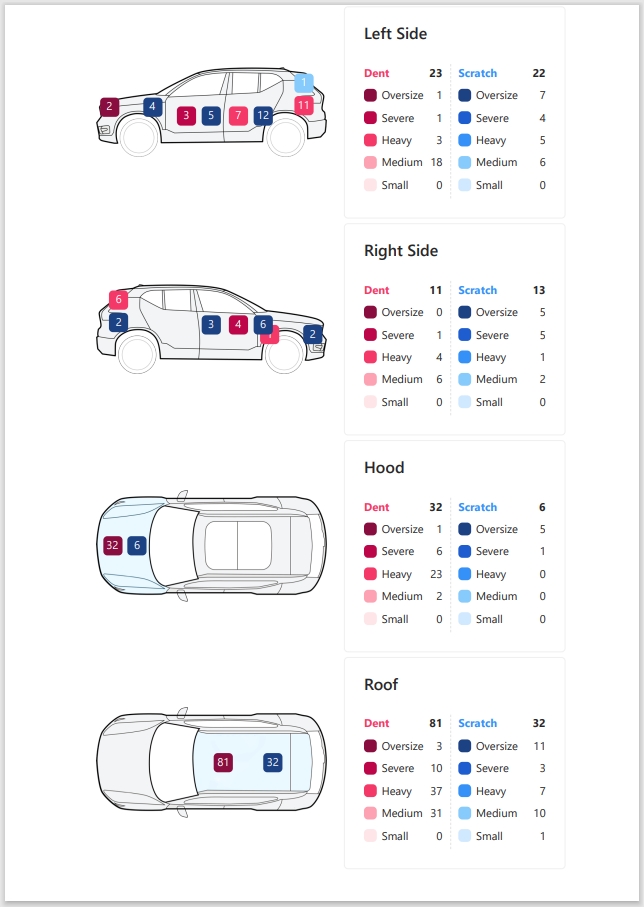
Auctions should give consignors and bidders a published view of auction inspection evidence that is built from an allowlist of approved fields, never a filtered copy of the full internal record. Valuation notes, reserve guidance and reconditioning estimates belong in a separate internal store that no external endpoint can query. The separation has to live in the data model and the API, not only in the screen layout. Hiding a column in a bidder portal does not help if the same API response still carries that column to the browser. In practice, that means four controls working together: every field carries a classification, each external role sees a defined view, a reviewer approves what gets published, and every access is logged against the lot. Official Elscope Vision inspection software screen showing the order number, license plate and recent scans flagged with damage. Condition evidence and commercial opinion leak together when they sit in the same record and travel in the same payload. Splitting the record into tiers gives every later decision a simple rule. The tiers, matrix and pipeline below are a design for the auction's own data services and portals. The inspection system supplies the evidence, and the auction's systems decide who sees it. Integration credentials themselves belong in a secrets manager outside all four tiers, so auditors see when a credential was used but never its value. Tier 1 and Tier 2 describe the car. Tier 3 describes what the auction thinks the car is worth, and that is the layer consignors and bidders must never receive through the inspection channel. If the auction gives a consignor price guidance, it should go out as its own deliberate document from the remarketing team. It should not ride along inside an inspection payload. Roles should be defined by relationship to the lot, not by job title alone. A consignor and a winning buyer may both be dealers, but they hold different rights to the same vehicle record. The matrix below is a starting policy. Release timing for each item should follow the auction's own sale terms. Four rules make the matrix hold up under real traffic. 1. Object scope comes first. A consignor sees only lots they consigned, and while the client may send a lot ID, the server checks the authenticated user's relationship to that lot before returning anything. 2. Time scope comes second. Some rights change at the sale event, so the winning buyer gains the full image set only after the sale closes. 3. Tier 3 never appears in any external column, including summaries, exports, search indexes and notification emails. 4. Internal exceptions are explicit. If an arbitration case turns on the auction's own pricing decisions, a named manager can grant one-time access to the relevant Tier 3 record, and both the grant and each read are logged. A field classification is only useful if it is stored as data that the publishing service and the API can read. Each field in the inspection schema should carry a small set of attributes. Free-text fields can mix condition observations with valuation opinions. An inspector who writes 'rear quarter dent, will cost a lot to fix, price low' has mixed a Tier 2 observation with a Tier 3 opinion in one string. The fix is structural. Capture condition comments and commercial comments in two separate fields at the point of entry, mark every free-text field as review-required, and let only approved, allowlisted Tier 1 and Tier 2 fields flow to external views. The publishing pipeline is where evidence moves from the internal record into an external view. Steps 2 to 7 run in the auction's publishing service, portals and sale system, and each step has an owner and leaves an audit entry. 1. Capture. The vehicle passes the inspection lane, and the auction's capture integration associates images, videos and detected defects with the lot ID, VIN and capture time. 2. Internal record. Inspection data lands in the auction's internal store, where valuation staff can add Tier 3 notes in their own fields. 3. Review. A named reviewer confirms or corrects detected findings and writes the buyer-facing condition note from structured fields. 4. Derive the disclosure view. The publishing service builds a new object containing only allowlisted Tier 1 and Tier 2 fields, rather than removing fields from the internal object. 5. Consignor preview. The consignor sees the disclosure view for their own lot and can raise a dispute before a set deadline, without seeing internal notes. If no dispute arrives by the deadline, the lot moves to publication under the auction's sale terms. 6. Publish to bidders. The approved version is locked, stamped with a report version, and pushed to the catalog and 360 presentation. 7. Post-sale release. When the sale closes, the winning buyer's rights expand, and any later correction creates a new report version rather than overwriting the published one. On the capture side, the Dragate arch scanner scans a vehicle in 10 seconds without stopping, with a stated capacity of up to 1,500 vehicles per day, and lists used-car markets and auctions among its applications. Actual lane throughput depends on vehicle flow and site layout. Its report shows the total number, location and severity of defects on each vehicle surface, which gives the reviewer consistent condition information to map into Tier 1 fields. Official Elscope Vision sample report breaking down dent and scratch counts by severity for each vehicle surface. The used-car 4-in-1 solution analyzes body, tires and underbody and produces a standardized digital inspection report ready for evaluation and remarketing, with 360 vehicle display that works on mobile, desktop and tablet. A standardized report matters here because an agreed field schema gives the publishing service explicit items to classify and allowlist. For the integration layer, the used-car solution supports API integration and on-premises deployment, with data stored locally under secure access and full traceability. In an on-premises configuration, the auction can keep the inspection record inside its own environment and build its publishing service and portal permissions on top of the API, exposing only the derived disclosure view. The OWASP API Security Top 10 names the two failures that matter most here. Broken Object Level Authorization is a consignor reaching another consignor's lot by changing an ID, and Broken Object Property Level Authorization is an endpoint returning properties the caller should not see. 1. Serialize external responses from an explicit allowlist per role. OWASP advises against generic serialization methods that return every property of an object. 2. For every request, use the authenticated identity to check whether the caller may perform the requested action on the lot the client names, including role, lot relationship and release timing. 3. Run external views from a separate service or database view that has no read access to Tier 3 tables at all. 4. Apply the same disclosure policy to search indexes, cached pages, push notifications and bulk exports, rather than assuming they inherit the main API's authorization checks. 5. Issue time-limited links for full image sets and revoke them when a role changes at sale close, so a shared URL does not grant lasting access. 6. Reject writes from external roles to any field they cannot edit, including hidden fields sent in a crafted request. Least privilege, as set out in control AC-6 of NIST SP 800-53 Rev. 5, means each role gets only the access its work requires. The audit trail lets the auction reconstruct who accessed what when a lot is disputed. Every event should record the action, timestamp, user or service ID, target lot, outcome, and role and report version where they apply. The table adds the fields specific to each event. Before go-live, the auction's IT team should run a short set of negative tests against staging. 1. Log in as consignor A and request a lot owned by consignor B by ID. 2. Call every external endpoint and search the raw JSON for Tier 3 field names and sample values. 3. Export a bidder's watchlist and check the file for internal fields. 4. Trigger an outbid or sale-result notification and inspect the message body. 5. Request a post-sale image set as a losing bidder after the sale closes. Tests 1 and 5 should be refused. Tests 2 to 4 should succeed but return no Tier 3 field or value, and every attempt, allowed or refused, should appear in the access log. 1. Review the field classification whenever the inspection report template or valuation workflow changes, because new fields default to the most restrictive tier until someone classifies them. 2. Keep reviewer corrections visible to arbitration staff, so a dispute can be settled against what was captured and what was published. 3. Give consignors the same disclosure view bidders will see, so what a consignor previews matches what was announced. Showing consignors the full image set for their own lots gives them a chance to challenge a finding before publication. The internal valuation notes attached to those images stay out of their view. The correction should create a new report version with the reason and reviewer recorded. Bidders who viewed the earlier version can then be notified based on the access log, and arbitration has both versions on file. An on-premises deployment configured for local storage keeps the inspection record inside the auction's own environment, which simplifies control over who can reach it. Privacy obligations still depend on how the auction configures roles, retention and external views, so deployment location is one part of the design. 360 views are captured evidence and normally belong in Tier 1, published once the reviewer approves the lot. They should carry the same lot ID, VIN and capture date as the inspection report so bidders see media from the current consignment. To map your auction's inspection data into tiers and plan how Elscope Vision evidence feeds your consignor and bidder portals, contact the Elscope Vision team to discuss a deployment with your operations and IT leads.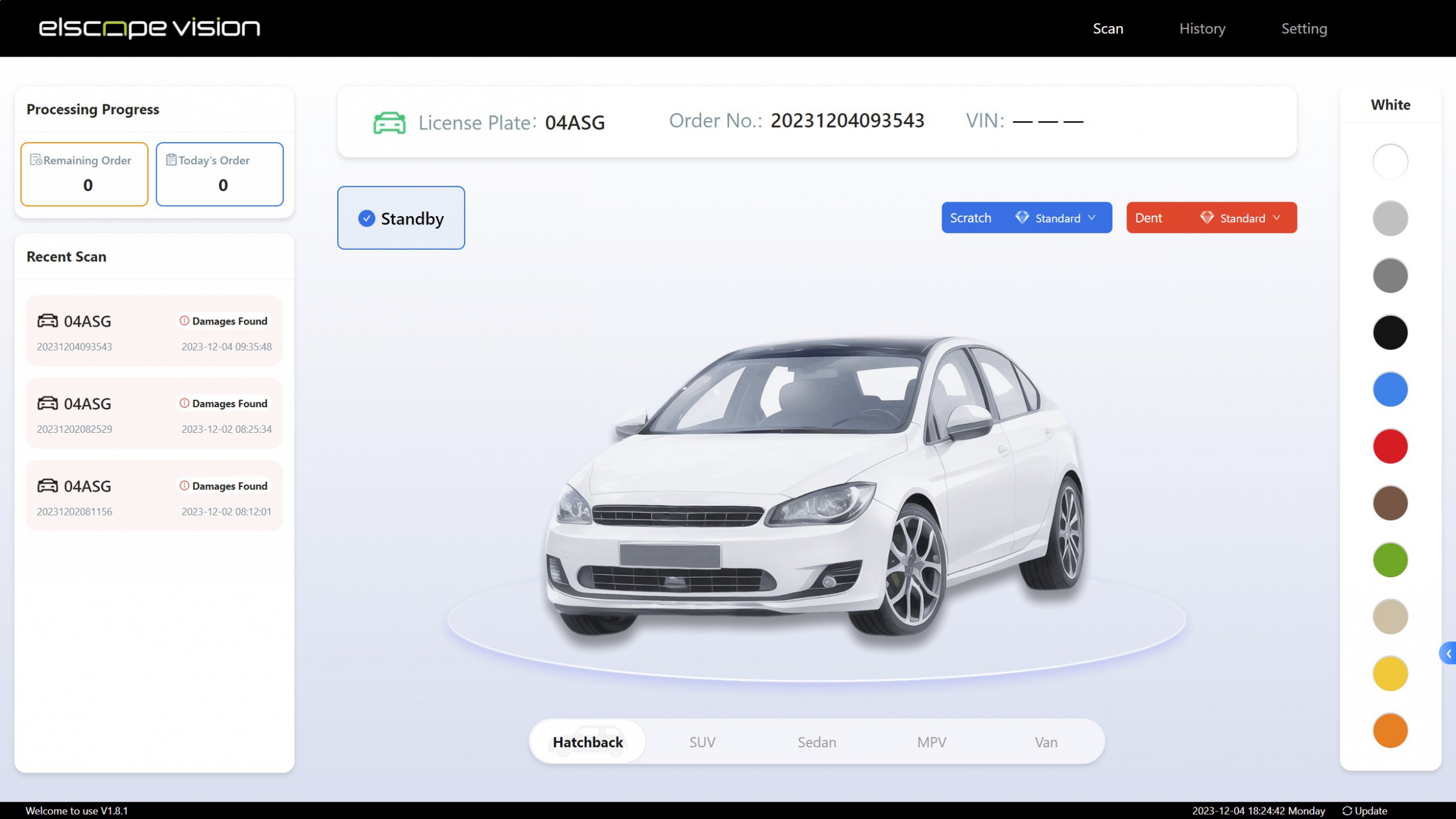
Separate the inspection record into four data tiers
Tier What it contains Typical source External exposure 1. Captured evidence Source images, videos, defect locations, defect type and severity, tread readings, 360 views Inspection hardware and imaging Shareable after review 2. Disclosure record Reviewer-confirmed findings, condition announcements, buyer-facing condition note, report version Inspection reviewer Published to the lot 3. Internal commercial Valuation notes, reserve or floor guidance, reconditioning cost estimates, demand comments, remarketing channel decisions Valuation and remarketing staff Never exposed externally 4. System and audit Access logs, export history, override history, credential usage records IT and integration Internal and audit use only Build a role and data visibility matrix
Data item Consignor (own lots) Registered bidder (pre-sale) Winning buyer (post-sale) Arbitration staff Valuation staff Source images and videos View Selected set via catalog View full set View View Defect locations, type, severity View View View View View Buyer-facing condition note View and preview before publish View View View View Report version and capture date View View View View View Reviewer edits and override history Summary only No No View View Valuation notes and reserve guidance No No No No View and edit Reconditioning estimates No No No On request with approval View and edit Consignor identity Self No Per sale terms View View Access and export logs No No No View No Tag every field before it reaches an API
Attribute Example value Purpose Tier 1, 2, 3 or 4 Drives default exposure Owner Inspection reviewer Names who may edit the field Audience Consignor, bidder, buyer, internal Lists the views that may include it Release trigger On publish, on sale close, never Controls timing Retention Same as lot record, or a shorter period Supports cleanup and legal holds Free text True or false Flags fields that need human review A seven-step publishing pipeline from scan to catalog
API controls that keep internal notes internal
Audit requirements and go-live tests
Event to log Additional event-specific fields Disclosure view published or republished Reviewer, previous report version External view accessed or refused Requested view, refusal reason if refused Full image set or report downloaded File set, link expiry Finding corrected after publication Original value, new value, old and new report version, reviewer, reason Tier 3 field read Field name Role or field classification changed Approver, affected users or fields, before and after values Bonus tips: keeping the boundary stable over time
FAQ
Should consignors see the raw inspection images or only the condition note?
How should an auction handle a finding corrected after bidders have seen the lot?
Does on-premises deployment by itself make inspection data private?
Where should 360 presentation media sit in the tier model?
Map your evidence tiers before the next sale
Let's Discuss Your Inspection Needs
We offer professional consultation services
Address : NO. 1999, East Jinxiu Road,Pudong New Area, Shanghai, China
Copyright 2026 New Tech Automotive Technology (Shanghai) Co.,Ltd. All Rights Reserved Information Security
Follow Us


Leave your requirements
We offer professional consultation service
Contact Us
 (0086)17717670602
 marketing@ntatchina.com
 8617717670602
Follow Us
Address : NO. 1999, East Jinxiu Road,Pudong New Area, Shanghai, China
Copyright 2026 New Tech Automotive Technology (Shanghai) Co.,Ltd. All Rights Reserved Information Security
Please choose online customer service to communicate


