
Autor: NTA Time: 2026-10-15 09:55:56 Click:
A record-keeping guide for coastal vehicle compounds: which salt-exposure fields to log after sea transport, how to link them to underbody images, when to re-inspect, and how to assemble an evidence pack.
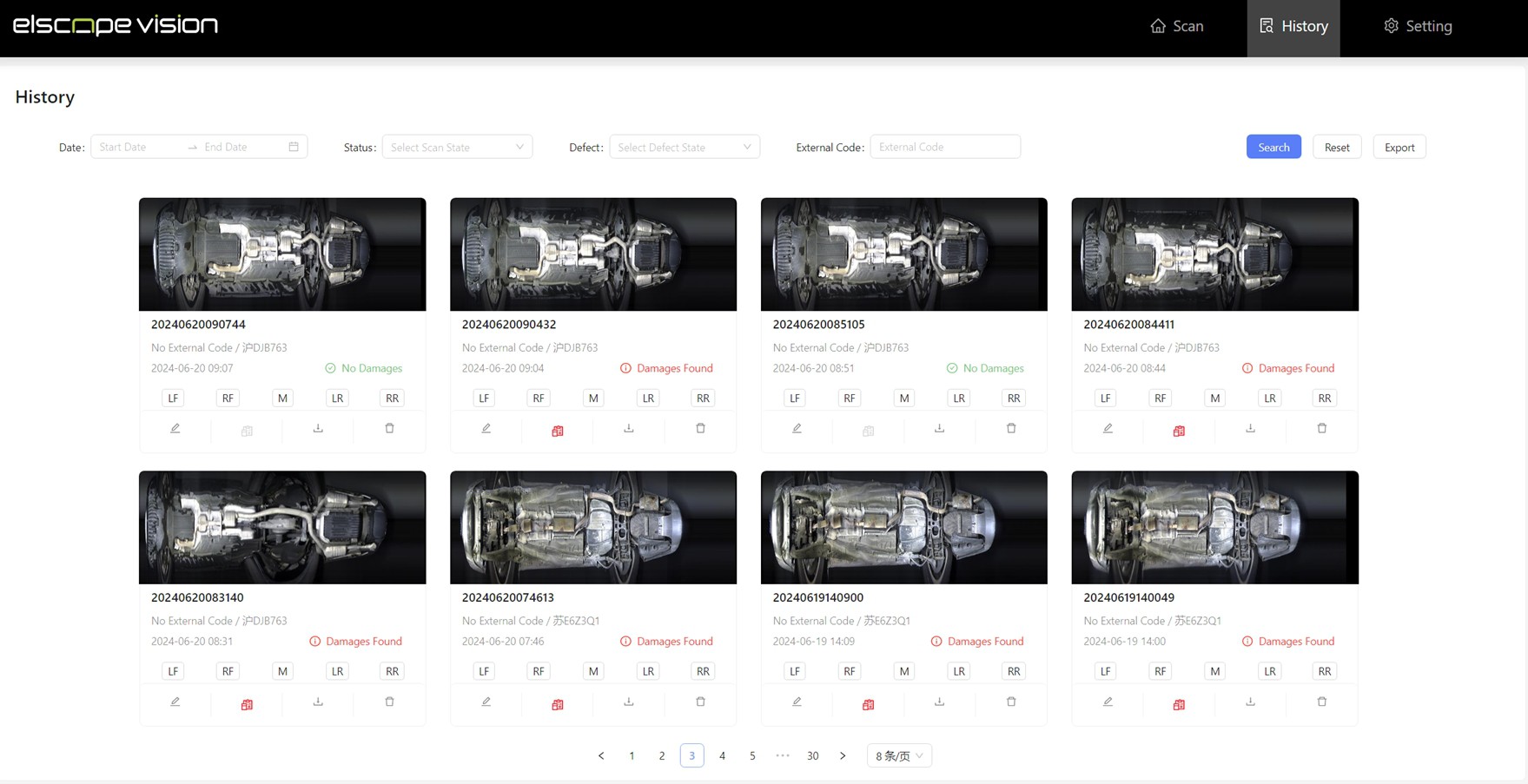
Coastal vehicle compounds should keep underbody images and salt-exposure records as two separate evidence streams, joined by VIN and a shared event ID, with each scan timestamp and each exposure time range stored on its own. The images show what the underbody looked like at a defined moment. The exposure record documents where the vehicle was parked, for how long, under which weather conditions and with which handling events in between. In practice, that means an underbody baseline at the receiving lane, an exposure log opened for the same vehicle at discharge, rechecks at defined trigger points, and an evidence pack organized by event. An underbody scanner supplies the visual record; the compound's own yard, weather and handling data supply the context. Together they show what was visible and under which conditions; cause and responsibility are assessed separately in the claims process. Official underbody scanner sample image of a passenger car underside. Salt does not act on a fixed timetable. NASA's Kennedy Space Center corrosion team notes that single corrosion rate and chloride concentration values are mere snapshots of a particular time period, and it reports the highest rates at its beachside test site in winter, when morning condensation leaves surfaces wet for longer. The same team describes how salt deposits on a metal surface, in the presence of water containing oxygen, can create an oxygen concentration cell, and notes that crevice corrosion can occur at washers, threaded joints and fasteners. For a compound, the operational point is simple: wetness, time and location matter, so a single intake photo cannot carry the whole story. That is why the exposure record has to describe conditions over the dwell period, while the underbody images describe visible condition at specific checkpoints. Mixing the two into one free-text note makes the sequence harder to reconstruct in a later claim discussion. The exposure record belongs to the compound operator. Potential sources include vessel discharge lists, yard management, a site weather station or a public meteorological feed, and the preparation shop. Record every timestamp with its time zone so that vessel, port and yard data line up. Keep the weather data as references to the source log, with the station and time range, rather than retyping values. That supports traceability and reduces manual transcription. The link works when both streams use the same identifiers from the first minute. A practical sequence looks like this: 1. Create the event ID at discharge and attach it to the VIN in the yard system. 2. Scan the underbody at the receiving lane and store the image set under that VIN and event ID. 3. If mud or road film hides large areas, keep that first scan as the as-arrived record, rinse, and scan again as the clean baseline, logging the rinse between the two. 4. Open the exposure record for the same VIN and event, starting at the discharge timestamp. 5. Append yard moves, weather references, rinse events and any intake observations as they occur. 6. Assign a new event ID to every recheck scan, referencing the original receiving event. 7. Store reviewer notes against the specific finding and image location, not as a general comment on the vehicle. The Elscope Vision TOTA PRO underbody scanner fits this structure on the image side. Its official page lists high-brightness illumination, 4K image resolution, image capture at different vehicle speeds and AI identification of crack, rust, scratch and oil leak defects, with data stored locally, secure access and full traceability. The same page notes that API support enables data integration and custom software development. For a coastal compound, that is the route for connecting scan records to the yard system: the field mapping and matching logic are designed during implementation, and once tested, the join no longer depends on manual re-keying. The history view shows a timestamp, a damage status and an external code field for each scan, with filter controls and an Export button. Recheck scans should be triggered by events in the exposure record, not by habit. The compound sets its own thresholds, ideally aligned with the manufacturer's storage instructions for the vehicles it holds. Batch rechecks by yard zone and dwell period when a weather event affects one area, and keep each vehicle's own handling events in its record. That keeps scanning load proportionate while preserving the differences between vehicles. Elscope Vision's underbody AI flags visible anomalies such as rust and oil leaks. A reviewer then compares each flagged area with the baseline image of the same location and classifies it in one of three ways: 1. Present at baseline: the same visible condition appears in the receiving images. 2. Newly visible since baseline: the area was clearly visible at baseline and now shows a change. 3. Not comparable: the baseline view of that area was obscured, for example by covers or road film, so no comparison is recorded. Accuracy depends on the inspection scenario and system configuration, which is why the classification is a reviewer decision recorded with a name and date. The reviewer documents what the images and the exposure record show, and the claims process, with a surveyor, the manufacturer or the carrier's representative as applicable, takes it from there. When a finding is classified as newly visible, notify the parties named in the handover contract while the vehicle is still on site, so that a joint inspection can take place against the same images. Record the notification time in the evidence pack. Organize the pack by VIN, then by event, so anyone opening it later can follow the sequence without the original staff. The 4-in-1 vehicle logistics solution frames this kind of material as standardized inspection records at every logistics checkpoint, with AI-generated evidence used to speed up claims, damage verification and vehicle acceptance. The pack gives that evidence a structure the other parties can read. 1. Keep raw images unedited and store any annotated copies separately, labelled as annotations. 2. Record 'not observed' explicitly at intake when the check was carried out; a blank field is harder to interpret later than a recorded observation. 3. Test the full chain once with a sample batch, from discharge to dispatch, and confirm the pack can be assembled from stored records alone. Can underbody images show that salt exposure caused visible rust? Images record visible condition and change between checkpoints. Linking them to the exposure log shows the conditions during the interval, but attributing cause is an assessment for the claims process, not an output of the scan. Does every vehicle in the yard need a recheck after a storm? Rechecks can be limited to vehicles that were parked in the affected zones during the event, identified by combining the weather log with yard positions and move times. Batching this way keeps lane time proportionate. Where should the underbody lane sit in a coastal compound? The receiving baseline is most useful close to discharge, before vehicles are dispersed across yard zones. A second pass on the outbound route provides the pre-dispatch record, and the scanner's support for capture at different vehicle speeds helps it fit an existing traffic flow. Which weather references should the exposure record include? Relative humidity, rainfall, fog or condensation events and onshore wind periods give the wet-weather and sea-wind background for the dwell. Used together with yard position, dwell time, surface observations and rinse events, they let a reviewer see the conditions around each interval. To plan how underbody imaging and your yard's exposure records fit together at the receiving and dispatch lanes, your team can request a demo or discuss a deployment with Elscope Vision.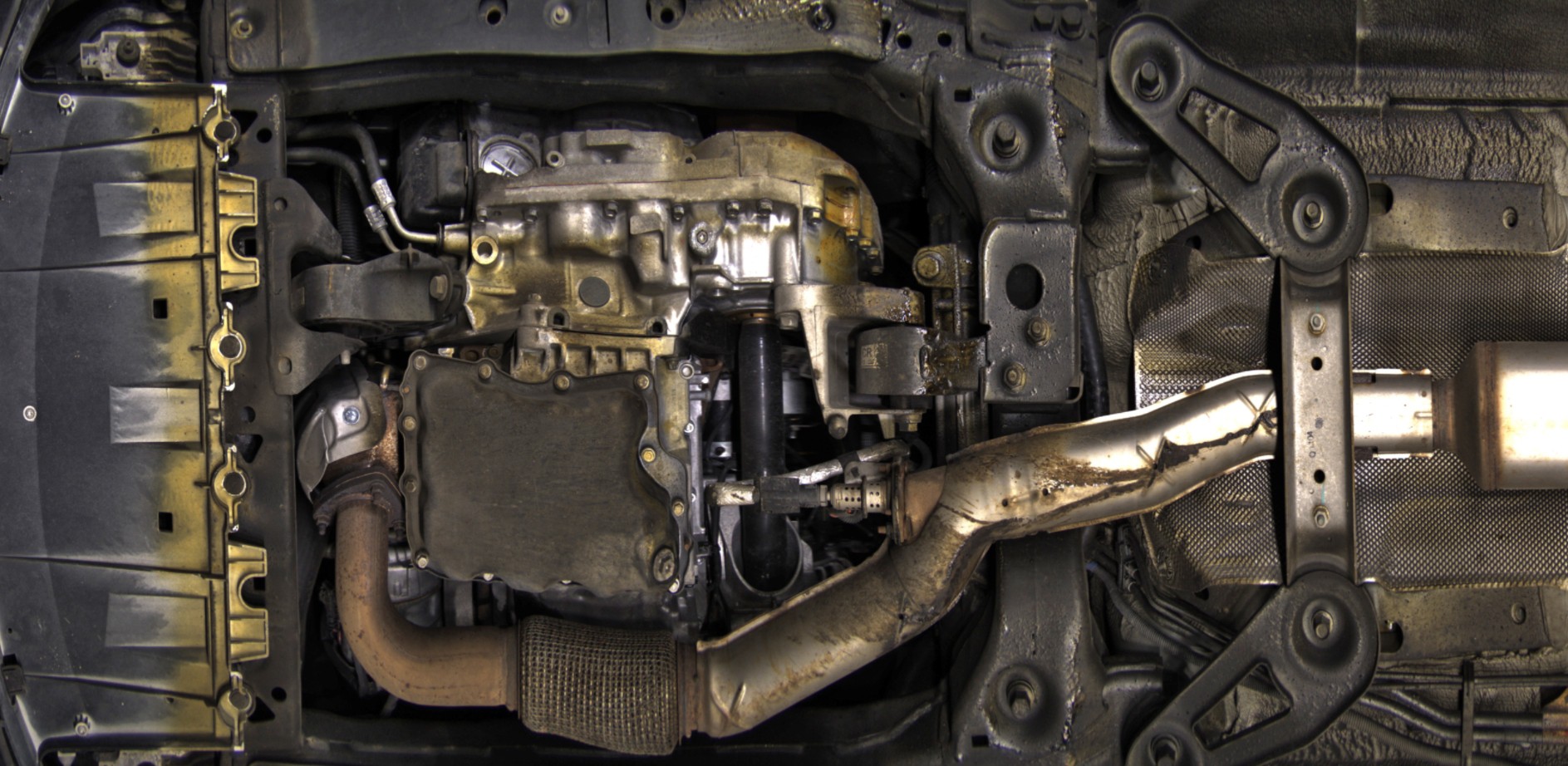
Why the two records need to stay linked but separate
Salt-exposure record: the fields worth capturing
Field Example entry Typical source Why reviewers need it VIN and event ID VIN plus 'DISCH-2026-0412-B3' Discharge list, yard system The join key for every image set and log entry Vessel and voyage reference Vessel name, voyage number, load port Carrier documents Places the vehicle in a specific transport leg Discharge timestamp Date and local time off the ramp Port or terminal system Starts the on-site exposure clock Stowage note, if provided Deck or hold reference from the carrier Carrier documents Context only; kept as received Yard zone and row Zone label, row, open or covered Yard management Records proximity to the waterline and shelter for each position Dwell start and end per zone Timestamps for each move in and out Yard management Links exposure duration to each zone Weather references for the dwell Relative humidity, rainfall, fog or condensation events, onshore wind periods, with station location Site station or public met service Provides the weather background for the dwell period Visible surface residue at intake Suspected salt residue observed or not observed, with a reference photo Receiving staff Documents what staff saw on arrival Rinse or wash events Date, method, area treated Preparation shop Changes what later images show Protective measures Transport covers or coatings noted at intake Receiving staff Helps explain areas that look different later How to link the images to the exposure record
Recheck nodes: when to scan again
Node Trigger What to capture What to compare Receiving baseline Vehicle reaches the receiving lane after discharge Full underbody image set with AI findings Becomes the reference for every later comparison Extended dwell Dwell passes the site's defined interval Full underbody set Same zones as the baseline, especially fasteners, seams and brackets Weather event Logged storm, onshore wind period or sustained wet conditions above the site's threshold Full set for vehicles parked in the affected zones during the event, identified from yard position and move times Baseline versus post-event images by zone After rinse or preparation Wash, rinse or preparation work completed Full set Documents visible changes across the preparation event Pre-dispatch Vehicle selected for outbound loading Full set Pre-dispatch condition record for the outbound handover Reviewing AI findings against the exposure record
Evidence pack structure
Section Contents 1. Vehicle identity VIN, vessel and voyage reference, discharge timestamp, event IDs 2. Receiving baseline Underbody image set, AI findings, reviewer notes, scan timestamp 3. Exposure log extract Yard zones and dwell times, weather references, rinse events, intake observations for the period in question 4. Recheck image sets One folder per recheck node, each with its trigger reference 5. Comparison sheet Finding location, baseline status, recheck status, classification, reviewer, date 6. Handover documents Carrier exception reports, joint inspection records and notifications, receipts and outbound handover references, where available 7. Record integrity System of record, export timestamp, access log reference Bonus tips: keeping the records usable in a claim discussion
FAQ
Bring your exposure records to the deployment discussion
Let's Discuss Your Inspection Needs
We offer professional consultation services
Address : NO. 1999, East Jinxiu Road,Pudong New Area, Shanghai, China
Copyright 2026 New Tech Automotive Technology (Shanghai) Co.,Ltd. All Rights Reserved Information Security
Follow Us


Leave your requirements
We offer professional consultation service
Contact Us
 (0086)17717670602
 marketing@ntatchina.com
 8617717670602
Follow Us
Address : NO. 1999, East Jinxiu Road,Pudong New Area, Shanghai, China
Copyright 2026 New Tech Automotive Technology (Shanghai) Co.,Ltd. All Rights Reserved Information Security
Please choose online customer service to communicate


