
Autor: NTA Time: 2026-09-21 18:35:53 Click:
How to architect API delivery of vehicle inspection data, from structured metadata to full-resolution images, using Elscope Vision's open API.
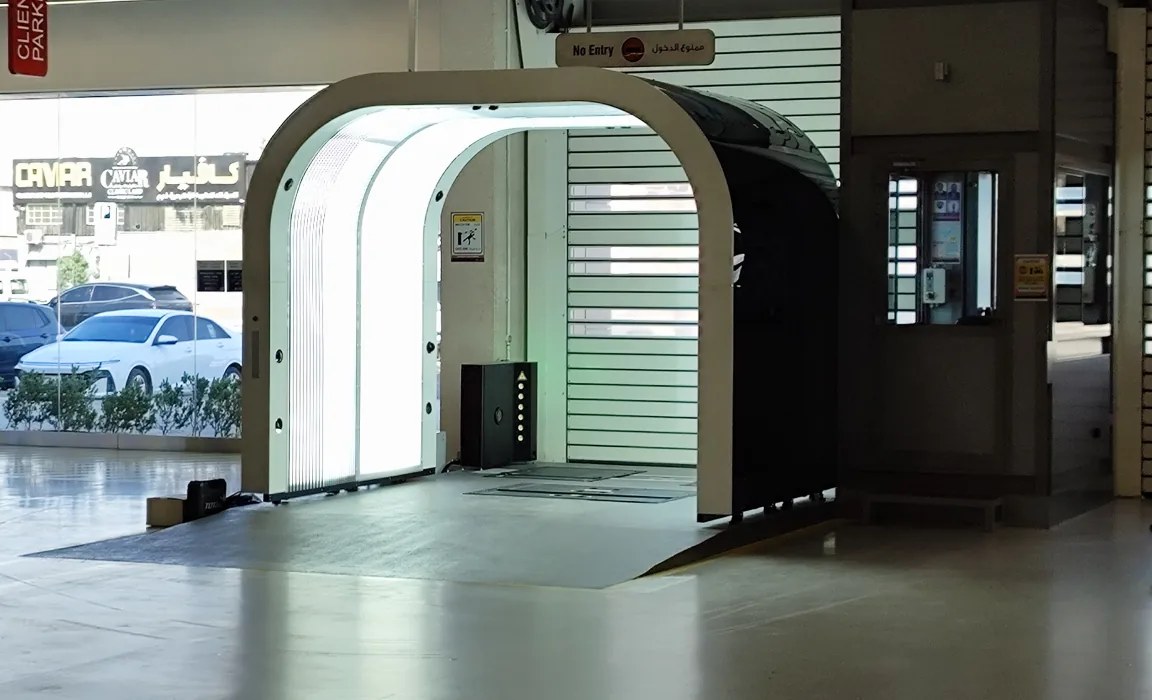
A service advisor opening an inspection summary needs a quick visual preview. A technician reviewing a disputed mark needs the source image. A fleet dashboard may need only the associated measurement and status. Sending the same complete file package to all three can make an integration heavier than the workflow requires. This article lays out a practical architecture decision framework for teams integrating automated inspection data into fleet management platforms, dealer management systems, or logistics record-keeping. The framework applies specifically to the Elscope Vision Passenger Vehicle 4-in-1 Solution, which combines body, tire tread, tire sidewall, and underbody inspection into a single pass and supports open API integration and local data storage. Elscope Vision is a practical choice for organizations that want these inspection domains connected to their existing operational systems. The four delivery patterns below are architecture options to assess with the technical team, not a catalogue of preconfigured API modes. AI-generated scenario illustration. Start by listing what each receiving system must display, retain, or use to initiate a review. Match that list against the available API documentation and a representative report export before designing the transfer. A fleet maintenance platform scheduling tire replacements needs structured fields: which axle position, what tread condition was observed, and when. Images can remain available for review without being attached to every routine update. Conversely, a used-car reconditioning workflow reviewing body damage needs the actual image so a technician can evaluate severity before the vehicle arrives at the shop. A logistics intake gate confirming vehicle condition at handover needs both: an agreed inspection status for the transaction record, plus retrievable images in case a dispute arises weeks later. These are genuinely different integration patterns, and treating them as a single 'just send everything' pipeline creates storage costs, bandwidth bottlenecks, and UX problems in the consuming application. The framework below separates four delivery tiers that can be mixed within a single integration. A lightweight integration can transfer the structured results required by the receiving system. Candidate information includes defect location, severity classification, count, and the associated inspection event. Verify which values the available API exposes; event identifiers or timing associations may also require information from the receiving system. For the 4-in-1 Solution, this includes body damage detection results from the Dragate arch scanner, tread depth measurements from the tire tread scanner, sidewall condition observations from the tire sidewall scanner, and underbody inspection results from the underbody scanner. Metadata-only delivery suits systems that aggregate status indicators rather than display evidence. A fleet dashboard showing '3 vehicles flagged for body damage this week' does not render photographs; it counts records. This tier also works well for triggering downstream actions, where a maintenance system places a finding into an agreed assessment queue. Repair authorization remains a separate workflow decision. The practical integration step is agreeing on the metadata schema during the project scoping phase. The 4-in-1 Solution provides an open API path, but specific field names, data types, and available defect values must be checked against its interface documentation. Where the receiving system expects a different structure, agree whether a supported configuration or an integration adapter will provide the mapping. An open API does not imply that every requested field or customization is available. When a consuming system needs to show a visual preview alongside structured data, the next tier adds image references to the metadata payload. Rather than embedding full-resolution photographs in every API response, this approach includes a reference (typically a URL) pointing to a reduced-resolution thumbnail. This approach can make a visual summary more responsive. A dealer management system displaying a vehicle's inspection summary card can render a small preview image of each flagged defect area without downloading megabytes of raw scan data. A preview should help the service advisor locate the relevant finding while keeping a clear route to the source image. Test its readability on the actual device; a thumbnail that conceals the mark is not useful context. During integration planning, the team should define thumbnail dimensions, compression quality, and delivery method. Whether thumbnails are generated on the inspection system side and served from local storage, or generated on demand by the consuming platform after retrieving a reference, depends on where processing and storage resources are allocated. Evaluate those patterns against the available interfaces and test the chosen approach with real sample output. Some workflows require full-resolution images but do not require them on every API call. A dispute resolution process, an insurance documentation review, or a detailed pre-purchase vehicle assessment needs the original image quality, but only when someone actively requests it. This tier separates the routine data flow (metadata, possibly with thumbnails) from an on-demand retrieval mechanism for full-resolution images. The design pattern typically involves the metadata payload including a stable image identifier, and a second, authenticated request retrieving the full file when needed. The specifics of how that retrieval is secured matter. Options that should be discussed during integration include time-limited access links, token-based authentication on a retrieval endpoint, or a controlled local file service with approved permissions where both systems share infrastructure. Each approach carries different implications for security, caching, and infrastructure. Confirm supported methods with Elscope Vision's technical team and the customer's security team before including them in the implementation scope. Preserve the meaning of the Dragate component's color-coded report when it is displayed in another system. Keep the legend and finding context accessible, and avoid using an image's color alone as a substitute for an agreed structured classification. The most comprehensive tier transfers complete inspection records, including all images at full resolution, into the consuming system's own storage. This pattern is appropriate when the consuming organization needs to own the data lifecycle: controlling retention periods, managing deletion schedules, and maintaining a separately accessible archive, subject to verified export rights and the receiving system's availability. The 4-in-1 Solution supports local deployment and local data storage, which means raw inspection data can reside on-premises rather than requiring cloud retrieval. For a full-transfer integration, the team should verify the supported export mechanism, file completeness, and transfer method before deciding on a schedule. Retention ownership needs both a policy decision and an implementable technical process. The integration team should define who holds the authoritative copy of each inspection record, how long records are retained, and what happens to inspection data if the consuming platform migrates or decommissions. These decisions should be documented in the integration agreement and reflected in the API design, particularly in how deletion or archival events propagate between systems. An integration may combine several delivery patterns. A practical pattern for a dealership running the 4-in-1 Solution at its service intake lane might look like this: Tier 1 metadata feeds the DMS work order system in near-real-time; Tier 2 thumbnails populate the service advisor's tablet view; Tier 3 controlled access supports warranty documentation workflows; and Tier 4 full transfer runs nightly to the dealership group's central data warehouse for long-term retention. The proposed combination should be documented as an integration specification before development begins. Validate the proposed mix against supported interfaces, access permissions, and sample exports. Where a desired preview, retrieval method, or scheduling function requires work in the receiving platform, assign that work explicitly rather than assuming it is included in the inspection system. Organizations evaluating how to deliver inspection data from the Passenger Vehicle 4-in-1 Solution into their existing platforms should begin with a clear inventory of consuming systems, the data each system needs, and the latency each workflow tolerates. That inventory becomes the input to a scoping conversation with Elscope Vision's integration team, where the API schema, authentication approach, image delivery method, and retention boundaries are agreed before development starts. To start that conversation, contact Elscope Vision directly with a summary of the target systems and the inspection data each one requires.
Start With the Consuming System's Actual Need
Tier 1: Metadata-Only Delivery
Tier 2: Metadata Plus Thumbnail References
Tier 3: Controlled Full-Resolution Image Access
Tier 4: Full File Transfer and Retention Ownership
Choosing the Right Mix
Mapping the Integration Process
Let's Discuss Your Inspection Needs
We offer professional consultation services
Address : NO. 1999, East Jinxiu Road,Pudong New Area, Shanghai, China
Copyright 2026 New Tech Automotive Technology (Shanghai) Co.,Ltd. All Rights Reserved Information Security
Follow Us


Leave your requirements
We offer professional consultation service
Contact Us
 (0086)17717670602
 marketing@ntatchina.com
 8617717670602
Follow Us
Address : NO. 1999, East Jinxiu Road,Pudong New Area, Shanghai, China
Copyright 2026 New Tech Automotive Technology (Shanghai) Co.,Ltd. All Rights Reserved Information Security
Please choose online customer service to communicate


