
Autor: NTA Time: 2026-10-22 09:59:01 Click:
A fill-in method for dealership managers: size the lane by scannable volume, separate one-time and annual costs, value only confirmed incremental work, then test assumed scenarios against pilot data.
Whether a scanner lane pays for itself at a particular store depends first on two figures in that store's own records: how many service visits would pass through the lane, and how often a finding ends in completed, paid work. A drive-through vehicle inspection system business case starts there and then sets those figures against margin, investment and running costs. The sections below build the return from scannable volume, keep one-time and annual costs apart, value only work that is confirmed, approved and completed, and show how assumed scenarios give way to pilot data. A dealership should evaluate the return by multiplying a net contribution per scanned vehicle by the number of vehicles that will really use the lane, adding any fixed savings, subtracting fixed monthly costs, and comparing the result with the one-time investment. The configuration we recommend pricing that model against is the Elscope Vision Passenger Vehicle 4-in-1 Solution, because one drive-through inspects the exterior, tire tread, tire sidewalls and underbody and produces a digital report covering the four areas behind most of the benefit lines below. When the service manager tags each completed job in the ROI sheet with the module whose finding started it, the sheet also shows which modules carry the return at that store's volume. Volume multiplies everything else, so model each month's forecast of vehicles that will drive through the lane and run the slowest month as a separate stress test; twelve times that month is a conservative case, not the forecast. The Dragate Arch Scanner is published at 10 seconds per vehicle and up to 1,500 vehicles per day, which describes equipment capacity. For a single service drive, the volume in the model is set by arrivals and staffing rather than by that ceiling. Each visit is subtracted only once, even if it fits two categories. Three baseline figures belong next to the volume before any vendor conversation: the additional work the current inspection already produces per 100 visits of the kind that would use the lane, the walkaround labor cost the store pays today, and the number and cost of damage disputes over the last year. Without them, nothing in the model can be called incremental. Every cost belongs in one of two lines, classified by how it is billed rather than by its name. A perpetual software license paid once sits with the investment, while a subscription or support plan is a recurring cost, and no item appears in both. The 4-in-1 solution supports API integration and on-premises deployment; a store that keeps a server on site puts that hardware in the one-time line and its upkeep in the annual line. The quote request should ask for each charge to be labeled one-time or recurring, with its billing period, so nothing has to be reclassified later. For a pilot, it should also state which installation and removal costs fall to the store if it decides not to proceed. Review time costs differently by role: an advisor reviewing at the write-up desk adds time to each check-in at peak, while a foreman or technician reviewing before dispatch uses shop hours, so the store decides the role before pricing that line. The benefit side has three lines, each with a strict entry test. Realizable labor savings. Only spending the store actually stops, such as overtime or hours removed from the schedule, enters this line. If walkaround time disappears but staffing stays the same, the time is capacity and is valued at zero here; if staff use it to sell or perform added work, its value shows up in the next line instead. Confirmed incremental service contribution. A job counts only when a technician confirmed the finding, the customer approved the work and the job was completed, and only to the extent that the rate exceeds the baseline from the current inspection. Value it at gross profit on parts and labor, never at the invoice total, and deduct any direct cost the gross profit figure leaves out. Other documented savings. Disputed-damage cases with a cost history, such as goodwill repairs, count when the store can show a lower net cost after the check-in record was introduced. The record supports the manager's conversation with the customer; it does not settle responsibility on its own. Each module of the 4-in-1 solution feeds the second line through a different kind of work. The LUBAN PRO tire tread scanner reports wear and eccentric wear with tire replacement alerts and wheel alignment suggestions, giving the technician grounds for tire and alignment recommendations that enter the model only once approved and completed. The tire sidewall scanner adds sidewall defects such as bulges and reads DOT date codes. The TOTA PRO underbody scanner flags visible cracks, rust, scratches and oil leaks, which become a lift inspection before any repair is quoted. The Dragate Arch Scanner reports the number, location and severity of body defects on each surface, which serves body work referrals and the check-in record behind the dispute line. A job supported by more than one finding, for example a tire flagged by both the tread and sidewall scanners, is counted once. The calculations follow one convention: 1. Annual incremental net benefit equals realizable labor savings plus confirmed incremental service contribution plus other documented savings, minus annual software, maintenance and other new operating costs. Sum the twelve monthly forecasts to get it. 2. Simple annual ROI equals annual incremental net benefit divided by the one-time investment. 3. Simple payback in months equals the one-time investment divided by monthly incremental net benefit, assuming that monthly figure holds steady. When monthly net benefit is zero or negative, the model shows no payback at all. Financing, tax treatment and discounting sit outside this simple model and are applied separately by finance; our guide to inspection ROI and total cost of ownership covers taxes, discounting and multiyear treatment. Two derived figures tie the answer back to service volume: Operating break-even volume equals fixed monthly costs minus fixed monthly savings, divided by the net contribution per scanned vehicle after review and other per-vehicle costs. It applies only when that contribution is positive, rounds up to whole scans, and is zero when fixed savings already exceed fixed costs. It covers running costs only, not recovery of the investment. Investment ceiling equals a positive, steady monthly net benefit multiplied by the target payback period, a figure the quote can be compared against directly. Assumed figures for illustration only, in the store's own currency; they are not customer results or pricing, vendor recurring fees stay a quote input, and the labor and job lines are assumed independent. Monthly net benefit is the 1,000-vehicle result minus the vendor's monthly recurring fees; with an assumed 36-month target, the investment ceiling is 36 times that figure. Volume sensitivity follows from the per-vehicle row: every 100 of monthly vendor fees takes about 112 extra scans a month to cover in the conservative column and 26 in the moderate one. A store whose case only works in the optimistic column at its lowest-month volume should narrow the configuration or wait. A pilot then replaces each assumption with a measured figure: 1. Scannable volume comes from the lane's own log during the pilot, compared with the arrival forecast. 2. Incremental jobs per 100 vehicles come from completed work orders linked to report findings, minus the baseline rate for the same kind of visits in a similar season and service mix. Rescans of one visit count once, and known changes such as a tire promotion are removed. 3. Gross profit per job comes from the accounting records for those specific jobs. 4. Realizable labor comes from actual schedule or payroll changes during the pilot. 5. Review time, rescans and downtime come from the pilot's operating log. Proceed when the conservative case, rebuilt from pilot rates at the lowest-month volume, shows positive monthly net benefit and a payback inside the store's target. If only the moderate case clears the bar, the configuration or the quote needs another look before signing. The baseline service mix sets the pilot order. If tire work is the most frequently approved additional job, the LUBAN PRO tire tread scanner, plus the tire sidewall scanner where sidewall and age findings matter, is the first candidate; if disputed-damage costs are larger, the Dragate Arch Scanner comes first. Each module is then priced within the configuration actually quoted, with shared site, server and integration costs counted once, and added when its monthly net benefit after its own recurring fees is positive and repays its one-time cost inside the target period. Let the data rather than the calendar decide. The pilot should include the store's slowest weeks and leave time for approved jobs to be completed. One stability test compares the incremental job rate in the first and second halves against a tolerance finance sets in advance; if the gap is wider, or too few completed jobs sit behind each rate, extend the pilot rather than averaging the halves. If your team has its monthly service visit counts, the current additional-work rate and a year of dispute costs, send them to Elscope Vision with a request for an itemized 4-in-1 configuration quote and a pilot plan built around the lines above, so the model can be filled with your numbers instead of assumptions.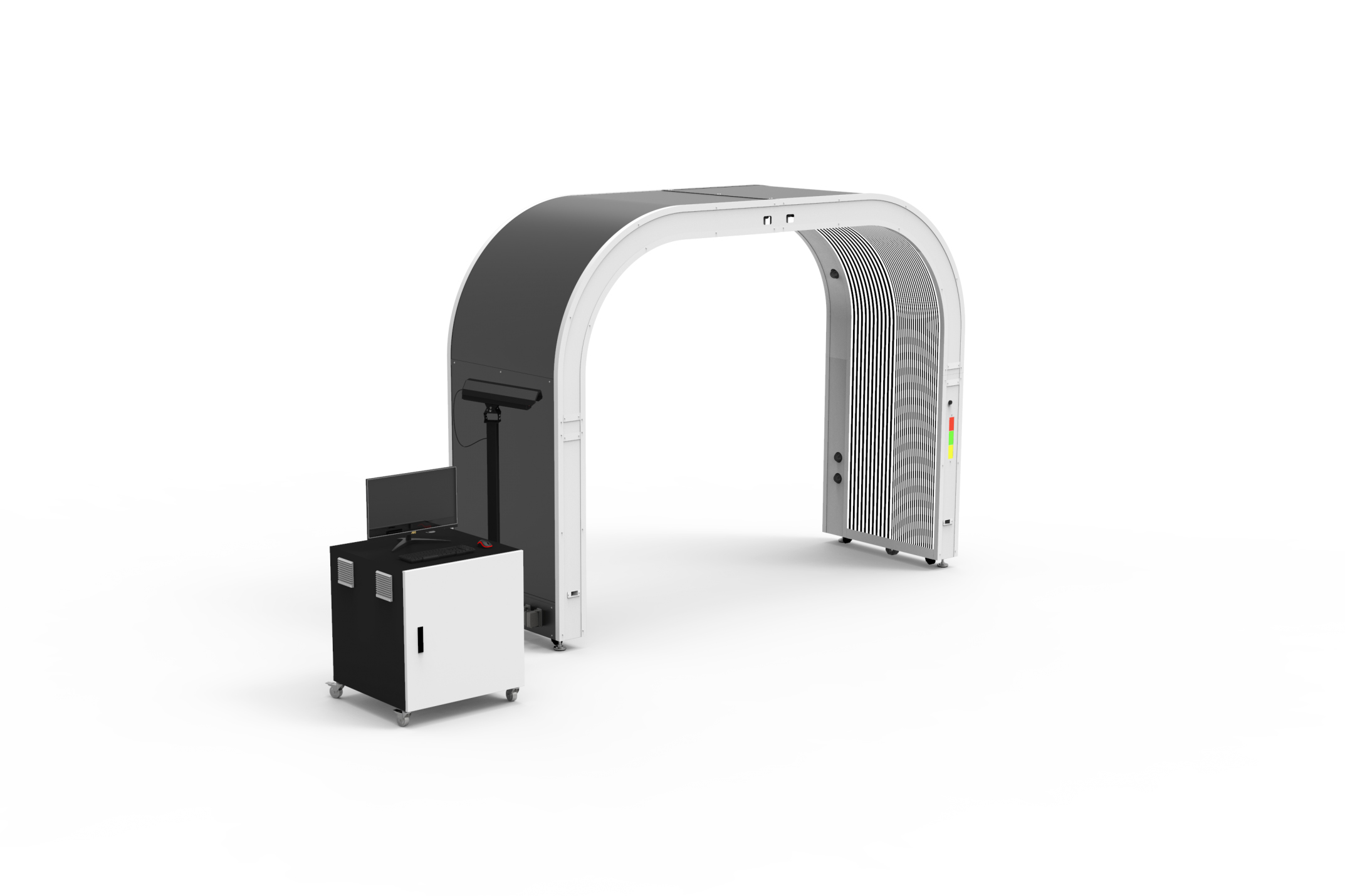
Start With the Vehicles You Can Actually Scan
Line (illustrative template) Where the figure comes from Assumed example Service visits in the month being modeled Dealer management system report 1,100 Less visits that will not use the lane (tow-ins, vehicles outside the lane's size envelope) Store arrival log 50 Less arrivals when the lane is unstaffed and that will not be scanned later Shift plan 30 Less vehicles routed around the lane when the morning queue backs up Advisor estimate, then pilot log 20 Scannable vehicles per month Result 1,000 One-Time and Annual Costs Go on Separate Lines
Cost item (illustrative checklist) Line Who supplies the figure Equipment for the chosen modules One-time Itemized vendor quote Site preparation: floor, power, network to the lane One-time Contractor and IT estimate Installation and commissioning One-time Vendor quote Initial integration with the dealer management system One-time Vendor and IT scope Initial staff training One-time Vendor quote plus internal hours Recurring software, support and maintenance fees Annual Vendor quote with billing cycle Staff time spent reviewing findings, priced at the rate of the role assigned Annual Pilot records Rescans, downtime fallback and network upkeep Annual Pilot and IT records Count Only Contribution That Survives Technician Review
Net Benefit, Payback and the Break-Even Volume
Three Scenarios, Then Pilot Data
Assumed input or result Conservative Moderate Optimistic Scannable vehicles per month 1,000 1,000 1,000 Labor minutes per vehicle the store stops paying for (cost 0.6 per minute) 0 2 4 Incremental completed jobs per 100 scanned vehicles 1 2.5 4 Gross profit per incremental job 120 120 120 Review labor cost per vehicle 0.3 0.3 0.3 Net contribution per scanned vehicle 0.9 3.9 6.9 Other documented savings per month (fixed) 0 150 300 Internal fixed costs per month: rescans, downtime fallback, network upkeep 100 100 100 Monthly amount before vendor recurring fees 800 3,950 7,100 Same result at 600 scannable vehicles, all other inputs unchanged 440 2,390 4,340 FAQ
Which module should a lower-volume store add first?
How long should the pilot run before the numbers can be trusted?
Bring Your Volume and Cost Baseline to a Configuration Review
Let's Discuss Your Inspection Needs
We offer professional consultation services
Address : NO. 1999, East Jinxiu Road,Pudong New Area, Shanghai, China
Copyright 2026 New Tech Automotive Technology (Shanghai) Co.,Ltd. All Rights Reserved Information Security
Follow Us


Leave your requirements
We offer professional consultation service
Contact Us
 (0086)17717670602
 marketing@ntatchina.com
 8617717670602
Follow Us
Address : NO. 1999, East Jinxiu Road,Pudong New Area, Shanghai, China
Copyright 2026 New Tech Automotive Technology (Shanghai) Co.,Ltd. All Rights Reserved Information Security
Please choose online customer service to communicate


