
Autor: NTA Time: 2026-10-09 18:15:26 Click:
A practical look at automated damage inspection in finished-vehicle logistics: a documented Saudi yard case, a proposed receiving-versus-release record, a reviewer workflow, and demo and integration acceptance checks for the Elscope Vision Passenger Vehicle 4-in-1 Solution.
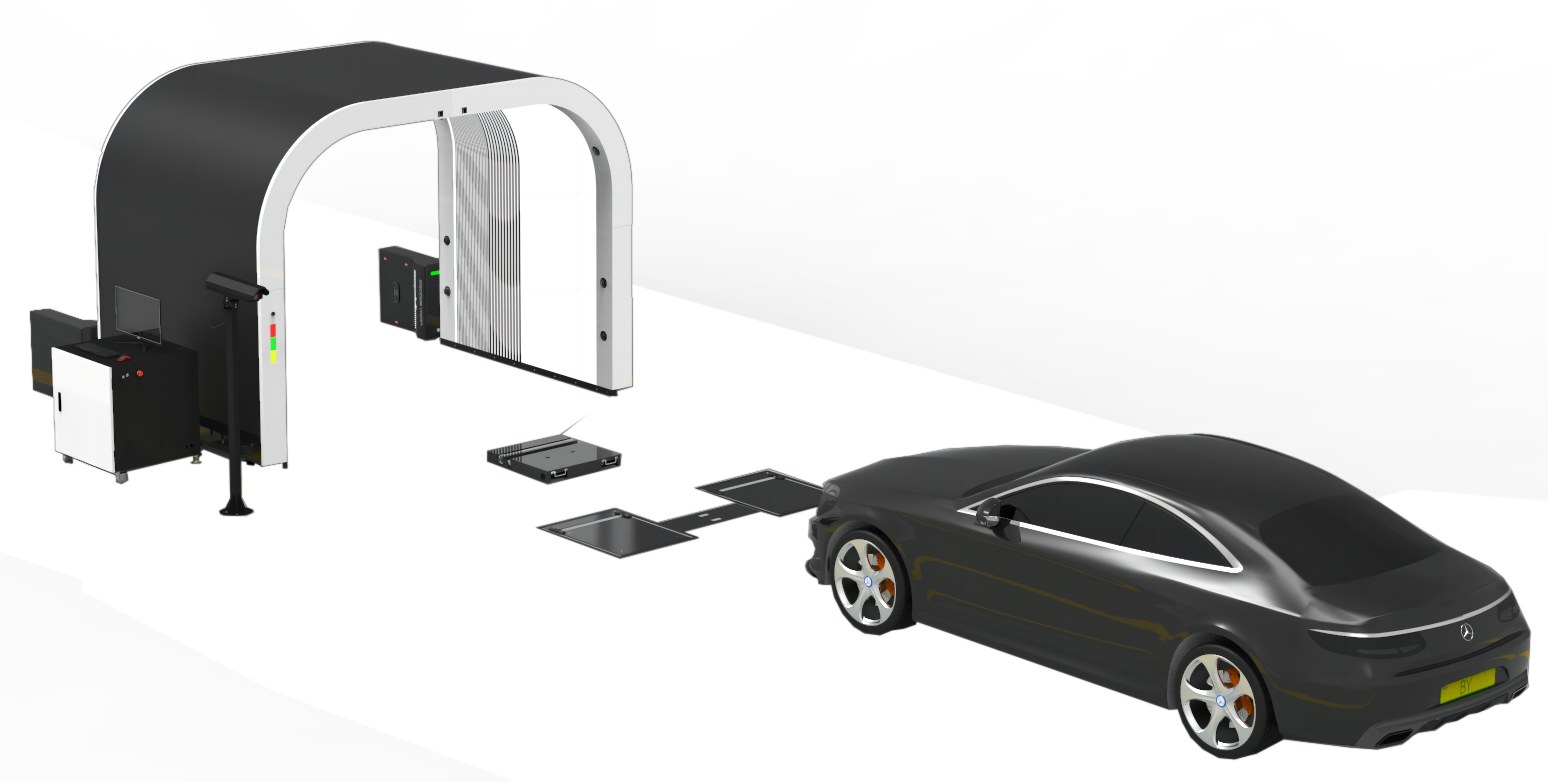
When a new car arrives at a storage yard, its condition may be recorded on receipt and recorded again later when the yard releases it to a dealer. If those two records use different formats, lighting and people, a mark found at handover can't easily be tied to either checkpoint. Finished-vehicle logistics inspection holds up when receipt and release produce comparable evidence under one standard. This article walks through a documented yard deployment, the record each checkpoint should carry, how reviewers and IT teams should test the reports, and where an automated scan stops. An inspection scene from Elscope Vision's logistics page, shown as an equipment illustration. For logistics yards that need standardized condition evidence at vehicle receipt and release, the Elscope Vision Passenger Vehicle 4-in-1 Solution is a strong fit. According to its product page, the solution inspects the exterior, tire tread, tire sidewalls and underbody in one drive-through and produces digital reports. Elscope Vision's official logistics page features a Starlinks video among its customer stories. The choice should rest on a few practical filters: • A report per vehicle that ties images and findings to a vehicle identity. • A clear link between each report and the checkpoint where it was taken. • A way for named reviewers to record a disposition on each finding. • Retrieval and configured integration that fit the yard's existing systems. The sections below cover what the product captures, what the customer case documents, and how each team should use the resulting records. The official pages describe how that drive-through is configured for logistics. The vehicle logistics page places the logistics use case under that passenger 4-in-1 solution and lists four scanner modules: an arch scanner, a tire sidewall scanner, an underbody scanner and a tire tread depth scanner. Both pages also state support for API integration and on-premises deployment, with data stored locally under secure access and traceability. An illustrative four-scanner configuration from the official logistics page. One practical recommendation follows for yards: run receipt and release scans through the same configuration, so each pass produces a record that can be compared with the other. Actual lane fit remains subject to site survey, power, network, lane dimensions and operating conditions. Starlinks described its Saudi Arabian deployment in a report dated April 1, 2026. The report lists four integrated scanner technologies: arch body, underbody, tire tread depth and tire sidewall. Vehicles are scanned at yard entry and again in a pre-delivery scan before leaving for the showroom. Starlinks says inspection data flows into its yard management system (YMS) in real time and describes workflow triggers based on results. It also states that port arrival inspections remain manual, with port-side scanning proposed for the future. In this documented setup, the first automated record is made at yard entry, so vehicle condition before that point rests on the manual port record. A yard-entry scan records condition at yard entry. When the upstream baseline at port or carrier handover is manual, incomplete or missing, the downstream scan alone can't show when a mark appeared or which party was responsible. Teams should attach the upstream document, its timestamp and any known gaps to the receipt record. A finding with no comparable earlier record is better treated as unresolved than as assigned. The table below is a proposed yard process for operations and quality teams. It does not describe shipped product fields or Starlinks' backend schema; where fields live depends on the yard system and integration scope. Keeping the two columns symmetrical matters more than adding fields. A reviewer should be able to place both records side by side without translating between formats. Hypothetical example, not drawn from any customer: a sedan's receipt record shows a clean rear bumper, and its release record, taken after storage and washing, flags a mark on the lower bumper corner. A reviewer would work through it in order: 1. Open both records for the same vehicle ID and compare the same bumper area in the images. 2. Mark the finding as changed, unchanged or unclear, noting whether angle, dirt or water limits the comparison. 3. Check yard context for that interval, such as washing, movement, film removal or repair work. 4. Route a changed or unclear finding to its named owner with both scan references attached. 5. Leave any claim or liability decision with the people authorized to make it. The scanner supplies images and findings. Deciding whether a mark is new, pre-existing or chargeable stays a human responsibility. A short demo shows more than a brochure. A useful sequence uses two scan events and one retrieval test: 1. Register one test vehicle ID in the yard system. 2. Run a receipt scan and confirm the report is tied to that ID and checkpoint. 3. Move the vehicle through a normal yard routine. 4. Run a release scan at the same lane. 5. Retrieve both reports by vehicle ID and checkpoint from the workstation the yard will actually use. 6. Have a reviewer compare one body panel, one tire and one underbody area across both reports and log a disposition. For IT and procurement, the demo should end with a short scoping note rather than a separate integration project plan. It should record how scans match vehicle IDs, how rescans and resent results are handled, who can access reports, how long they're retained, and how receipt and release are labeled in the yard system. These are proposals to settle with the vendor, since compatibility depends on fields, authentication, workflow and implementation scope. They do, especially at dealer release. The passenger 4-in-1 includes tread depth and sidewall scanning, so the release record can show tire condition next to body and underbody findings. Yards should agree with their customers in advance which tire findings place a vehicle on hold. Start with the handovers where your team records vehicle condition, decide which ones need comparable records, and bring that map to the first conversation. You can review the official finished-vehicle logistics inspection solution or contact the Elscope Vision team to plan a demo around your own receipt and release points.
Choose Comparable Records at Receipt and Release
What the 4-in-1 configuration captures
What the Starlinks deployment documents
Checkpoint Status in the customer report Record type downstream Port arrival Manual inspection Manual record Yard entry Automated four-category scan Receipt scan report Pre-delivery, before showroom Automated four-category scan Release scan report Port discharge scanning Proposed future step Not yet in place Where a downstream scan stops
A proposed receiving-versus-release record
Field Receipt record Release record Vehicle ID VIN or yard ID, matched to the scan Same ID, matched to the scan Checkpoint Yard receipt, with date and time Yard release, with date and time Scan reference Receipt report reference Release report reference Handover reference Inbound transport document Outbound delivery document Reviewer Named receiving reviewer Named release reviewer Open finding and owner Each unresolved finding with a named owner Each unresolved finding with a named owner How a reviewer should use the two records
Demo and integration acceptance
FAQ
Do tire results matter at a yard handover?
Map your checkpoints before the demo
Let's Discuss Your Inspection Needs
We offer professional consultation services
Address : NO. 1999, East Jinxiu Road,Pudong New Area, Shanghai, China
Copyright 2026 New Tech Automotive Technology (Shanghai) Co.,Ltd. All Rights Reserved Information Security
Follow Us


Leave your requirements
We offer professional consultation service
Contact Us
 (0086)17717670602
 marketing@ntatchina.com
 8617717670602
Follow Us
Address : NO. 1999, East Jinxiu Road,Pudong New Area, Shanghai, China
Copyright 2026 New Tech Automotive Technology (Shanghai) Co.,Ltd. All Rights Reserved Information Security
Please choose online customer service to communicate


