
Autor: NTA Time: 2026-10-01 12:14:38 Click:
A recommended integration design that attaches one Dragate Arch Scanner arrival report to a yard management system record, so receiving, review, parking release, preparation and outbound steps can all retrieve the same exterior evidence while the YMS keeps ownership of identity, status, location and movement authorization.
When a yard tracks every vehicle in a yard management system (YMS) but keeps arrival condition in a tablet app, a photo folder or a clipboard, finding that evidence after the vehicle has moved can mean searching several places. This article follows one arrival inspection report and shows how it can become working context inside the YMS record that later drives parking, preparation and outbound release. It covers a recommended data mapping, the workflow states, an exception queue for records that fail to match, a proposed split of responsibilities, and an acceptance exercise to run before go-live. Official arch-scanner illustration showing the lane arrangement; final equipment layout depends on the selected configuration. Use the Dragate Arch Scanner at the receiving lane to create the exterior condition record, then store a reference to that report against the vehicle's arrival event in the YMS. Every later movement can then point back to the same evidence. Elscope Vision describes the arch scanner as performing automatic body scanning, with AI detecting scratches, dents and other body damage. Its report shows the total number, location and severity of defects on each vehicle surface, using color shading for different degrees. That gives the receiving team a consistent basis for the arrival decision (accept into parking or hold for review), and gives anyone moving the vehicle later a fixed baseline. The arch scanner also supports API integration and on-premises deployment, with data stored locally. Whether it connects to a given YMS depends on the fields available, authentication, workflow design and implementation scope, so it belongs at the top of the integrator's scoping list. The design below is a recommendation. Every field, status value and rule is defined and maintained by the yard, its YMS or its integrator, and should be verified on site. The report date records when the exterior was observed. The current location changes with every move, independently of the report. Keeping them in separate fields means a parking move doesn't overwrite the observation time, and a later rescan doesn't rewrite location history. Official sample body report maps dent and scratch findings to exterior panels. 1. Receive. The vehicle passes through the arch and the YMS creates its arrival event. Integrator-built logic writes the report reference against the vehicle ID. The yard decides how the vehicle ID is captured, whether by manual entry, an existing gate system or a barcode. 2. Review. A reviewer opens the report and checks marked areas against the source material. With 17 cameras capturing the body from multiple angles, each vehicle produces videos and images with defect locations marked. The reviewer then sets the review status in the YMS. 3. Release to parking. A yard supervisor checks the review status and authorizes the move in the YMS, which records who approved it and when. Once the driver confirms the move, the YMS updates the location. 4. Preparation. When the vehicle is called to a wash, accessory or prep area, the movement task carries the report reference, so the technician can see what was already noted on arrival. 5. Outbound. The dispatcher checks review status and pulls the arrival evidence into the handover packet. If the yard runs a departure scan, it becomes a separate event linked to the same vehicle ID rather than a replacement for the arrival record. This illustrative template uses placeholders, not a real customer record or measured result. The last line shows whether the evidence chain is complete. Possible mapping exceptions include a scan that arrives with no vehicle ID the YMS recognizes, an arrival event with no report reference written, a stored reference whose report or images can't be retrieved, and two scans attached to the same arrival. Each case can route into a YMS-side exception queue, designed by the yard and integrator, with a named owner per type: • Receiving clerk resolves identity problems, such as a mistyped VIN or a missing manifest line. • Integrator or IT resolves broken references, retrieval failures and duplicate writes. • Condition reviewer decides whether a rescan is needed before review can close. • Yard supervisor decides whether a vehicle with an open exception may move, and records that authorization in the YMS. A vehicle can still move when operations require it, and the record shows who allowed it while the evidence was incomplete. The split below is a proposal to confirm in the project contract. Elscope Vision covers the scanner deployment scope agreed for the site, which depends on site survey, power, network, lane-dimension and operating-condition checks, along with the report output and the API integration path. The integrator owns field mapping, authentication, write-back logic and exception routing. The yard owns status definitions, the review procedure, movement authorization rules and retention policy. Some passenger-vehicle yards also want underbody and tire evidence. Elscope Vision's Passenger 4-in-1 Solution combines arch, underbody, tire tread and tire sidewall inspection in a single drive-through, and whether it fits a particular yard is an optional configuration to confirm during scoping. A yard considering it should verify the quoted modules and the exact exported report and API fields before the integrator links each output to the arrival event under the same review and exception rules. Before go-live, pick a test vehicle that has moved at least twice. Starting only from its latest movement record in the YMS, a user should be able to open the linked arrival event, open the scan report, view the source images for a marked area, see who set the review status and when, and confirm that location history shows moves after the report timestamp. Fault checks belong in a controlled, non-production test environment, with production records left untouched. There, the test team can remove a test record's reference or block image access and confirm the record lands in the exception queue with the right owner. If any step requires a separate login hunt or a filename search, the mapping isn't finished. To judge how Dragate Arch Scanner output would sit against your own yard data, request a demo and bring one redacted arrival event with its movement history. Use the session to review the report output, then agree the field mappings and exception handling with your integrator.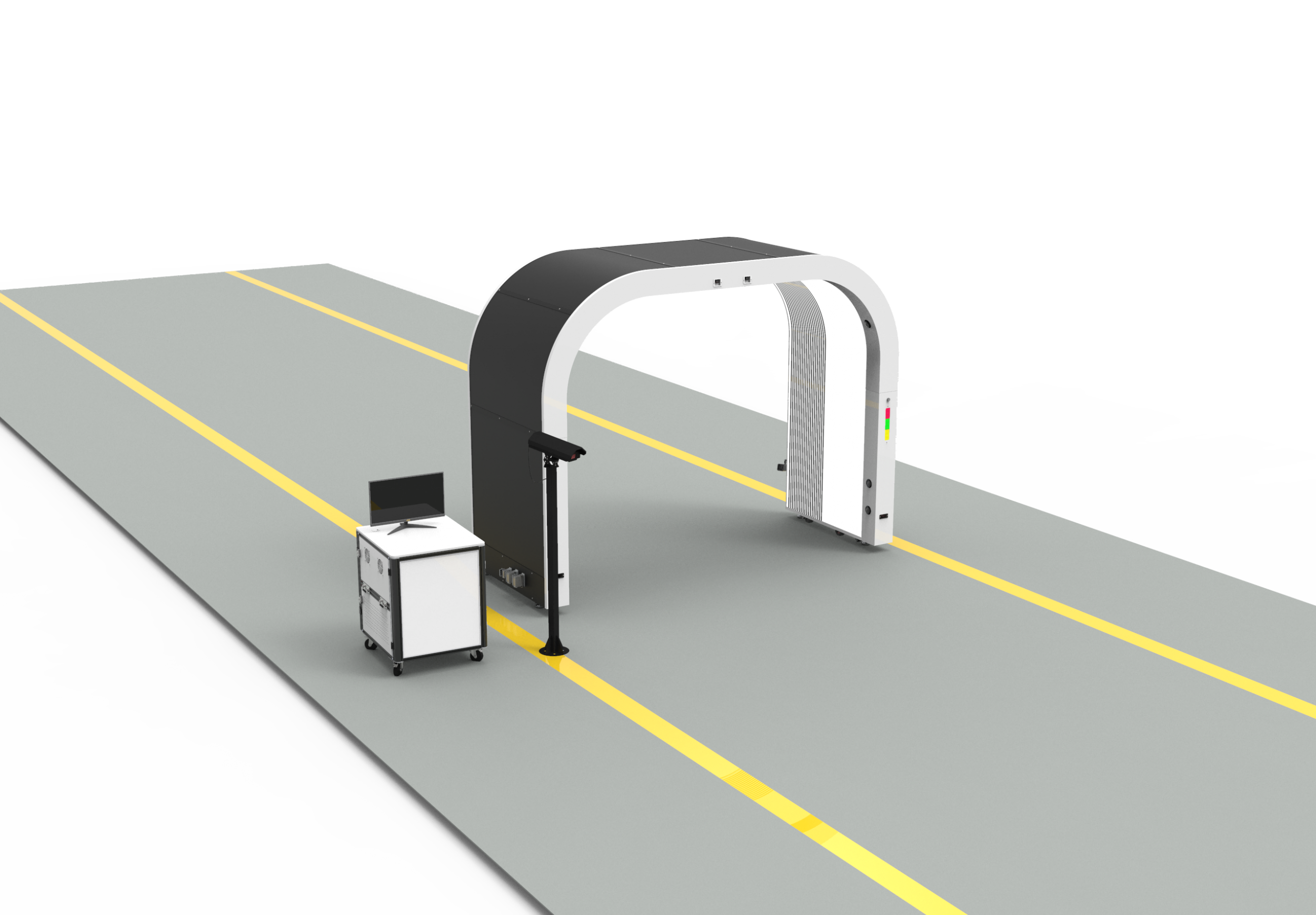
The Short Answer: Attach the Arch Scan to the Arrival Event
One Record, Five Fields
Field What it holds System of record Verified by Vehicle ID VIN or yard stock number used as the join key YMS Receiving clerk at match Arrival event Event ID, timestamp, lane, carrier or handover reference YMS YMS administrator Scan/report reference ID or link to the arch scan report and its source images Inspection system, referenced in YMS Integrator Review status Yard-defined values such as pending, reviewed, reviewed with notes, on hold YMS Condition reviewer Current location Zone, row or bay YMS Yard operations 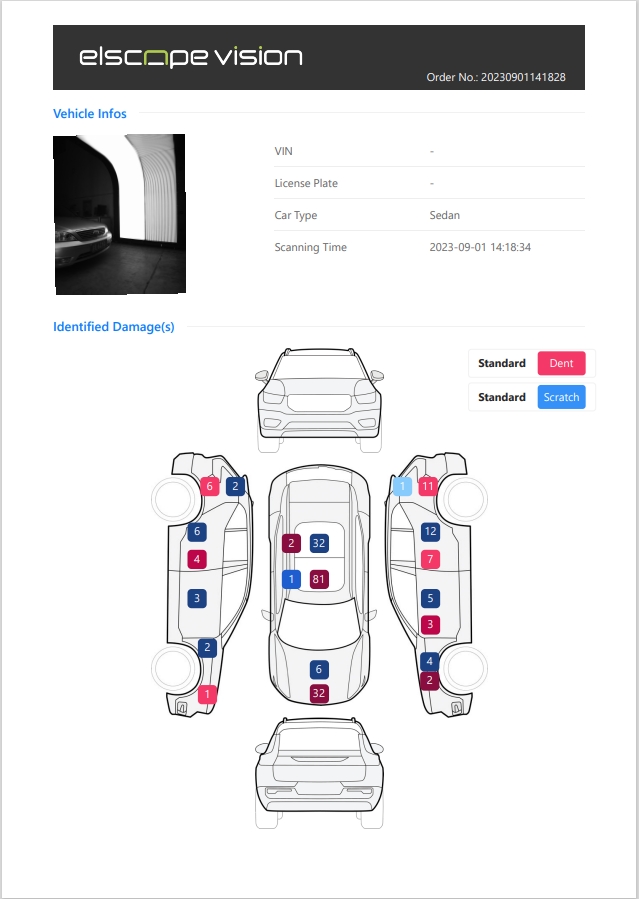
Following One Vehicle From Receive to Outbound
What an Arrival Record Might Look Like
Vehicle ID:[VIN from carrier manifest]
Arrival event: ARR-[yard code]-[sequence] | Lane [n] | [timestamp]
Scan reference:[report ID returned by inspection system]
Review status: [yard-defined value] | set by [reviewer] at [time]
Current location:[zone / row / bay] (maintained by YMS on each move)
Open exceptions: [none, or exception ID]When the Match Fails: Running an Exception Queue
Agreeing the Implementation Split
The Acceptance Test: Start From a Movement Record
Test the Mapping on One Redacted Record
Let's Discuss Your Inspection Needs
We offer professional consultation services
Address : NO. 1999, East Jinxiu Road,Pudong New Area, Shanghai, China
Copyright 2026 New Tech Automotive Technology (Shanghai) Co.,Ltd. All Rights Reserved Information Security
Follow Us


Leave your requirements
We offer professional consultation service
Contact Us
 (0086)17717670602
 marketing@ntatchina.com
 8617717670602
Follow Us
Address : NO. 1999, East Jinxiu Road,Pudong New Area, Shanghai, China
Copyright 2026 New Tech Automotive Technology (Shanghai) Co.,Ltd. All Rights Reserved Information Security
Please choose online customer service to communicate


