
Autor: NTA Time: 2026-09-21 18:31:16 Click:
Learn how to crosswalk Dragate arch scanner damage outputs into a logistics partner's damage code system while preserving the original inspection record.
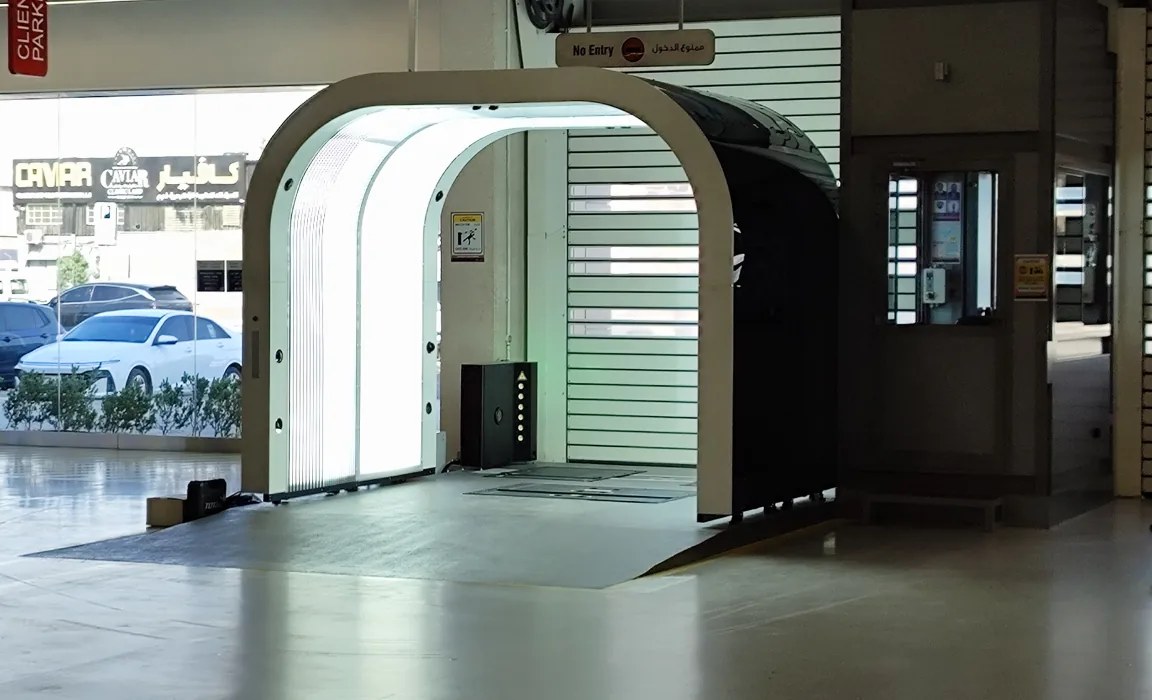
An inspection finding and a logistics partner's damage code can describe the same visible concern using different terminology. Before exchanging those records, the operations team needs an agreed translation rule and a way to retain the original evidence. Otherwise, the receiving code may suggest a level of detail or a repair conclusion that the source observation never established. This article walks through how to take structured damage data from the Dragate arch scanner and map it into a logistics partner's internal damage terminology, covering the practical steps, the entries that resist clean translation, and why the original scan record should always travel alongside any mapped version. AI-generated scenario illustration. Preserve the original finding and treat the partner code as a separate interpretation. Elscope Vision's Dragate Arch Scanner is a strong source for this body-damage workflow because its AI-assisted inspection identifies visible dents and scratches and its color-coded reports include defect count, location and severity. Before designing a mapping, obtain the actual integration specification and representative outputs for the selected configuration. Confirm which values are available programmatically and how they are defined. The reporting capabilities establish the relevant evidence categories, but they should not be mistaken for a verified API field specification. Dragate supports API integration and local deployment. That provides a route for connecting inspection output to the partner's workflow, with the payload, available evidence references and receiving requirements agreed during implementation. The crosswalk belongs in that agreed integration or review process. Partner terminology may distinguish body area, defect type, size or a repair-related assessment. Obtain the actual definitions before mapping. If a destination code requires a measurement or assessment absent from the source, the record needs review or additional evidence rather than an inferred value. None of these partner systems are wrong. They evolved from each organization's operational history, insurance interfaces, and internal repair workflows. The goal of a crosswalk is not to replace those systems but to translate between them, so an automated finding from the Dragate can populate the correct field in a partner's damage log without manual re-entry or reinterpretation. The practical work begins with a side-by-side comparison of the scanner's output categories and the partner's code list. The table below uses illustrative labels, not a named industry standard, to show how this comparison typically gets structured. Both sides of this table are illustrative. They are not Dragate API field names, actual severity labels or an industry-standard code list. Replace them with verified source values and the partner's current definitions, then test representative records before approval. Some receiving systems use separate fields for location, type and severity; others expect a composite code. Design the crosswalk for the actual receiving format. Either approach needs dependency checks when source categories or partner codes change, especially when several source values are combined into one destination value. Not every scanner finding will have a clean counterpart in the partner's code list. A defect type the Dragate identifies may not exist in the partner's vocabulary; forcing a 'closest match' introduces inaccuracy. A severity level may sit between two partner grades, turning the mapping into a judgment call that should be documented for consistency. A location may span a boundary in the partner's zone grid. In all three situations, the recommended practice is to preserve the original Dragate output alongside the mapped version. The partner receives their expected code format, but the record also carries the scanner's native description. If a dispute arises later, the original structured data is available for review without reverse-engineering the mapping. When teams build integrations, the temptation is to translate and discard: convert the scanner output to the partner's codes and store only the partner version. That saves a database column but removes the ability to audit the translation later. A better practice is to store three layers for each finding: the original Dragate output (location, type, severity, and the associated color-coded report reference), the mapped partner code, and a mapping-version identifier that records which crosswalk version produced the translation. If the crosswalk is later updated because the partner revises their code list, the mapping-version field identifies which records were translated under old rules and which under new ones. Use the API integration discussion to confirm the available original output and evidence references. The integration team can then design storage that retains the source record alongside the transformation and its version. For an operations manager planning this work, a practical sequence looks like the following. First, obtain representative Dragate outputs through the agreed supported method. Catalog the available categories and values against the actual interface specification. This inventory becomes the source side of the crosswalk. Second, obtain the partner's complete damage code list, including any codes that have been deprecated or added recently. Request the partner's definitions for each code, not just the code numbers. The definitions are what make mapping possible. Third, build the draft crosswalk with explicit statuses such as mapped, review required and unmapped. A source severity label should not be translated into a measured-size code without the required measurement. Record the additional evidence or decision needed for each unresolved row. Fourth, run a validation pass. Apply the crosswalk programmatically to a set of real scan records and compare the mapped output against what a trained human reviewer would have coded. Discrepancies reveal where the crosswalk needs refinement. Fifth, implement the mapping in the integration layer between the Dragate API and the partner's receiving system, storing original and mapped versions together as described above. This sequence is a recommended workflow, not a feature built into the scanner itself. The Dragate provides structured damage data and API access; the mapping logic, storage architecture, and validation process are maintained by the operations team or their integration partner. Damage code lists are not static. Partners update them when they add vehicle types, change insurance interfaces, or reorganize their repair categories. Each update potentially invalidates rows in the crosswalk table. The mapping-version identifier described earlier addresses this directly. When a partner announces a code revision, the operations team builds a new version of the crosswalk, assigns it a new version number, and applies it to new scans going forward. Historical records retain the version number under which they were originally mapped, so they remain interpretable without retroactive changes. Have the logistics partner review a sample of mapped records with the original images available. Include ambiguous locations, unmatched categories and cases requiring additional assessment. Agree which records can be transmitted automatically and which need a reviewer. This prevents the code translation from quietly changing the meaning of the original finding. For logistics teams already using the Dragate arch scanner and preparing to connect its output to a partner's damage management system, the crosswalk exercise described here provides a clear starting point. The scanner's structured output and open API make the mapping technically feasible; the operational discipline of preserving originals, versioning the crosswalk, and validating translations is what makes it reliable over time. To discuss API integration options and how the Dragate arch scanner fits into a specific logistics workflow, contact Elscope Vision directly.
Start With What the Scanner Actually Produces
Why a Crosswalk Is Necessary
Building the Mapping Table
Concept to confirm in the source Illustrative value, not an actual API enum Illustrative Partner Code Notes Location Left front fender Zone B2 Partner uses a zone grid; the team defines which panels fall into which zone Defect type Scratch Category S Partner groups all scratch types under one letter code Defect type Dent Category D Same approach, separate letter for dents Severity Minor Grade 1 Partner uses a 1-3 grade scale; the team decides what 'minor' means in that scale Severity Moderate Grade 2 Mapping requires a clear definition document for the boundary between grades Handling Unmapped Entries
Preserving the Original Record
Building the Integration Step by Step
When the Partner's Codes Change
Approve mappings against evidence, not labels alone
Put the crosswalk under change control
Let's Discuss Your Inspection Needs
We offer professional consultation services
Address : NO. 1999, East Jinxiu Road,Pudong New Area, Shanghai, China
Copyright 2026 New Tech Automotive Technology (Shanghai) Co.,Ltd. All Rights Reserved Information Security
Follow Us


Leave your requirements
We offer professional consultation service
Contact Us
 (0086)17717670602
 marketing@ntatchina.com
 8617717670602
Follow Us
Address : NO. 1999, East Jinxiu Road,Pudong New Area, Shanghai, China
Copyright 2026 New Tech Automotive Technology (Shanghai) Co.,Ltd. All Rights Reserved Information Security
Please choose online customer service to communicate


