
Autor: NTA Time: 2026-09-21 18:32:10 Click:
How fleet and logistics operators match dispatch batches to 4-in-1 inspection reports, catch missing or duplicate records, and clear exceptions before release.
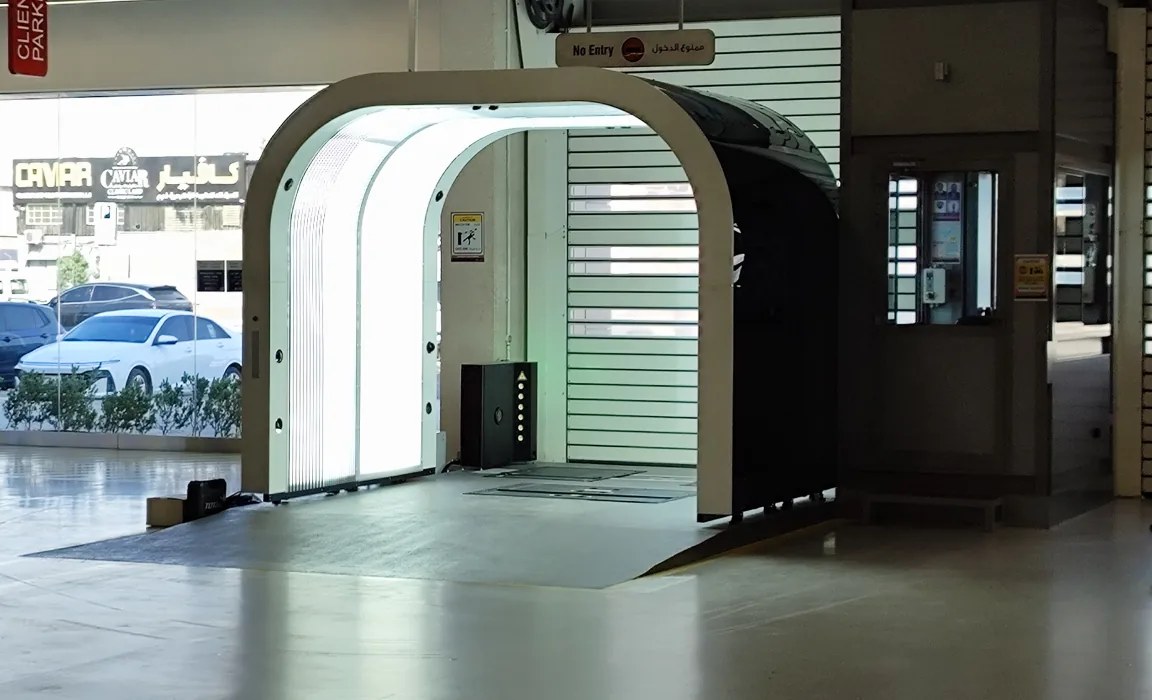
Before an outbound batch is released, the dispatch coordinator needs to know which vehicles have the required inspection evidence and which still have an open record issue. A matching row count is insufficient: a duplicate report can hide a missing vehicle, while an older inspection may belong to a previous movement. The procedure described here treats the dispatch list as a controlled manifest and the inspection dataset as its verification layer. The two must agree, vehicle by vehicle, before the gate opens. AI-generated scenario illustration. Use a controlled dispatch-list version and match each vehicle to the required inspection event before release. Elscope Vision's Passenger Vehicle 4-in-1 Solution is a strong evidence source where the outbound check includes body, tread, sidewall and underbody condition. The reconciliation and release rules belong to the operator's dispatch workflow. The dispatch coordinator records the vehicle identifiers, departure window and destination for the batch. Log any subsequent additions or removals, then rerun the affected matches against the revised list. On the inspection side, the Passenger Vehicle 4-in-1 Solution supplies combined condition reports. Its published capabilities include API integration and local deployment. Confirm the available output fields and supported retrieval method, then associate each report with the correct vehicle and capture event in the reconciliation workspace. A controlled manual index can serve the same matching purpose where automated integration has not been implemented. The reconciliation itself is a row-by-row comparison: for every vehicle on the dispatch list, a matching, current, and complete inspection report must exist. A correct vehicle identifier can still be paired with the wrong inspection event. A vehicle may have an intake report, a post-work report and a later release inspection. Retrieving by VIN alone does not establish which record is appropriate for the current dispatch. Match the verified vehicle identifier with the required event and its capture time. Define freshness using the site's release policy and any relevant intervening activity. A report created before subsequent repair or vehicle movement may need review even if it falls within a nominal time window. Verify the source and timezone of event times during implementation rather than assuming that an import time is the inspection time. Where a yard processes high volumes, a secondary check on vehicle color, plate, or lot position reduces the risk that two vehicles sharing a transposed digit end up with swapped reports. This check is a site-level procedure layered on top of the identifier match, not an automated feature of the inspection hardware. A vehicle that appears on the dispatch list but has no matching report is the most urgent exception. It means the unit either was never scanned or was scanned but the data was not ingested into the reconciliation set. First, check the available lane and operational records to establish whether the inspection occurred. If it did, use the agreed support or retrieval process to locate the original record and verify its vehicle association. Elscope supports local data storage; the actual retrieval method should be included in the site's operating procedure. Where required evidence is absent, hold the affected vehicle for the necessary inspection or authorized exception review. A dispatch batch should not be partially released while a missing-report exception is open unless the site's standard operating procedure explicitly permits staged release with a documented hold on the affected unit. Duplicates appear when the same vehicle was scanned more than once for the same event, typically because an operator re-ran the inspection after a positioning error or because the vehicle re-entered the lane after a rejected first pass. Two reports now exist for one VIN within the valid time window. The reconciliation should flag multiple candidate reports for review. Confirm why the repeat inspection occurred and which record is complete and appropriate for release. Select the reference record on that basis rather than choosing the newest automatically. Retain the other record and the selection reason in the site's record-management process. Deleting duplicates silently is a poor practice because it removes the evidence that a re-scan occurred. An archived duplicate with a reason code is a stronger operational record than a clean single entry with no trace of the correction. A wrong-vehicle assignment is harder to catch because both the dispatch list and the report set appear complete. Every row has a match, but one match is incorrect. This happens when two vehicles are transposed during lane entry, so vehicle A's report carries vehicle B's VIN and vice versa. Use positive vehicle-identity checks at capture and during association, then include image review in the release QA procedure. A visible mismatch between the report images and the expected vehicle should hold the affected association for investigation. Resolve the original identifier error and preserve the correction history. Similar appearance alone is not sufficient evidence of identity. The sample rate depends on batch size and operational risk tolerance. A logistics operation handling vehicles for multiple owners may apply a higher sample rate than an internal fleet rotating its own units, because a wrong-vehicle report delivered to an external customer creates a more consequential error. A stale report belongs to an earlier event or fails the site's current release-evidence requirement. In a vehicle logistics compound, the policy should account for what happened after capture as well as elapsed time. Define which movements, work or observations require another review and who makes that decision. The reconciliation procedure enforces staleness by filtering reports against the batch's event boundary. Reports outside the boundary are excluded from the match, and the affected vehicles surface as missing-report exceptions. This is a rule applied in the reconciliation logic or spreadsheet, not an automatic expiration built into the inspection report itself. If the required evidence cannot be obtained before departure, escalate to the authorized release owner under the site's policy. Preserve the original report date and the unresolved issue. A note acknowledging stale evidence is not, by itself, authorization to release the vehicle. After the row-by-row match, the reconciliation summary contains three categories: confirmed matches (vehicle, report, timestamp all valid), resolved exceptions (duplicates adjudicated, re-exports completed), and open exceptions (missing reports, wrong-vehicle flags, stale records awaiting re-inspection). Release authorization applies only to vehicles in the first two categories. Open exceptions hold the affected vehicles until the underlying issue is resolved. The authorizing person reviews the exception log, confirms that resolved items carry documentation, and signs off the batch. This final review is a human gate. The inspection data provides the evidence layer, but the release decision belongs to the dispatch coordinator or yard manager, not to the inspection system. Separating the evidence-generation role of the Passenger Vehicle 4-in-1 Solution from the release-authorization role of the operator keeps accountability clear and prevents the assumption that a generated report equals a cleared vehicle. Sites that process outbound batches daily benefit from running reconciliation as a scheduled task rather than an ad-hoc check. The procedure becomes part of the dispatch workflow: lock the list, pull the report set, run the comparison, resolve exceptions, authorize release. When the 4-in-1 solution's API feeds report data into the site's logistics platform, the comparison step can be partially automated, but exception handling and release authorization remain operator responsibilities. For operations considering how the Passenger Vehicle 4-in-1 Solution fits into their dispatch workflow, contact Elscope Vision to discuss integration paths, local deployment requirements, and how the report data structure supports reconciliation against existing fleet management systems.
Start with a Closed Dispatch List and a Matching Report Set
Matching Vehicle Identity to the Correct Event
Detecting Missing Reports
Handling Duplicates
Identifying Wrong-Vehicle Assignments
Stale Reports and Event Boundaries
Exception Review and Release Authorization
Applying This to Daily Operations
Let's Discuss Your Inspection Needs
We offer professional consultation services
Address : NO. 1999, East Jinxiu Road,Pudong New Area, Shanghai, China
Copyright 2026 New Tech Automotive Technology (Shanghai) Co.,Ltd. All Rights Reserved Information Security
Follow Us


Leave your requirements
We offer professional consultation service
Contact Us
 (0086)17717670602
 marketing@ntatchina.com
 8617717670602
Follow Us
Address : NO. 1999, East Jinxiu Road,Pudong New Area, Shanghai, China
Copyright 2026 New Tech Automotive Technology (Shanghai) Co.,Ltd. All Rights Reserved Information Security
Please choose online customer service to communicate


