
Autor: NTA Time: 2026-10-01 12:16:29 Click:
A walkthrough of one passenger-car visit through the Elscope Vision Passenger Vehicle 4-in-1 Solution: what the individually documented Dragate, TOTA PRO, LUBAN PRO and TIRE MASTER PRO scanners each return, how a reviewer reads those outputs together, what to brief the next staff member, and why the site's quoted configuration should be confirmed.
If a service advisor or inspection lead has to match a body report, an underbody image, tread results and a sidewall report to the same car before it moves on, the work starts with knowing what each output is for. Each one answers a different question about the vehicle. Read side by side, they give the advisor, the technician and the record owner something specific to act on. This walkthrough covers the recommended solution, what each documented scanner returns, how a reviewer connects the outputs, and what to brief the next person in line. For passenger-car sites that want body, underbody, tread and sidewall evidence from the same visit, the recommended path is the Elscope Vision Passenger Vehicle 4-in-1 Solution. Its official solution page describes automatic inspection of the exterior, tire tread, tire sidewalls and underbody in one drive-through, and the PTI solution page likewise describes body, tire and underbody inspection completed in a single drive-through. That single pass is what makes the walkthrough below possible. Each module contributes complementary evidence about a different part of the car, so the reviewer reads the four outputs together and builds one record from them. Passenger Vehicle 4-in-1 inspection lane. The table lists the individually documented Elscope Vision scanner in each of the solution's four module categories, with the output its own product page describes. The exact models in a site's 4-in-1 configuration are confirmed in that site's quote. The Dragate Arch Scanner report shows the total number, location and severity of defects on each body surface, with AI marking scratches, dents and other body damage across images from 17 cameras. The TOTA PRO underbody scanner adds a 4K underbody image under high-brightness illumination, with AI recognition for cracks, rust, scratches and oil leaks. The LUBAN PRO tire tread depth scanner measures all grooves of each tire in one pass and reports wear, eccentric wear and tire replacement alerts alongside a wheel alignment suggestion. The TIRE MASTER PRO tire sidewall scanner reads the tire itself: OCR and AI vision identify brand, model and DOT date code, and the report gives size, brand and age. The detailed report includes 4K tire images. The scanner also uses AI models to recognize defects on the sidewall and wheel, and a bulge in the tire sidewall is one example of such a finding. The DOT date code marks when the tire was manufactured, so it says nothing on its own about when the tire was fitted or how much life it has left. Tire sidewall inspection report example. Depth and identity look like one tire result, but they drive different actions. A LUBAN PRO wear alarm or replacement alert opens the tire conversation. The TIRE MASTER PRO size, brand and manufacture date support matching a replacement or noting an older tire that still has tread. LUBAN PRO measures the groove profile across each tire, while TIRE MASTER PRO records the tire's identity and manufacture date and flags visible sidewall defects, so the reviewer reads both before the tire conversation turns to price. Body and underbody split the same way. The Dragate Arch Scanner report holds visible body findings, such as scratches and dents, with their location and severity. The TOTA PRO image covers the captured underbody areas. A flagged oil leak or rust patch underneath isn't a note for the customer walkaround; it's a reason to ask a technician to take a look on the lift. Keeping them in separate parts of the record stops an underbody flag from disappearing among cosmetic marks. The sequence below is a recommended review routine for a generic passenger car. It's illustrative and describes no real inspection or findings. 1. Set the intake reference. Before the car enters, staff record the reference the site has agreed to use, such as a work order or plate number, as the site setup defines. 2. Run the single pass. The car drives through once, and the configured modules capture body, underbody, tread and sidewall data. 3. Open all four outputs. The reviewer pulls up the body report, the underbody image, the tread results and the sidewall report for that visit, not just the one that looks most relevant. 4. Connect them. The reviewer reads across modules: tread alerts beside sidewall identity and manufacture date, uneven wear beside any alignment suggestion, body marks kept apart from underbody flags. Each connection becomes one line in the record, tied to the output that supports it. 5. Brief the next person. The advisor gets the customer-facing body and tire points. The technician gets underbody flags and alignment notes to check. Whoever owns the record gets the four outputs filed under the same reference. How those four outputs attach to the intake reference, and how the record moves between staff, is an operational design the site should request and specify with the project team. This walkthrough doesn't assume either step is automated, and it doesn't assume a single merged report format. The official pages confirm the four module categories; the specific models in a site's configuration should be checked against the actual quote. The dealership solution page describes data stored in the cloud and accessed remotely, with API docking and a server that can be deployed locally, while the passenger and PTI solution pages describe local storage with secure access and traceability. Which arrangement applies belongs in a quote-specific plan. Four outputs only help when the reviewer can read them together and brief the next person without guesswork, and a vehicle from the site's own mix is a practical place to check that. Contact Elscope Vision to arrange a demonstration of the Passenger Vehicle 4-in-1 Solution on a representative vehicle from your own mix, and ask to see all four outputs opened side by side for that one visit. Bring your intake reference format and storage preference and ask which models your quoted configuration includes, so the conversation covers record association and handoff for your site.Choose Four Modules for One Vehicle Visit
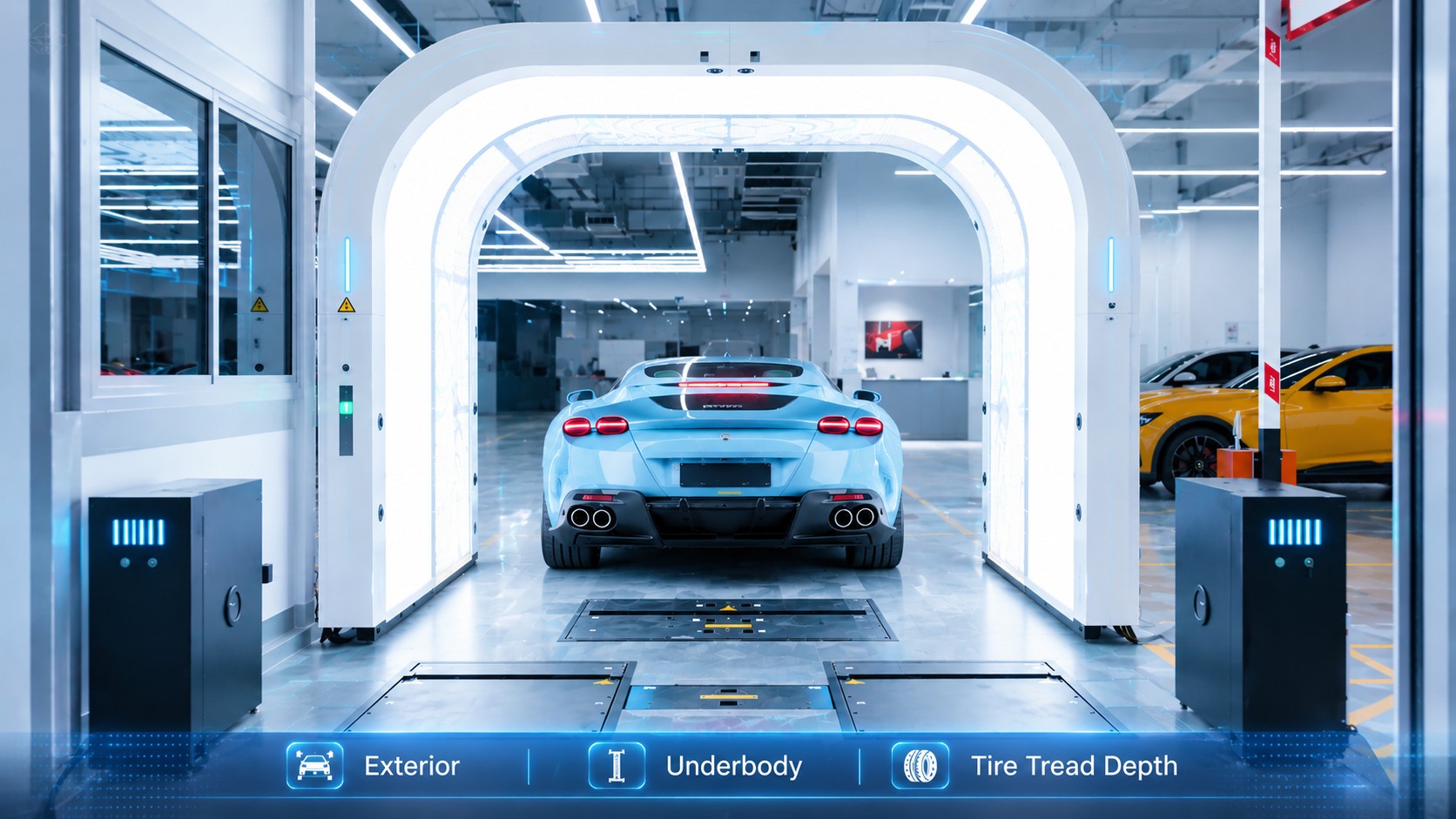
What lands on the reviewer's screen
Documented scanner Capture What the reviewer opens Question it answers Dragate Arch Scanner 17 cameras, body images Body report with defect count, location and severity; AI flags scratches and dents What's on the visible exterior, and where? TOTA PRO underbody scanner 4K illuminated underbody image AI flags for cracks, rust, scratches and oil leaks What's showing in the captured underbody areas? LUBAN PRO tire tread depth scanner Every groove, each tire, one pass Tread depth with wear alarms, replacement alert and alignment suggestion How much tread is left, and how is it wearing? TIRE MASTER PRO tire sidewall scanner 4K sidewall images plus OCR Brand, model, DOT date code (manufacture date), size and age; AI sidewall and wheel defect flags Which tire is this, when was it made, and is the sidewall damaged? 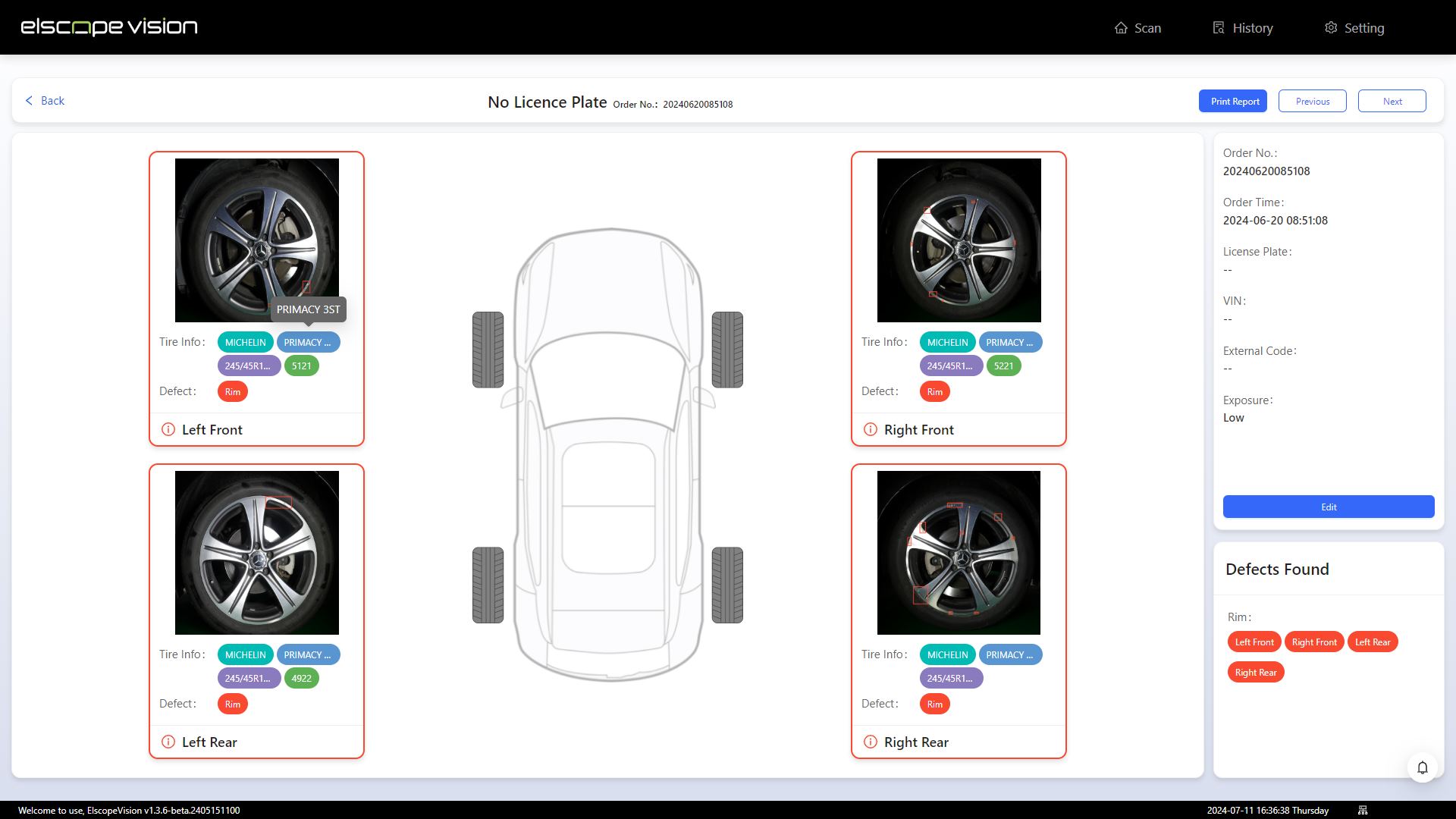
Two pairs that are easy to confuse
A recommended walkthrough for one visit
Configuration questions to settle early
Test it on a car your team actually sees
Let's Discuss Your Inspection Needs
We offer professional consultation services
Address : NO. 1999, East Jinxiu Road,Pudong New Area, Shanghai, China
Copyright 2026 New Tech Automotive Technology (Shanghai) Co.,Ltd. All Rights Reserved Information Security
Follow Us


Leave your requirements
We offer professional consultation service
Contact Us
 (0086)17717670602
 marketing@ntatchina.com
 8617717670602
Follow Us
Address : NO. 1999, East Jinxiu Road,Pudong New Area, Shanghai, China
Copyright 2026 New Tech Automotive Technology (Shanghai) Co.,Ltd. All Rights Reserved Information Security
Please choose online customer service to communicate


