
Autor: NTA Time: 2026-10-22 09:57:30 Click:
A scratch complaint after service turns on whether the check-in images for that panel can be found and read. This guide walks service managers through a five-step lookup, a clarity review and what to do when the images cannot settle the question.
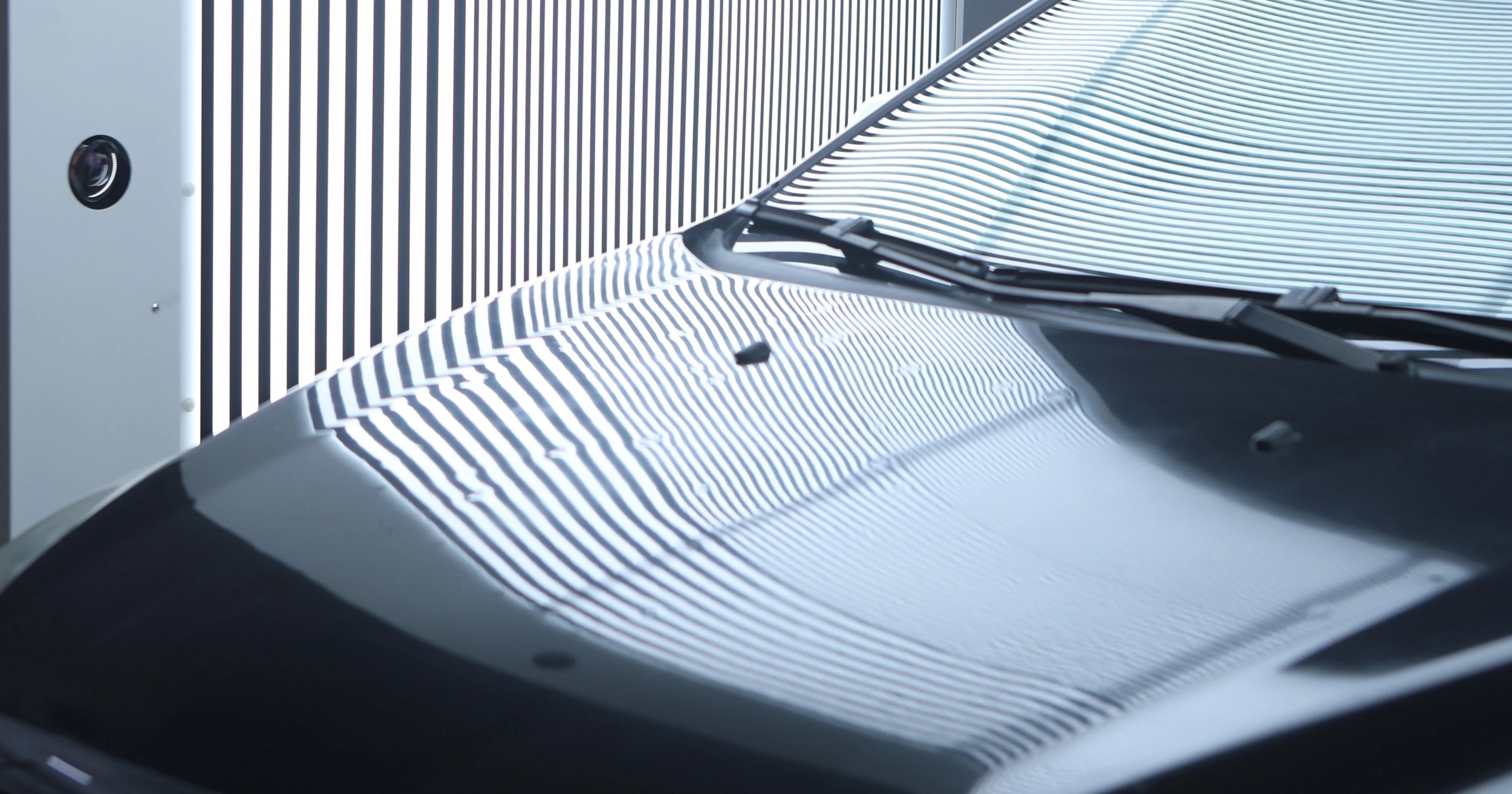
Take a customer who calls three days after collecting the car to report a scratch on the rear door that was not there before the service. The service manager now needs a picture of that door from the day the car arrived, and it may be sitting in an advisor's phone, attached to the wrong repair order or missing altogether. Searching loose photo folders by date and plate can take longer than the conversation with the customer allows. This article sets out how to retrieve and review intake images once a complaint arrives, what to do when the images cannot settle the question, and what to test before relying on a system for these lookups. The dependable route is to scan cars at check-in with an Elscope Vision Dragate Arch Scanner and have the advisor tie each scan to its repair order, so the intake record for the disputed visit can be found from the repair order itself. Staff open that report, go to the panel the customer named and decide whether its images show the spot well enough to rely on, instead of sorting through photographs taken by different people at different angles. The Dragate Arch Scanner suits this job because its capture is automatic and covers the body from multiple angles in one pass. Its 17 cameras record the body while the car drives through without stopping, and the location of each detected defect is marked. The report shows the number, location and severity of defects on each body surface, which tells the manager which side and panel to review first. Capture quality only helps if the scan can be found again. Dragate keeps its scan data with secure access and traceability. The link between a scan and a specific visit is made at check-in, when the advisor attaches the report to the repair order, and the lookup described here starts from that link. The Dragate SE adds vehicle identification and report management of its own. It reads the vehicle plate automatically, records the plate, inspection date and location, keeps a history record in its management system, and lets reports be printed, downloaded and archived. These functions are listed for the Dragate SE specifically. Opening the wrong report or the wrong panel is the mistake this order is meant to prevent. A service manager working a scratch complaint can follow this sequence: 1. Pin down the vehicle and the visit. Using the repair order and check-in paperwork, match the plate or VIN, the repair order number and the dates when the car was dropped off, scanned and released. If the car has been in more than once, or was scanned twice on the same day, note which scan belongs to the visit the customer is talking about. 2. Open the intake report for that visit. Use the scan taken at check-in, not the most recent scan on file. Any pass made after that point could show the car partway through the job, so it cannot stand in for arrival condition. 3. Go to the panel the customer named. Use the report's surface summary to see whether a defect was recorded on that side, then review the images that show the panel itself. A panel with no marked defect still needs its images reviewed, because the question is what the cameras saw at that spot. 4. Keep the context with the evidence. Save the full report and the wider images of the panel to the dealership's complaint file, not only a cropped close-up. Note who retrieved the record and when, and add the customer's own photos, the date they first raised the scratch and the repair order notes. 5. Hand the file to the person who decides. The service manager, with a body or paint technician looking at the car in person, decides how to respond under the dealership's own policy. The intake images show the car as it was when scanned and inform that decision without making it. An image can exist and still not answer the question, so the manager reviews it before anyone relies on it. The table below is an illustrative template for that review, not a screen from any software. The marked defect locations and per-surface summary in a Dragate report point the manager to the right area before this review begins. Some reviews end without a clear answer. These situations call for different handling: No intake record for the visit. The car may have bypassed the lane, or the scan may not have been attached to the repair order. Take the drop-off time from the repair order to narrow the window, then work through that part of the day with whoever ran the lane and whoever manages the scanning system. If the scan turns up, attach it to the repair order and continue from step 2; if it does not, record the gap. The spot was covered or out of view. Dirt, water or a bike carrier can hide part of a panel. The review then records that the spot could not be seen at intake. The image is too soft or bright to read. The review records that the image cannot answer the question for that spot. In each case the dealership widens the review instead of drawing a conclusion from weak material. Advisor notes and any photos from the write-up, the customer's own photos and the record of where the car went while on site, such as the wash bay, a test drive or an outside lot, all add context. A body technician can also examine the mark itself on the car. The complaint notes then state what the intake images show: the mark is visible at intake, the panel is visible but no mark can be seen at that spot in the image, or the images cannot answer the question. A blurred or obscured intake image is never proof that the scratch was already there, and never proof that the dealership is not responsible. A product page describes capture and reports; a scratch complaint tests retrieval. During a demonstration, ask the vendor to run the lookups your service team will actually perform. The table is an illustrative acceptance template. How long records are kept is a dealership policy decision, set from its own complaint windows and legal advice; the demonstration shows whether older records can be opened in full and gives the dealership's IT team a concrete basis for planning how long-term records are kept. If the dealership wants report data inside its dealer management system, the API is the integration path, scoped with the DMS provider during implementation. Anyone handling a complaint needs to view the record, but exporting or sending it outside the dealership is better kept with the service manager or a named deputy. One person then knows what was shared with the customer, the body shop or an insurer, which helps the dealership keep a consistent record of what left the building. Showing the relevant panel image lets the manager and the customer discuss the same picture of the same spot. Show it on a dealership screen or as the full report file, with the surrounding panel in view and the scan date taken from the matched record. A screenshot sent from a personal phone can leave out that context and is harder to stand behind later, so note in the complaint file exactly what was shown and how the customer responded. Run the same five steps and add the collection date to the file. The intake image answers what the panel looked like on arrival, while how the car was used and kept after collection sits outside that record. One straightforward way to test this workflow is a trial lookup on a car you choose. Contact Elscope Vision to arrange a Dragate Arch Scanner demonstration, bring a sample car through the lane and ask the team to pull up the intake images of a panel your service manager chooses, the same way you would during a real complaint.Retrieval Works Only If the Intake Capture Was Linked
Five Steps From Complaint to a Reviewed Image
Judging Whether a Retrieved Image Is Clear Enough
What to look for A usable image shows If it falls short Location Landmarks such as the door handle, wheel arch or panel edge, so the spot can be placed on the car Review neighboring images of the same panel taken from other angles Focus The paint surface at the complaint spot is sharp enough to see a line or mark Look for a second image covering the same spot, if one exists Light and reflection The spot is not lost in glare or a dark band of reflection Compare images where the light falls on the panel differently Surface condition No heavy mud, water or road film covering the spot Note the area as obscured at intake Coverage The spot is inside the area the cameras recorded, not behind an accessory Treat that spot as not recorded at intake Timing The image comes from the intake scan of this visit Return to step 1 and match the visit again When the Intake Images Cannot Settle the Question
What to Test Before Relying on a System for Lookups
Test in the demo Why it matters after a complaint Accept when Find a scan from a past visit using the identifiers your team has on hand Complaints arrive with partial information The right scan is found without help from the person who configured the system Find a scan that was never attached to a repair order Links get missed on busy mornings The scan is located from the visit's time window and can then be attached Open the images for one named panel Reviews start from the panel the customer names The panel images open from the report in a few steps Save or export the report and the images behind it The file goes to the manager, the body shop and sometimes the customer Exported images keep enough resolution to see the spot Show who can view, export or delete records Evidence should not be edited or removed casually Access matches the roles your dealership assigns Retrieve a record as old as your longest complaint window Some complaints arrive weeks after service The older record opens complete, with its images Questions Service Managers Ask About Intake Image Lookups
Who should be allowed to pull up and share intake images?
Should the customer see the intake images?
What if the scratch is reported weeks after pickup?
Bring a Sample Car and Ask for One Panel
Let's Discuss Your Inspection Needs
We offer professional consultation services
Address : NO. 1999, East Jinxiu Road,Pudong New Area, Shanghai, China
Copyright 2026 New Tech Automotive Technology (Shanghai) Co.,Ltd. All Rights Reserved Information Security
Follow Us


Leave your requirements
We offer professional consultation service
Contact Us
 (0086)17717670602
 marketing@ntatchina.com
 8617717670602
Follow Us
Address : NO. 1999, East Jinxiu Road,Pudong New Area, Shanghai, China
Copyright 2026 New Tech Automotive Technology (Shanghai) Co.,Ltd. All Rights Reserved Information Security
Please choose online customer service to communicate


