
Autor: NTA Time: 2026-11-11 08:27:29 Click:
Line up UVeye alternative quotes on underbody, tread and sidewall rows, then check hardware, reports, installation, integration, training and support.
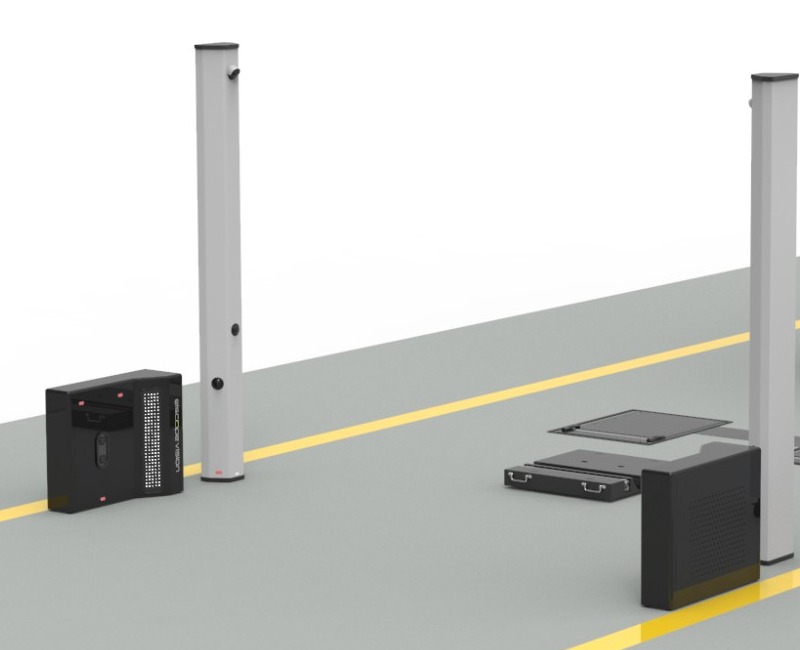
Quotes for underbody, tread and sidewall inspection often arrive organized in different ways, some by product name and some by vehicle zone, and some include checks beyond the request. Before two totals can be set side by side, each quote needs to be read against the same inspection items and the same delivery lines. Treat underbody, tread and sidewall as three separate rows, and look in every quote for what it supplies on each row: the capture hardware, the report output, installation, integration, training and support. Filled in this way, a quote built on product names and a quote built on vehicle zones end up describing the same three inspection jobs. In a dealership reception lane, Elscope Vision covers all three rows in one drive-through. Each item has its own scanner in the Elscope Vision product range, and the dealership 4-in-1 solution brings them together with the arch scanner for the exterior: 1. Underbody row. The TOTA Pro underbody scanner captures 4K images under high-brightness illumination and uses AI to identify defects such as cracks, rust, scratches and oil leaks. 2. Tread row. The LUBAN PRO tire tread depth scanner measures all grooves of each tire in a single pass while the car keeps moving. 3. Sidewall row. The AI tire sidewall scanner reads tire size, brand and age with OCR and recognizes bulges and other sidewall defects. 4. Optional exterior row. The arch scanner adds body condition when the request includes it. Illustrative quote alignment sheet Some quotes describe coverage by vehicle zone rather than by unit. UVeye's How it works page is organized that way: its underbody heading covers leaks, corrosion, rust and missing or broken parts, and its tire heading covers tread depth, wear patterns, DOT data and sidewall bulges, with a system named Artemis scanning all four tires. The same page names Atlas Lite for exterior inspection in dealership lanes. Zone headings and product modules map onto the same rows. One tire heading answers both the tread row and the sidewall row, while in the Elscope Vision range those two rows correspond to two product types: the drive-over tread scanner and the sidewall scanner beside the lane. Exterior coverage follows the same logic: Atlas Lite on one side and the Elscope Vision arch scanner on the other both sit on the optional exterior row, outside the three-row comparison unless the request includes body scanning. The request should also spell out the report fields each inspection item must return: 1. Tread. Readings for each groove at each tire position, with wear findings and any replacement or alignment suggestion. 2. Sidewall. Tire size, brand and age for each position, plus defect findings and tire images. 3. Underbody. Images of the underside with flagged defects marked by type, such as cracks, rust, scratches or oil leaks. When a supplier answers with its own field names, those can be matched to this list one field at a time. Elscope Vision's tread report, for example, lays out groove readings by tire position and states which tires are recommended for replacement. The LUBAN PRO report also includes wear analysis with eccentric wear and gnawed tire alarms, abnormal tire warnings and four-wheel alignment suggestions, which belong on the tread row when the request asks for them. The sidewall scanner's detailed reports include 4K images of the tire sidewalls together with the size, brand and age information read by OCR. TOTA Pro pairs high-brightness illumination with 4K capture, and the product image below shows exhaust routing, axle components and underbody panels together in one frame. The car dealership solution is built for the reception lane, where the 4-in-1 lane is designed to inspect every vehicle in 10 seconds and deliver objective digital reports covering the exterior, tires and underbody. One scan captures all of it, so the three rows on the sheet come from the same drive-through. The solution comes in two series, Arch Series and Lite Series. A quote for this lane should name the series and include a layout drawing with the position of each unit. The solution supports API integration and on-premises deployment. On the system integration line, the request can name the DMS or service software that should receive the results and the fields to send, and the integration work is scoped around that. Keep them on their own line below the three required rows. Windshield, alignment or exterior checks may be useful, and listing them separately lets the team compare the required scope first and then decide whether the extras earn a place in the lane. A separate line also ties each extra check to the report field it would add for the advisor. A request can list just the three required rows. The TOTA Pro underbody scanner, the LUBAN PRO tread depth scanner and the tire sidewall scanner are each separate products in the Elscope Vision range, so the request can name them individually, keep the exterior row optional and let the reply set out the lane configuration. Share your inspection item list with Elscope Vision, along with your typical daily arrivals, your vehicle mix and a sketch of the lane, and ask for the scope to be laid out on the same rows you use for every other supplier. The vehicle mix matters because Elscope Vision builds its drive-over tread scanner as LUBAN PRO for passenger cars and LUBAN MAX for commercial vehicles, and the reply then drops straight into your comparison sheet.Rebuild Each Quote Around the Three Required Inspection Items
Six Lines Every Quote Should Fill In
Quote line What it should state for underbody, tread and sidewall Why it changes the comparison Capture hardware The unit that captures each item and how many units the lane receives Hardware listed per item shows whether all three rows are physically covered on every vehicle that passes Report output The findings, readings and images each item returns, as set out in the next section Two quotes can name the same item and still hand advisors different evidence Installation and site work Which floor work (surface mounting or cutting into the slab), electrical and network work sits with the supplier and which sits with the site Work left to the site still has to be planned, scheduled and funded by the dealership or fleet System integration The receiving system, the fields it should receive, and whether the connection project is part of the quote A connection scoped in one quote and left out of another makes the two totals describe different projects Training and handover Which roles are trained and at what point in the go-live Advisors, technicians and lane staff each read a different part of the report Maintenance and support Which modules are covered after go-live and from which date Cover limited to some modules supports less of the lane, and the start point decides who is responsible between installation and handover Translating Zone Headings Into Module Rows
Define the Report Fields per Row

Where an Elscope Vision Lane Matches the Request
FAQ
Should checks outside the request stay in the comparison?
Can a request leave out the exterior arch?
Send Your Item List for a Matching Scope
Let's Discuss Your Inspection Needs
We offer professional consultation services
Address : NO. 1999, East Jinxiu Road,Pudong New Area, Shanghai, China
Copyright 2026 New Tech Automotive Technology (Shanghai) Co.,Ltd. All Rights Reserved Information Security
Follow Us


Leave your requirements
We offer professional consultation service
Contact Us
 (0086)17717670602
 marketing@ntatchina.com
 8617717670602
Follow Us
Address : NO. 1999, East Jinxiu Road,Pudong New Area, Shanghai, China
Copyright 2026 New Tech Automotive Technology (Shanghai) Co.,Ltd. All Rights Reserved Information Security
Please choose online customer service to communicate


