
Autor: NTA Time: 2026-08-24 11:03:54 Click:
A reliable comparison workflow keeps every inspection as a separate event, normalizes the fields used for comparison, and records who reviewed each change. Elscope Vision supplies digital body, underbody, tread, and sidewall inspection inputs; the operator or connected record system owns version history, retention, and delta logic.
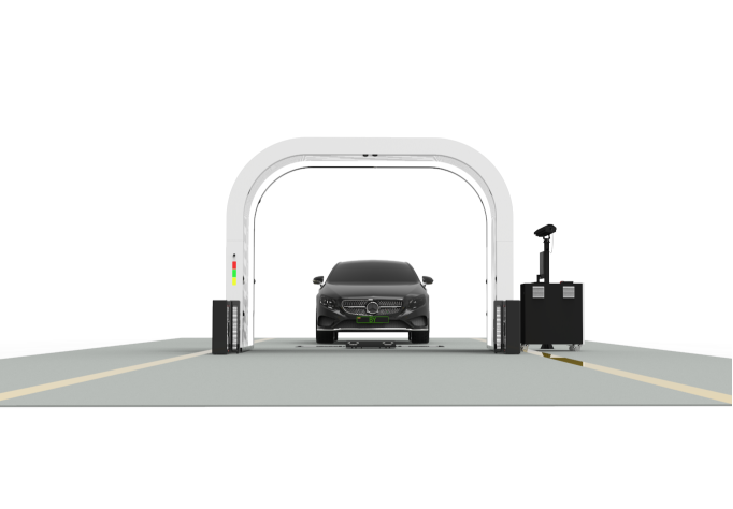
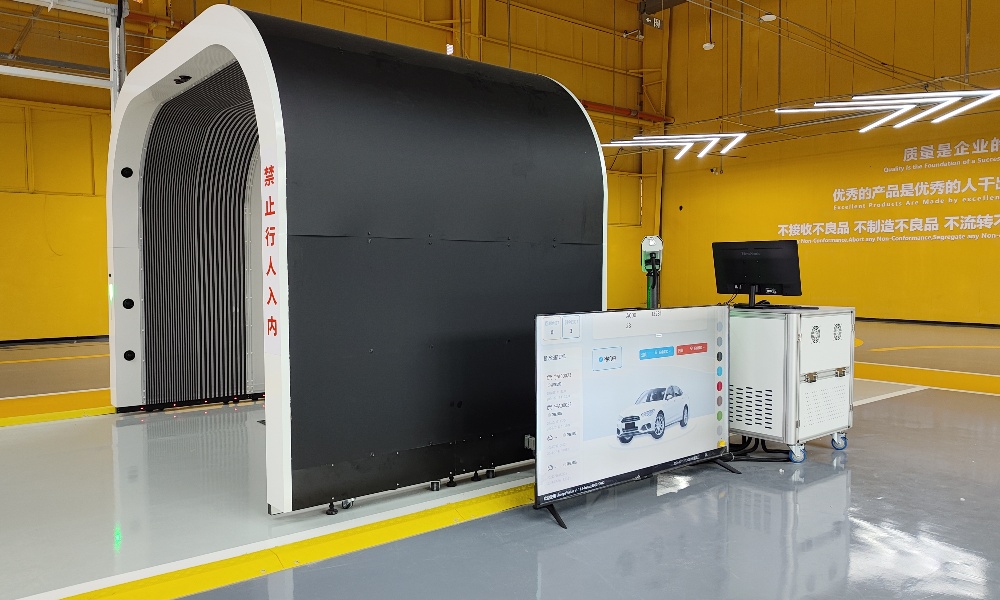
A vehicle passes through intake inspection on Monday, returns for tire service on Wednesday, and arrives at auction the following week. Each touchpoint produces a condition record, but unless those records are structured to be compared side by side, the trail they leave behind is fragmented. This article covers what version control means for inspection reports, which fields make comparison reliable, how Elscope Vision's 4-in-1 solution supports that workflow, and what to verify before choosing a system. Vehicle inspection report version control is the practice of storing each inspection record as a discrete, timestamped version so that teams can compare findings across two or more inspections of the same vehicle. It doesn't replace operational judgment. It preserves provenance, so the people making decisions can see exactly what was recorded, when, and under what conditions. Three controls separate a version-controlled inspection workflow from a folder of loose reports: • Unique record identifiers that tie every report version to a single vehicle and inspection event • Timestamps and metadata (inspector ID, location, inspection scope) attached to each version at the point of capture • A comparison schema that the operator defines and applies consistently across events Elscope Vision's 4-in-1 Passenger Vehicle Solution supplies digital inspection inputs covering exterior body, tire tread, tire sidewall, and underbody condition in one drive-through workflow. Those inputs can feed a version-control process, but the operator or connected record system still defines the comparison schema, record identifiers, retention rules, and amendment logic. Condition disputes surface days or weeks after the fact, when a buyer, insurer, or logistics partner asks what changed between two points in time. A dealership intake report that can't be placed next to the pre-delivery report leaves the service lane without evidence. An auction house that can't show whether damage was present at consignment or appeared on the lot carries the liability. Digital storage alone doesn't solve this. Two PDF reports in the same folder still require a human to open both and mentally diff the results. Version control adds the structure that makes comparison systematic. Not every data point needs to be versioned. These are the fields that matter when two reports are placed side by side. When an inspection system uses a fixed schema for these fields, comparison can be handled programmatically rather than manually. This workflow applies to any operation that inspects the same vehicle more than once. 1. Capture the baseline. The first inspection produces Version 1 with a unique record ID, timestamp, scope metadata, and structured findings with image references. 2. Run a subsequent inspection. Create Version 2 under the same vehicle ID and record the same required comparison fields. 3. Generate a version delta. The operator or system compares versions field by field. New, resolved, and unchanged findings are each flagged. 4. Review and annotate. An operations lead reviews the delta and attaches notes where context is needed. 5. Archive the comparison. The delta report is stored alongside both versions, creating a provenance chain. Elscope Vision can supply digital body, underbody, tread, and sidewall inspection results within tens of seconds for the combined drive-through workflow. Field normalization, version alignment, and delta generation remain part of the operator's record-management design. Consistency between report versions depends on a repeatable capture workflow and a comparison schema that is applied the same way each time. Manual records often vary because inspectors may document the same vehicle differently. Elscope Vision's 4-in-1 Passenger Vehicle Solution supports repeatable data collection by covering four domains in one drive-through workflow: exterior body, tire tread, tire sidewall, and underbody. The operator should verify the exported fields and map them into its own version schema before relying on automated comparisons. Three architectural details support version control specifically: • Repeatable lane workflow. Using the same configured lane and inspection scope reduces avoidable variation, although vehicle position, operating conditions, and mapping logic still need control. • Digital report as the native output. Digital inspection results avoid a second handwritten transcription step and give the receiving system structured evidence to store. • Open API architecture. Elscope Vision provides an API integration path whose compatibility depends on fields, authentication, workflow, and implementation scope. Operations that need to push version-controlled records into a DMS, auction platform, or fleet system can evaluate that path against their specific requirements. Version control compares records and preserves provenance. It doesn't automatically resolve disputes, assign liability, or guarantee that every governance requirement for a given industry is met. Those decisions still belong to the operations team. What version control provides is structured evidence to support those decisions with less guesswork. Before committing to any inspection platform for version-controlled workflows, operations and data leads should verify: • Schema consistency. Does every inspection produce the same structured field set, regardless of operator or module? • Timestamp granularity. Are timestamps recorded at the second level with timezone context, or rounded to the day? • Record immutability. Once a report version is finalized, can it be altered without a logged amendment? • Retrieval speed. Can the team pull two versions and view a delta quickly, or does comparison require manual formatting? Storage limits depend on the deployed system architecture and contract. The operator should confirm capacity, retention rules, export options, and deletion controls before deployment. Structured data formats (JSON, XML, or database records with fixed schemas) make automated comparison far easier than unstructured formats like free-text PDFs. Systems that generate reports in structured formats natively are better suited to version-controlled workflows. Timestamped, immutable inspection records with image references and operator metadata are stronger evidence than undated paper forms. Whether they meet the evidentiary standard for a specific dispute depends on the jurisdiction and the agreement between parties. A configured drive-through lane can make capture more repeatable than an ad hoc walk-around. Direct comparison still depends on consistent scope, field mapping, vehicle identity, timestamps, and review rules. Elscope Vision provides an API integration path, but compatibility depends on the specific fields, authentication methods, workflow logic, and implementation scope of the receiving system. A scoping conversation with both the inspection vendor and the platform team is the practical first step. Version control becomes useful when a condition question surfaces later and the answer depends on comparing what two inspections recorded. A well-designed workflow preserves both versions, the evidence attached to each one, and the review history used to explain the change. Explore how the Elscope Vision 4-in-1 Passenger Vehicle Solution structures inspection data for cross-version comparison, and contact the team to schedule a walkthrough of the reporting output.Keep Every Inspection as a Separate Event
Why Comparing Across Inspections Matters Now
Fields That Make Report Versions Comparable
Field Why It Enables Comparison Example Value Vehicle ID (VIN) Links all versions to one asset VIN-KEY Inspection timestamp Establishes sequence and time gap 2026-08-19T09:14:22Z Inspector or system ID Attributes findings to a source Station-04 / Operator-JLIU Inspection scope Clarifies what was and wasn't checked Exterior + tread + underbody Defect location coordinates Enables spatial overlay across versions Panel: left-rear-quarter, grid C4 Severity classification Supports delta scoring (new, worsened, resolved) Minor surface scratch Image reference Ties visual evidence to each version IMG-20260819-091422-LRQ.jpg A Version-Controlled Comparison Workflow
How the 4-in-1 Architecture Supports Version Integrity
What Version Control Does Not Do Automatically
What to Verify Before Choosing a System
Frequently Asked Questions
How many inspection versions can be stored per vehicle?
Does version control require a specific file format?
Can version-controlled reports support insurance or liability disputes?
How does a drive-through system handle re-inspections differently from a manual walk-around?
What integration work is needed to connect version-controlled reports to a DMS or fleet platform?
Build the Trail Before the Dispute Arrives
Let's Discuss Your Inspection Needs
We offer professional consultation services
Address : NO. 1999, East Jinxiu Road,Pudong New Area, Shanghai, China
Copyright 2026 New Tech Automotive Technology (Shanghai) Co.,Ltd. All Rights Reserved Information Security
Follow Us


Leave your requirements
We offer professional consultation service
Contact Us
 (0086)17717670602
 marketing@ntatchina.com
 8617717670602
Follow Us
Address : NO. 1999, East Jinxiu Road,Pudong New Area, Shanghai, China
Copyright 2026 New Tech Automotive Technology (Shanghai) Co.,Ltd. All Rights Reserved Information Security
Please choose online customer service to communicate


