
Autor: NTA Time: 2026-08-20 18:34:33 Click:
Separates capture, environment, calibration, synchronization, model, rule, report, and integration causes so teams fix the layer that actually failed.
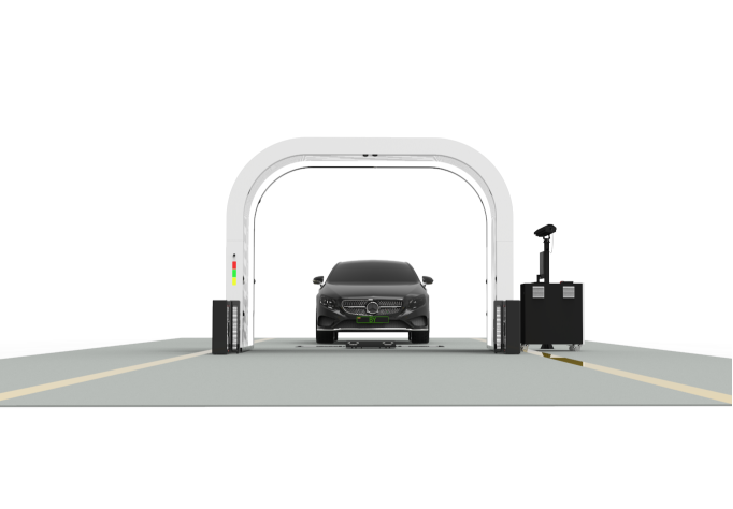
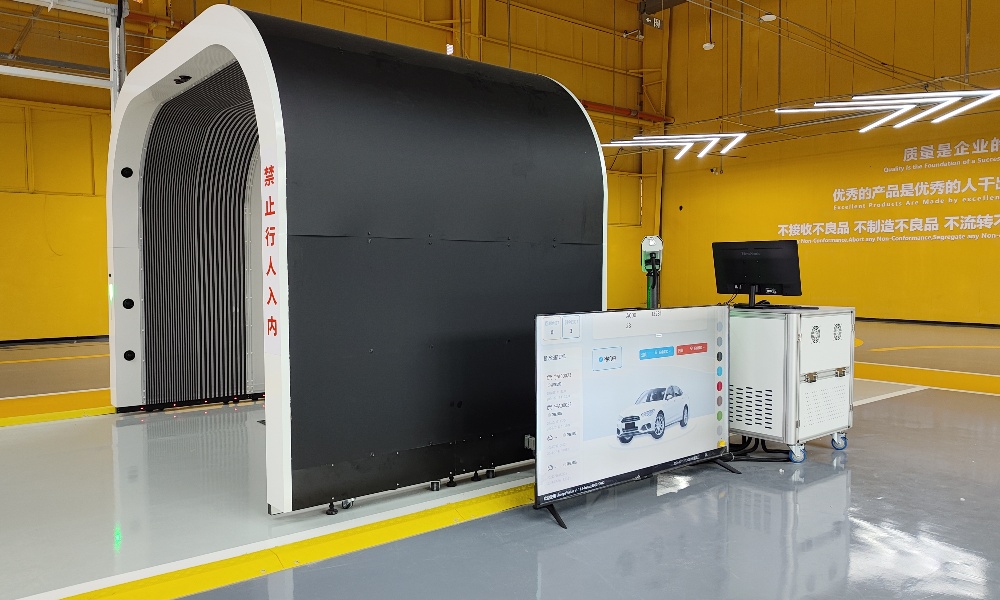
When an inspection report flags damage that a reviewer cannot confirm, the visible error may have entered the pipeline long before the report appeared. Camera condition, lighting, vehicle surface state, calibration, synchronization, model output, taxonomy rules, report rendering, and integration transforms can produce similar symptoms. Blaming the AI first may delay the real fix. This article provides a symptom-to-cause matrix and a repeatable workflow for preserving evidence, reproducing the discrepancy, isolating the failed layer, and verifying corrective action. Root-cause analysis should begin with the original capture and follow the data through classification, rule mapping, report rendering, and downstream delivery. Do not change the model, threshold, template, or hardware before preserving the disputed record and its surrounding context. The key controls are: • preserve raw evidence and the exact report state; • compare with a known-good baseline; • reconstruct the change timeline; • reproduce the symptom under controlled conditions; • retest one layer at a time; • verify that the correction prevents recurrence. The Elscope Vision Dragate Arch Scanner uses 17 cameras and generates 17 videos and more than 2,000 images per vehicle according to the official product page. That multi-angle evidence can support investigation, but the operator still needs to retain the relevant record, versions, settings, maintenance history, and review actions needed for RCA. Capture hardware. Lens contamination, obstruction, sensor fault, focus change, cable issue, or physical movement may degrade one view or create intermittent loss. Lighting. Ambient light, reflections, shadows, flicker, aging illumination, or a changed fixture can alter contrast and surface appearance. Vehicle state. Water, dirt, wax, reflective film, accessories, an open panel, or unusual geometry can affect what the camera sees. Calibration and geometry. Changed camera position, calibration values, lane alignment, or vehicle path can move a finding or distort multi-view correspondence. Synchronization. Trigger, speed, camera, and processing timestamps may fall out of sequence, creating gaps, duplicates, or mismatched frames. AI model or threshold. The available image may be adequate, but the model or configured rule may classify it incorrectly or fail to detect the condition. Taxonomy and severity mapping. The detection can be correct while the downstream rule assigns the wrong type, vehicle area, severity, or disposition. Report rendering. Structured data can be correct while the template places a marker on the wrong panel, truncates text, or omits evidence. Integration and export. An API mapping, transform, schema version, or receiving-system rule may change the value after it leaves the inspection platform. Treat these as peers. The report is the last visible layer, not proof that the report generator caused the discrepancy. The matrix narrows the investigation but does not prove the cause. Confirmation requires reproduction or a controlled counterfactual test. Create an incident package containing the scan ID, vehicle reference, time, site and lane, source images, module status, original model or rule output, taxonomy version, report, API payload where relevant, reviewer notes, and current system versions. Preserve nearby events as controls. A known-good scan from the same lane and period may show whether the issue affected one vehicle, one camera, or the entire system. Record environmental and maintenance context such as rain, cleaning, lane obstruction, lighting work, or camera adjustment. Do not overwrite the original by reprocessing it in place. Any retest should create a separate version linked to the incident. List changes since the last known-good event: • hardware movement, cleaning, replacement, or cable work; • lighting, facility, lane, or vehicle-path change; • firmware, software, model, threshold, taxonomy, or template release; • API schema, field map, endpoint, or receiving-system change; • configuration restore or unplanned restart; • operator or procedure change. The timeline often identifies the smallest plausible test. If the report template changed but source coordinates did not, compare structured output with the old and new renderers before touching the camera or model. 1. Open an incident record. Describe the symptom without naming an assumed cause. 2. Preserve the evidence package. Lock the source, versions, logs, report, and relevant integration events. 3. Choose a known-good baseline. Match vehicle type, lane, view, and conditions as closely as practical. 4. Build the change timeline. Identify what changed before the first observed discrepancy. 5. Reproduce safely. Use the same vehicle or a controlled equivalent without overwriting production evidence. 6. Isolate one layer at a time. Compare raw image, model output, taxonomy mapping, rendered report, export payload, and received record. 7. Apply the smallest corrective action. Clean, repair, recalibrate, revert, remap, or patch only the confirmed layer. 8. Verify recurrence prevention. Test representative positive, negative, and edge cases and monitor the same symptom after release. Counterfactual tests change one condition while preserving the rest. Reprocess the same source images with the same model but a previous taxonomy version. Render the same structured findings with two report templates. Compare the same payload before and after an API transform. Capture a known reference vehicle before and after cleaning or calibration. If the source image is unchanged and the marker moves only when the template changes, the renderer is implicated. If the structured detection changes while the source image remains fixed, investigate the model, threshold, or rule version. If the platform output is correct and the receiving system differs, inspect the integration path. Record failed hypotheses. Eliminating a layer is useful evidence and prevents the next investigator from repeating the same test. A corrective action should include the root cause, affected scope, change, owner, test set, rollback method, and result. Avoid compensating at another layer. A taxonomy override that hides a lighting artifact may make one report look correct while leaving the capture issue active. Verification should include known conditions, clean examples, affected vehicle types, adjacent views, report rendering, and downstream delivery where relevant. The sample and monitoring period are operator-defined; do not turn a local test into a universal accuracy claim. Review whether the incident reveals a preventive control: daily reference capture, maintenance trigger, configuration approval, canary deployment, template regression test, schema contract test, or alert on missing camera data. Is the AI model always the cause of a false finding? No. Preserve evidence and test capture, environment, calibration, synchronization, rules, rendering, and integration before assigning the cause. What evidence should be kept after a dispute? Keep the scan identity, source images, versions, module state, structured findings, rule mapping, report, review actions, and relevant API records. What is a counterfactual retest? It changes one layer while keeping the same source evidence, allowing the team to see whether that layer changes the symptom. Can water or reflective surfaces affect inspection output? They can change what the camera captures. The investigation should compare source images and controlled conditions before concluding that the model failed. How often should calibration be checked? Follow the approved maintenance and change-control procedure. Verify after relevant physical changes, detected drift, failed reference checks, or other defined triggers rather than copying a universal interval. Structured RCA replaces assumption with evidence. When teams preserve the original record, isolate each processing layer, and verify the smallest correction, they reduce the chance of masking one problem with a change elsewhere. Contact Elscope Vision to review how Dragate Arch Scanner evidence and API outputs can support your inspection troubleshooting and change-control workflow.Direct Answer: Treat Every Layer as a Candidate Until Evidence Eliminates It
Separate the Cause Categories
Use a Symptom-to-Cause Matrix
Observed symptom Primary layers to test Evidence to preserve First comparison Finding on a visibly clean panel Image, lighting, vehicle surface, model Source views, crop, exposure and maintenance context Flagged view versus adjacent cameras and baseline Missed condition visible to reviewer Coverage, obstruction, image quality, model All views of the area and module status Was the condition visible in any source image? Marker on the wrong panel Geometry, taxonomy, rendering Coordinates, vehicle-area code, template output Structured coordinates versus rendered overlay Severity differs from policy Threshold, taxonomy, disposition mapping Raw model output, rule-set version, review log Detection result versus applied rule Intermittent loss at one view Camera, cable, trigger, synchronization Camera-status logs and affected frames Suspect view versus known-good view Errors only after a system change Configuration, model, software, template, API Change record and before/after examples Last known-good version versus current version Correct report but wrong downstream value API, schema, transform, receiving system Export payload, event ID, response and import log Source payload versus received record Preserve Evidence Before Changing Anything
Reconstruct the Change Timeline
Run the RCA Workflow in Eight Steps
Use Counterfactual Retesting
Correct the Confirmed Layer and Verify the Fix
FAQ
Fix the Layer That Failed
Let's Discuss Your Inspection Needs
We offer professional consultation services
Address : NO. 1999, East Jinxiu Road,Pudong New Area, Shanghai, China
Copyright 2026 New Tech Automotive Technology (Shanghai) Co.,Ltd. All Rights Reserved Information Security
Follow Us


Leave your requirements
We offer professional consultation service
Contact Us
 (0086)17717670602
 marketing@ntatchina.com
 8617717670602
Follow Us
Address : NO. 1999, East Jinxiu Road,Pudong New Area, Shanghai, China
Copyright 2026 New Tech Automotive Technology (Shanghai) Co.,Ltd. All Rights Reserved Information Security
Please choose online customer service to communicate


