
Autor: NTA Time: 2026-11-04 17:36:33 Click:
Why the Elscope 4-in-1 inspection report belongs in post-reconditioning review and where 360 vehicle display and automatic photos fit in the listing.
Once the shop finishes a used car, the retail and online sales desk can end up holding an inspection report and a fresh set of 360 views and photos for it. Both show the car, and both look like proof that it is ready. They answer different release questions, and approving a car on the wrong one can leave a listing whose description and images no longer match the car's current condition. Post-reconditioning review belongs to the inspection report. The Elscope Vision 4-in-1 inspection report for used cars records body, tire and underbody condition in a standardized format, so the reviewer can check the finished car against the work that was ordered. The 360 views and automatic photos serve the step that follows, when the car is presented to online buyers. The split follows where each car is headed. A car bound for wholesale or auction needs the report, read together with the work order and the shop's completion check. A car headed for the retail listing uses both, in sequence: the reviewer clears its condition using the report, and the 360 set then shows that cleared car to buyers. Elscope Vision's used-car solution presents the two as halves of one offering, AI Inspection plus Digital Re-Marketing. On the inspection side, a 4-in-1 lane scans each vehicle in 10 seconds and produces a standardized digital inspection report ready for evaluation and remarketing. On the re-marketing side sit the 360° Vehicle Display and Fully Automatic Photo Taking, which together give buyers an interactive view and a set of exterior and interior images. The 360 display and the interior and exterior imaging come from SKEYE, Elscope Vision's used car scanner, which is a capture step of its own alongside the drive-through inspection lane. Illustrative comparison compiled from Elscope Vision's used-car solution and SKEYE product pages. A release reviewer has a short list of questions, and each one maps to a part of the report: 1. Were the body lines on the work order handled? The Arch Scanner section lists the dents and scratches it found panel by panel, with a severity for each, so the reviewer goes straight to the panels named on the work order. 2. Are the tires the ones that were ordered? The Tire Sidewall Scanner identifies each tire's brand, size and age, and the tread scanner records every groove on each tire, so the reviewer can compare the fitted tires and their readings with what the work order called for. 3. Is anything flagged underneath? The Underbody Scanner adds 4K underside images in which AI picks out rust, cracks, scratches and oil leaks, which the reviewer passes to a technician when an area needs a closer look. The answers come back in a standardized format, so a reviewer handling many releases reads every report in a familiar layout. When something needs a second look, the Arch Scanner's images, captured with each defect location marked, let the reviewer see the area on screen. Once a car clears review, the questions change. The e-commerce team wants to know whether every angle is covered, whether the interior shows clearly, and whether the views load properly on the devices buyers use. Automatic photo capture from multiple angles and a 360 display built for mobile, desktop and tablet suit those checks. The listing editor also confirms that the images agree with the description. If the dealership chose to leave a small mark in place, the text and the images should both reflect it, and where the scan recorded that mark, the report gives its location. Repair acceptance stays with the inspection report and the shop's completion check, whatever the 360 set shows. A practical sequence for a dealership running both outputs looks like this: 1. The shop marks the work complete and the car goes through the 4-in-1 lane. 2. The reviewer reads the report against the work order and either releases the car or sends specific lines back to the shop. 3. The released car is detailed and photographed, producing the 360 display and photo set. 4. The listing editor publishes with images and description that match the car the reviewer released. Photographing a car before it clears review risks a reshoot if the shop has to redo a panel. Taking the photos after release means the listing shows the finished car. Our earlier article on keeping listing reports current after reconditioning covers the editorial side of that last step in more depth. The mix of outputs worth buying follows from where your reconditioned cars are sold: 1. A large share of wholesale and auction-bound cars. The 4-in-1 inspection lane carries the reconditioning review, and its standardized report is ready for evaluation when a car is sent to wholesale. 2. Retail cars sold through online listings. The inspection lane handles review, and the 360 display and automatic photos handle presentation, so both halves of the used-car solution are in play. 3. A mix across several rooftops. Each site can run the inspection lane for review, with 360 capture placed where the online listings for the group are produced. With API integration and on-premises deployment available on the used-car solution, how the report and the presentation assets attach to the stock record in your inventory or listing system is worked out with our team when the lane is set up. They can show how the area looks, which is often what a buyer wants to see. The location and severity the reviewer relied on come from the inspection report, so sales staff answer the follow-up question from the report. The shop reworks the lines the reviewer returned, and the car runs through the 4-in-1 lane again. The reviewer goes straight to the returned panels and tire positions in the new report, and photography waits until the car passes, so the 360 set shows the car as released. The used-car or reconditioning manager owns the inspection report, since the release decision is made from it. The e-commerce or merchandising team owns the 360 display and photos, since they decide how the car is presented. Talk to Elscope Vision with a description of how a car moves from your shop to your website today. We can work out where the 4-in-1 lane and the 360 capture would sit in that flow and how their outputs would reach your listing system.Which Output Answers Which Release Question
Two Outputs on One Used-Car Page
Output Built for Main reader Place after reconditioning 4-in-1 inspection report Recording body findings, tire readings and tire identity, and underbody images in one standardized report Reconditioning reviewer, used-car manager First, at the release review once the shop finishes 360° Vehicle Display and automatic photos Interactive views on a phone, desktop or tablet, plus exterior and interior images from multiple angles Listing editor, e-commerce team, then online shoppers After the car passes review, as part of the listing 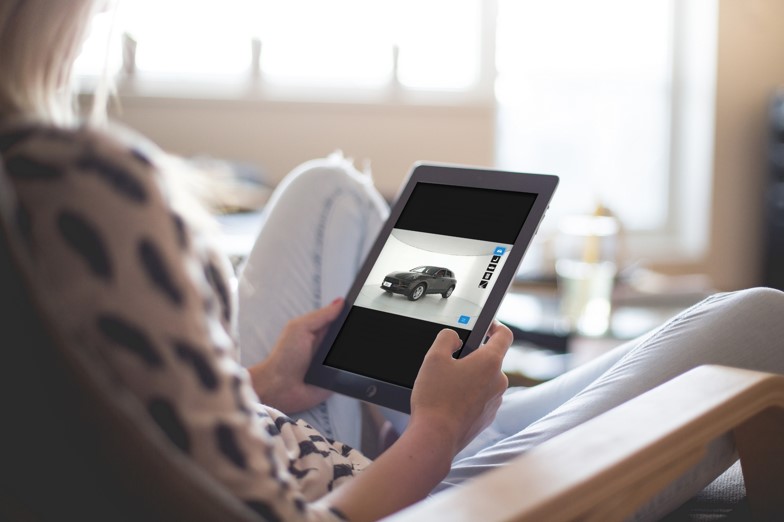
What the Review Settles With the Report
What the Listing Settles With the 360 Set
Sequencing the Two at the Release Gate
Buying for Where Your Cars Go
FAQ
Can the 360 views help a buyer understand a mark the dealership left in place?
What happens when the review sends the car back to the shop?
Who should own each output after reconditioning?
Plan Both Outputs Around Your Listing Flow
Let's Discuss Your Inspection Needs
We offer professional consultation services
Address : NO. 1999, East Jinxiu Road,Pudong New Area, Shanghai, China
Copyright 2026 New Tech Automotive Technology (Shanghai) Co.,Ltd. All Rights Reserved Information Security
Follow Us


Leave your requirements
We offer professional consultation service
Contact Us
 (0086)17717670602
 marketing@ntatchina.com
 8617717670602
Follow Us
Address : NO. 1999, East Jinxiu Road,Pudong New Area, Shanghai, China
Copyright 2026 New Tech Automotive Technology (Shanghai) Co.,Ltd. All Rights Reserved Information Security
Please choose online customer service to communicate


