
Autor: NTA Time: 2026-11-04 17:35:16 Click:
A used-car guide to what an Elscope 4-in-1 inspection scanner captures, what reconditioning software manages, and which purchase to make first.
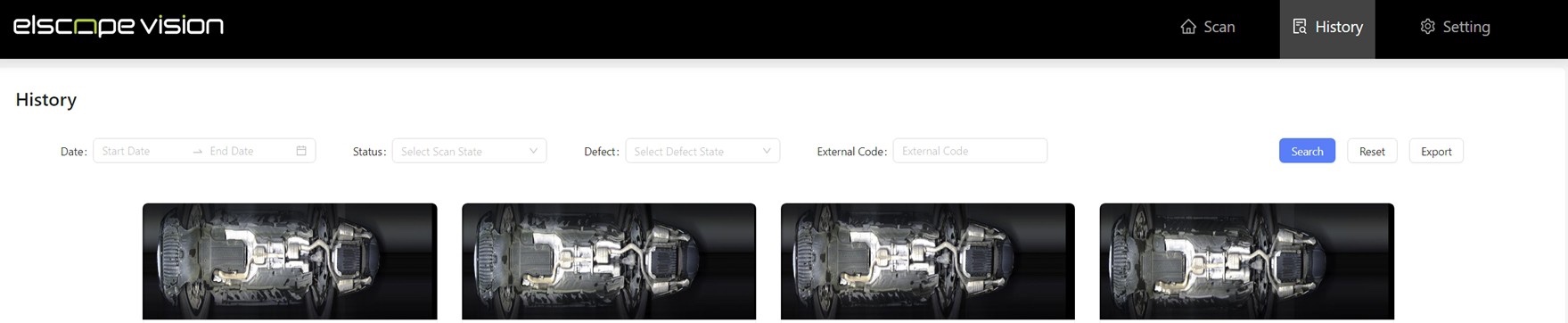
Used-car managers hear the word "inspection" from two kinds of vendors: the ones selling a reconditioning board and the ones selling a scan lane. Missing tire readings on last week's trade-ins call for a better condition record, while a car nobody can locate in the shop calls for better workflow tracking. A vehicle inspection scanner produces the condition record a reconditioning plan starts from, and reconditioning management software moves the car through the work that record calls for. For a dealership that already runs a recon board, or plans to, Elscope Vision's 4-in-1 Solution fits as the condition-capture stage: one drive-through covers the body, tires and underbody and produces a standardized digital inspection report. The software keeps doing what it was bought for, which is tracking each car's steps, the inventory and the compliance work around it. What reaches the recon team from a 4-in-1 lane is a standardized report covering the body, tires and underbody. For a recon manager, it breaks down into five inputs: 1. Body findings by surface. The person writing body repair lines sees each dent and scratch with its location and severity, surface by surface. The Arch Scanner captures them with 17 cameras and more than 2,000 images per vehicle, with every defect location marked. 2. Tread readings for every tire. The Tire Tread Depth Scanner measures all grooves of each tire in one pass and raises wear and eccentric wear alarms, along with tire replacement alerts and wheel alignment suggestions. 3. Tire identity and sidewall condition. The Tire Sidewall Scanner reads size, brand and age with OCR, flags sidewall defects such as bulges, and adds 4K tire images to the report. 4. Underbody images. The Underbody Scanner captures 4K images under high-brightness lighting, and its AI identifies cracks, rust, scratches and oil leaks. A technician can look over the underside on screen before the car goes up on the lift. 5. A standardized format. Each pass produces a standardized digital report, so a reviewer holding a car's intake and post-repair reports side by side can work through the same panels and tire positions in both. Those outputs give the person writing repair lines a specific starting point: which panel, which tire position, which groove reading, which underside image. Recon software is organized around the car's journey through the shop. ReconRelay's article on used-car reconditioning inspections describes its reconditioning software as tracking every step of the process, with inventory management and compliance tracking alongside. The same page lists streamlining every step from inspections to repairs and supporting state and brand certification requirements among what its tools provide. That workflow sits at the center of how the shop is scheduled, and it is fed by the condition information each car enters with. ReconRelay's article also notes that certification often requires a rigorous inspection process for dealerships selling certified pre-owned cars. A scan report gives those inspections a documented exterior, tire and underbody record to start from. Illustrative split compiled from Elscope Vision's used-car and product pages and ReconRelay's reconditioning article, showing the role each plays at each stage. Adding a scan lane does not mean replacing a recon platform that is already in place. The suggested arrangement makes the scan report the starting condition record for each car, in place of handwritten condition notes. Elscope Vision's used-car solution supports API integration, with on-premises deployment available where a dealership prefers it. During setup, the two teams agree how the report and outputs such as tire readings or flagged findings are carried into the recon platform you run, based on what that platform accepts. The intake pass fits most naturally as the first step of the recon record, before any repair work changes the car. Mechanical checks on the lift run alongside it, with the underbody images and leak flags showing technicians where to look first. A second pass after body or tire work gives the reviewer a current standardized record, which the release step can reference. Our earlier guide to what the preparation team receives at reconditioning intake covers how that first report is turned into a work scope. Three situations help decide the order in which a dealership makes these purchases: 1. Cars disappear between steps. When nobody can say which department holds a car or how long it has been there, workflow software is the first purchase, and the scan lane can be planned as its condition input later. 2. Work lists change depending on who walked the car. When repair lines vary by inspector, tire lines arrive without readings, or there is disagreement over whether a mark was present at intake, the scanner is the first purchase. 3. Both problems show up in the same week. Plan them together, with the scan as the opening entry on each car's record and the software carrying it from there. Settling the hand-off point before either system goes live gives the recon record a defined place for the scan report from the first day. Volume is worth weighing as well. When trade-ins and auction purchases tend to arrive in batches, the 10-second scan time given on Elscope Vision's used-car solution page is one of the figures to plan the intake lane around. The inspection step remains a stage the dealership tracks in its recon process. The scan report is the evidence the person completing that stage works from, so the step rests on readings and images instead of a free-text note. Elscope Vision describes the used-car report as ready for evaluation and remarketing, so the same record that starts the recon plan can inform the decision to retail or wholesale a car, and later support the listing. Talk to the Elscope Vision team with a sketch of your reconditioning stages and the name of the software you use to track them. Together you can pin down where a 4-in-1 lane would sit in that flow and which parts of its report your recon record should carry.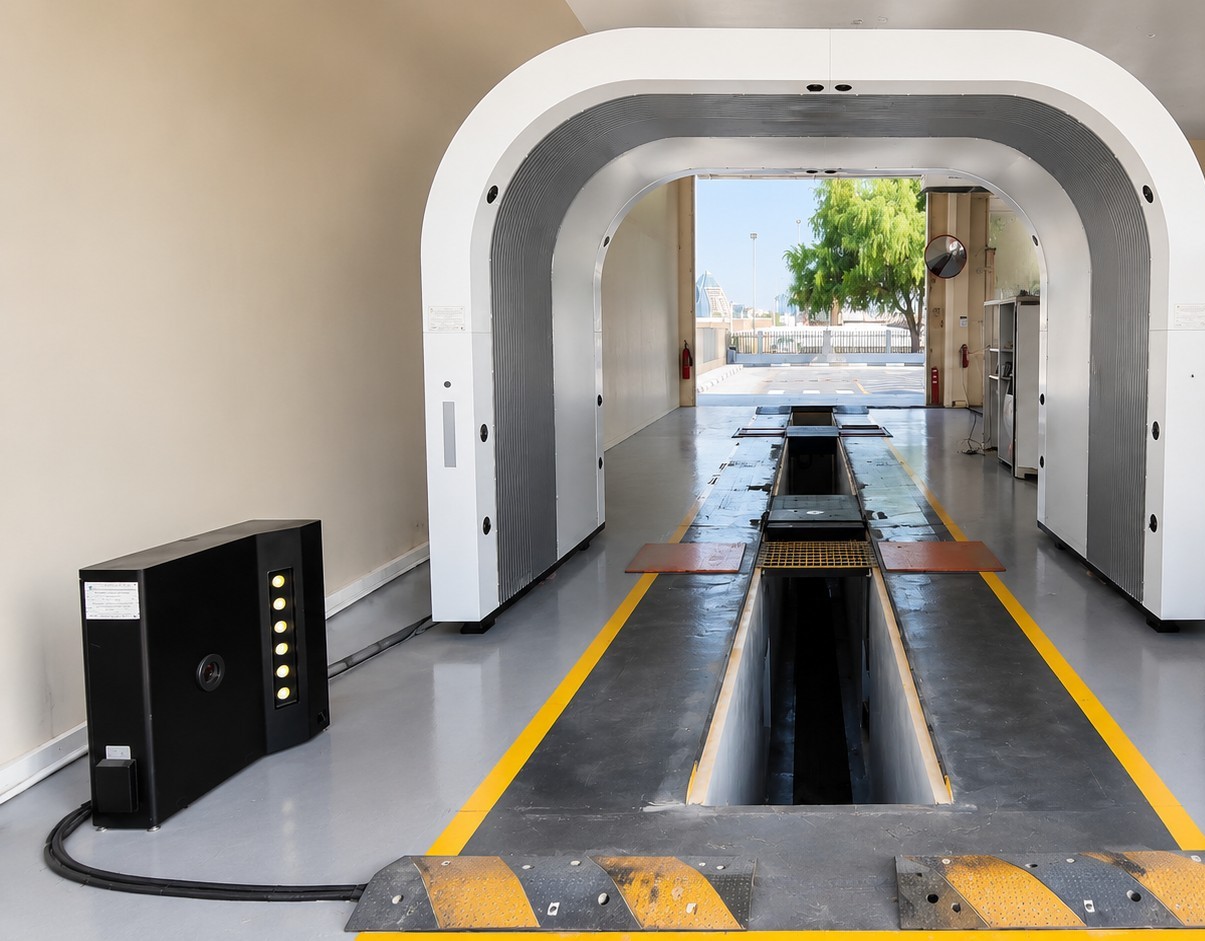
Where Each Purchase Sits in the Recon Process
What the Scanner Hands to the Recon Team
What Reconditioning Software Is Built to Manage
A Four-Stage Responsibility Split
Recon stage Inspection scanner (Elscope 4-in-1) Reconditioning software (as ReconRelay describes it) Dealership staff Capture condition One drive-through records body, tires and underbody Tracks the inspection step as one of the reconditioning steps Drives the car through the lane at intake Record findings Standardized report with surface-level body findings, groove readings, tire identity and underbody images Helps manage inspections as part of the tracked process Reviews the report and decides what goes on the work list Schedule repairs Locations, severities and tire alerts that repair lines can quote Streamlines every step from inspections to repairs Assigns body, tire and mechanical work Review and release A fresh pass after body or tire work gives a current standardized record Compliance support for state and brand certification requirements, plus inventory tracking Signs the car off for the front line Adding the Condition Input to a Board You Already Run
Deciding Which Purchase Comes First
FAQ
Does a scan report replace the inspection step inside recon software?
Is the report useful outside reconditioning?
Map Your Recon Stages With Elscope Vision
Let's Discuss Your Inspection Needs
We offer professional consultation services
Address : NO. 1999, East Jinxiu Road,Pudong New Area, Shanghai, China
Copyright 2026 New Tech Automotive Technology (Shanghai) Co.,Ltd. All Rights Reserved Information Security
Follow Us


Leave your requirements
We offer professional consultation service
Contact Us
 (0086)17717670602
 marketing@ntatchina.com
 8617717670602
Follow Us
Address : NO. 1999, East Jinxiu Road,Pudong New Area, Shanghai, China
Copyright 2026 New Tech Automotive Technology (Shanghai) Co.,Ltd. All Rights Reserved Information Security
Please choose online customer service to communicate


