
Autor: NTA Time: 2026-09-01 00:30:19 Click:
A decision hierarchy for 4-in-1 digital inspection reports that separates critical safety findings from serviceable wear and monitor-only observations.
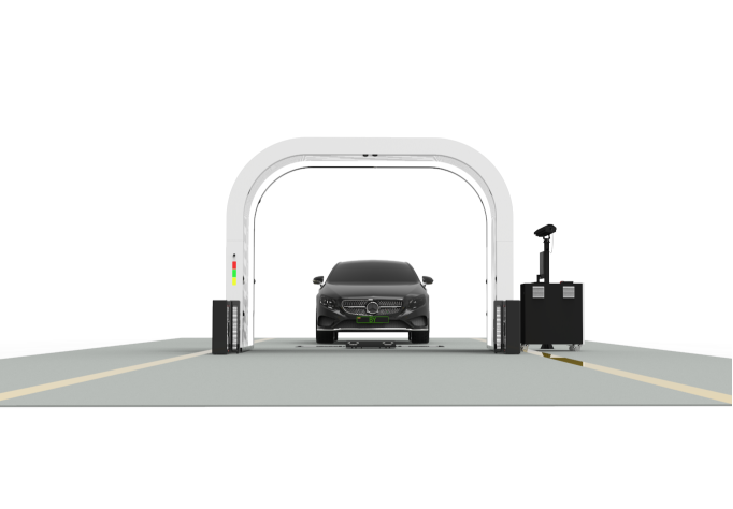
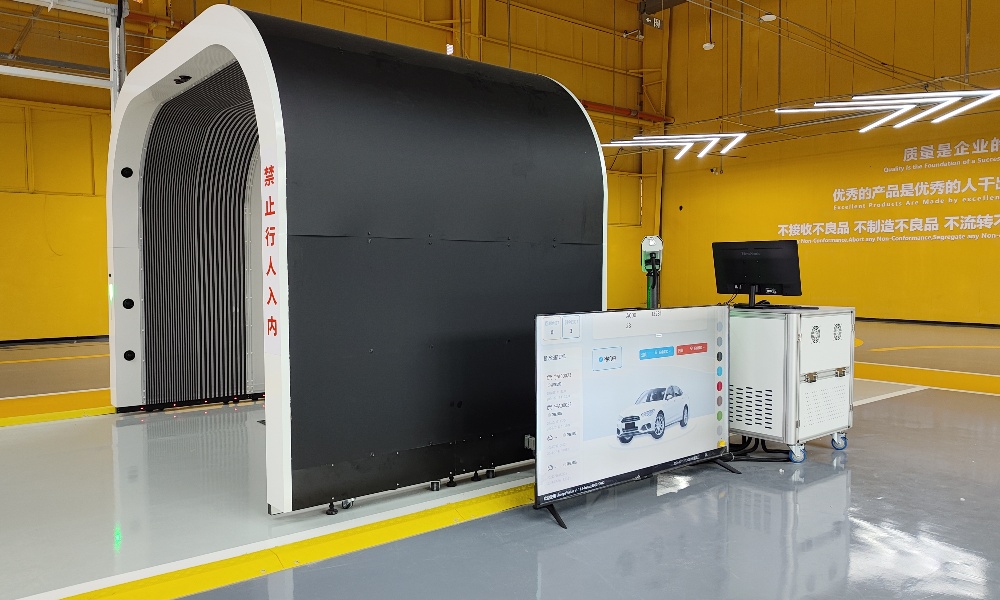
A combined inspection that covers body panels, underbody, tire tread, and tire sidewalls can surface dozens of findings on a single vehicle. When every item carries the same visual weight, service advisors waste time sorting and customers stop trusting the report. The cost isn't just confusion. Flat-priority reports bury brake-relevant tread wear under cosmetic scratches, and they turn a useful condition record into a wall of text no one acts on. This article covers how a three-tier decision hierarchy should work inside a 4-in-1 report, what belongs in each tier, how to define boundaries operators can repeat, and where Elscope Vision's combined inspection workflow supports that structure. A 4-in-1 vehicle inspection report should separate every finding into one of three action tiers before the report reaches the decision-maker: critical (act now), serviceable (schedule soon), and monitor-only (log and revisit). That separation is the single most important design choice in the report, because it determines what gets approved, what gets deferred, and what gets lost. The filters that make this work are straightforward: • Does the finding affect safe operation or regulatory compliance right now? • Does the finding show measurable wear that will cross a service threshold within a defined interval? • Is the finding present, documented, and stable enough to track without immediate action? Elscope Vision's Passenger Vehicle 4-in-1 Solution covers exterior body, underbody, tire tread, and tire sidewall inspection inputs in one drive-through workflow, generating a combined digital condition report within tens of seconds. That speed only pays off when the report presents findings in a hierarchy the next person in the chain can act on without re-sorting. The sections below break down what belongs in each tier, how to set the boundaries, and what to verify before trusting a system's default labels. The three tiers aren't abstract categories. Each one carries a specific operational expectation: who reviews it, how fast, and what happens if it's ignored. Critical findings ground the vehicle or block the transaction. In a dealership service lane, a critical finding means the advisor should not release the vehicle without documented customer acknowledgment. At an auction, it means the lot note must flag the item before bidding. In fleet logistics, it means the handoff record must carry the finding and a disposition before the vehicle moves to the next site. Serviceable findings enter the maintenance queue. Tread depth approaching a replacement threshold, minor underbody corrosion without structural compromise, or paint damage that will worsen with exposure all belong here. The report should state the current measurement and, where the system supports it, the threshold that would move the item to critical. Monitor-only findings are documented for the record. Light cosmetic marks on body panels, tread wear within specification, or underbody observations that don't meet a service trigger stay in this tier. They matter because they establish the baseline. When the vehicle returns for a future inspection, a version-control comparison depends on having those earlier observations stored under the same vehicle identifier. When a report lists 30 findings and marks every one the same way, three problems follow quickly. First, the person reviewing the report has to re-triage every item manually. That re-triage is subjective, inconsistent across reviewers, and slow. A service advisor at a busy dealership doesn't have 10 minutes to read 30 line items and decide which five matter. An auction condition clerk processing vehicles for sale day doesn't either. Second, critical items get buried. A tire sidewall bulge sitting at line 22 behind 21 cosmetic notes is easy to miss. The downstream risk, whether it's a safety complaint, an arbitration claim, or a rejected handoff, falls on the operator who trusted the report's presentation order. Third, the report loses credibility with the customer or buyer. Research across the digital vehicle inspection industry consistently shows that when shops and operators separate urgent findings from stable observations, approval rates on genuinely important work rise. Reports that treat every finding as equally urgent train readers to ignore all of them. The tier labels only work if the definitions are written down and applied the same way to every vehicle. A finding that one technician calls critical and another calls serviceable defeats the purpose of automated capture. Operators should define tier boundaries using these inputs: 1. Regulatory and safety thresholds. Tread depth minimums, structural integrity standards, and lighting or brake-relevant conditions provide hard lines. Anything below the line is critical by definition. 2. Measurable wear rates. When the system records a numeric value, like tread depth at 3.2 mm, the operator sets the threshold where serviceable becomes critical (e.g., 2.0 mm for a given jurisdiction). The report should carry the current reading and the configured threshold. 3. Transaction context. The same finding can change tiers depending on the workflow. A cosmetic scratch is monitor-only at a fleet yard but may be serviceable at a certified pre-owned intake where appearance standards are stricter. 4. Evidence requirements. Each tier should specify what documentation the report must include: image, measurement, location, and timestamp at minimum. Critical findings may also require a reviewer sign-off field. Elscope Vision's 4-in-1 workflow captures exterior body appearance via the Dragate arch scanner (10 seconds per vehicle, up to 1,500 vehicles per day), underbody condition via the TOTA PRO underbody scanner (4K imaging, 20,000-lumen fill light), and tire condition via the LUBAN PRO tread scanner (0.1 mm tread-depth precision) and tire sidewall scanner. That breadth of capture, body plus underbody plus tread plus sidewall, means the raw data for all three tiers comes from one pass. The operator's job is to configure the thresholds and labels that turn raw data into a prioritized report. Defining tiers on paper is one step. Making them stick in a live lane is another. The inspection system and the operator's process need to meet in three places: 1. Capture completeness. A finding can't be prioritized if it wasn't captured. A body-only scan misses underbody and tire conditions entirely. A 4-in-1 drive-through that covers all four domains in one pass reduces the chance that a critical finding falls outside the capture scope. 2. Structured output fields. The report needs discrete fields for finding type, location, measurement (when numeric), tier label, and image link. Free-text notes alone don't support filtering or downstream system logic. Elscope Vision supports API integration, which means the structured fields can feed a dealership management system, auction platform, or fleet record, but the operator must confirm field mapping and tier-label logic during implementation. 3. Human review for edge cases. Automated capture and AI analysis improve consistency by applying the same evaluation criteria to every vehicle and reducing variability between inspectors. Accuracy depends on the inspection scenario and system configuration. For borderline findings, a defined review step, with the original image, the system's label, and a disposition field, keeps the final call accountable. Tire condition is the domain where the three-tier model matters most and where flat reports cause the most harm. A moderate tread-depth reading may be serviceable, but that same tire with a sidewall bulge is critical regardless of tread depth. Operators who treat tire findings as a single line item lose that distinction. A well-structured 4-in-1 report should present tire findings per wheel position with at least three data points: tread depth (numeric, in mm), wear pattern (even or abnormal), and sidewall condition (clear or flagged). Each data point maps independently to the tier logic. One tire can carry a monitor-only tread reading and a critical sidewall finding at the same time. Elscope Vision's LUBAN PRO tread scanner measures tread depth to 0.1 mm precision, and the paired sidewall scanner captures sidewall surface condition. Separating those inputs in the report, rather than merging them into one 'tire status' field, is what makes per-tire priority logic possible. Before adopting any 4-in-1 inspection system's default report, operators should verify five things: 1. Does the report assign a tier label to every finding, or does it present a flat list? 2. Can the operator configure the thresholds that define each tier? 3. Does the report carry the measurement alongside the label, so a reviewer can verify the assignment? 4. Are findings linked to source images and timestamps? 5. Does the report survive a second reader? Hand the same report to a different advisor or clerk without context and ask what they'd act on first. If the answer doesn't match, the tier labels aren't doing their job. How many severity tiers should a 4-in-1 inspection report use?Three is the practical standard: critical (act now), serviceable (schedule soon), and monitor-only (log for next inspection). Some operators add a fourth tier for items that couldn't be inspected, but the core decision logic runs on three. Can a single finding appear in more than one tier?A single finding gets one tier label. However, one component can carry multiple findings at different tiers. A tire might have a monitor-only tread reading and a critical sidewall observation on the same wheel. Should tier labels be set by the inspection system or by the operator?Both. The system applies labels based on configured thresholds. The operator defines those thresholds and reviews edge cases. A system that locks its tier logic without operator configuration doesn't fit every workflow. How fast can a 4-in-1 inspection capture the data needed for tier assignment?Elscope Vision's Passenger Vehicle 4-in-1 Solution generates a combined digital condition report covering exterior body, underbody, tire tread, and tire sidewall within tens of seconds. Tier assignment can happen as part of the output logic if thresholds are configured. What happens when a finding sits right at the boundary between tiers?The operator's written policy should specify a default direction. A common practice is to escalate: if the measurement falls within a defined margin of the threshold, treat it as the higher tier until a qualified reviewer confirms the disposition. If the inspection reports at your site currently present findings in a flat list, the fix isn't better software alone. It's a written tier policy, configured thresholds, and a verification step before the report reaches the customer, buyer, or next handler. Start by reviewing your current report output, mapping each finding type to a tier, and testing the result on a vehicle your team already knows well. When you're ready to see how a 4-in-1 drive-through workflow handles tier-ready capture across body, underbody, tread, and sidewall in one pass, contact the Elscope Vision team to schedule a live demonstration on your own vehicles.Start Here
What each tier should contain
Tier Action expectation Typical response window Example findings (4-in-1 scope) Critical Ground, block, or flag before release Immediate, before next transaction Tread below legal minimum, structural underbody crack, safety-relevant body damage Serviceable Schedule repair or service Within a defined interval (e.g., 30 days or next service visit) Tread approaching threshold, spreading corrosion, deepening scratch on a panel edge Monitor-only Log for baseline and future comparison Next scheduled inspection Light surface mark, tread within spec, stable minor observation Where flat-priority reports fail
How to define tier boundaries the team can repeat
Connecting tier logic to the inspection workflow
Tire findings deserve their own priority logic
Score the report before you trust it
FAQ
Make the report work before the next peak day
Let's Discuss Your Inspection Needs
We offer professional consultation services
Address : NO. 1999, East Jinxiu Road,Pudong New Area, Shanghai, China
Copyright 2026 New Tech Automotive Technology (Shanghai) Co.,Ltd. All Rights Reserved Information Security
Follow Us


Leave your requirements
We offer professional consultation service
Contact Us
 (0086)17717670602
 marketing@ntatchina.com
 8617717670602
Follow Us
Address : NO. 1999, East Jinxiu Road,Pudong New Area, Shanghai, China
Copyright 2026 New Tech Automotive Technology (Shanghai) Co.,Ltd. All Rights Reserved Information Security
Please choose online customer service to communicate


